Free Tools
How to Write and Analyze Your Meta Tags, for Free
A free, step by step guide to writing better meta tags. Learn how to check your title and description length, fix truncation, and get optimization hints that improve click-through from Google and AI search, all in seconds.
Ranking on page one, ignored anyway
I once had a page I was genuinely proud of. The content was thorough, the design was clean, and it ranked on the first page of Google. Yet almost nobody clicked it.
When I finally looked closely, the problem was not the page at all. It was the two lines searchers actually saw: the title and the meta description. The title was too long and got cut off mid word, and the description was a vague sentence that gave nobody a reason to click.
The lesson stung because it was so basic. Your meta tags are the only part of your page most people read before deciding whether to visit. You can win the ranking and still lose the click, and I had been ignoring the exact text that does the convincing.
Why meta tags still matter
Your title and description tags are your storefront in search results, and increasingly in the summaries AI engines build. They do two quiet but critical jobs.
- They decide your click-through rate. The same ranking earns far more clicks with a sharp title and description.
- They get truncated when too long, so a great message can be cut off mid sentence where it counts most.
- They feed how engines and AI summarize your page, shaping the first impression before anyone arrives.
You cannot fix what you cannot measure. The fastest way to tighten your meta tags is to check them against length limits and best practices first.
The Meta Tag Generator / Analyzer catches what kills your clicks
Our team at RankAI built a Meta Tag Generator / Analyzer, free to run.
You enter your title and description and instantly get length checks and optimization hints, so you can write stronger tags that fit and earn the click.
How to analyze your meta tags for free, step by step
Step 1. Open the free tool
Go to rankai.ai/tools/meta-tag-generator-analyzer. It is free and you can start in seconds.
Step 2. Enter your tags and analyze
Add your Primary input (domain, brand, or query), then fill in your Title, Description, and URL. Click Analyze Meta Tags to get instant length checks and hints.
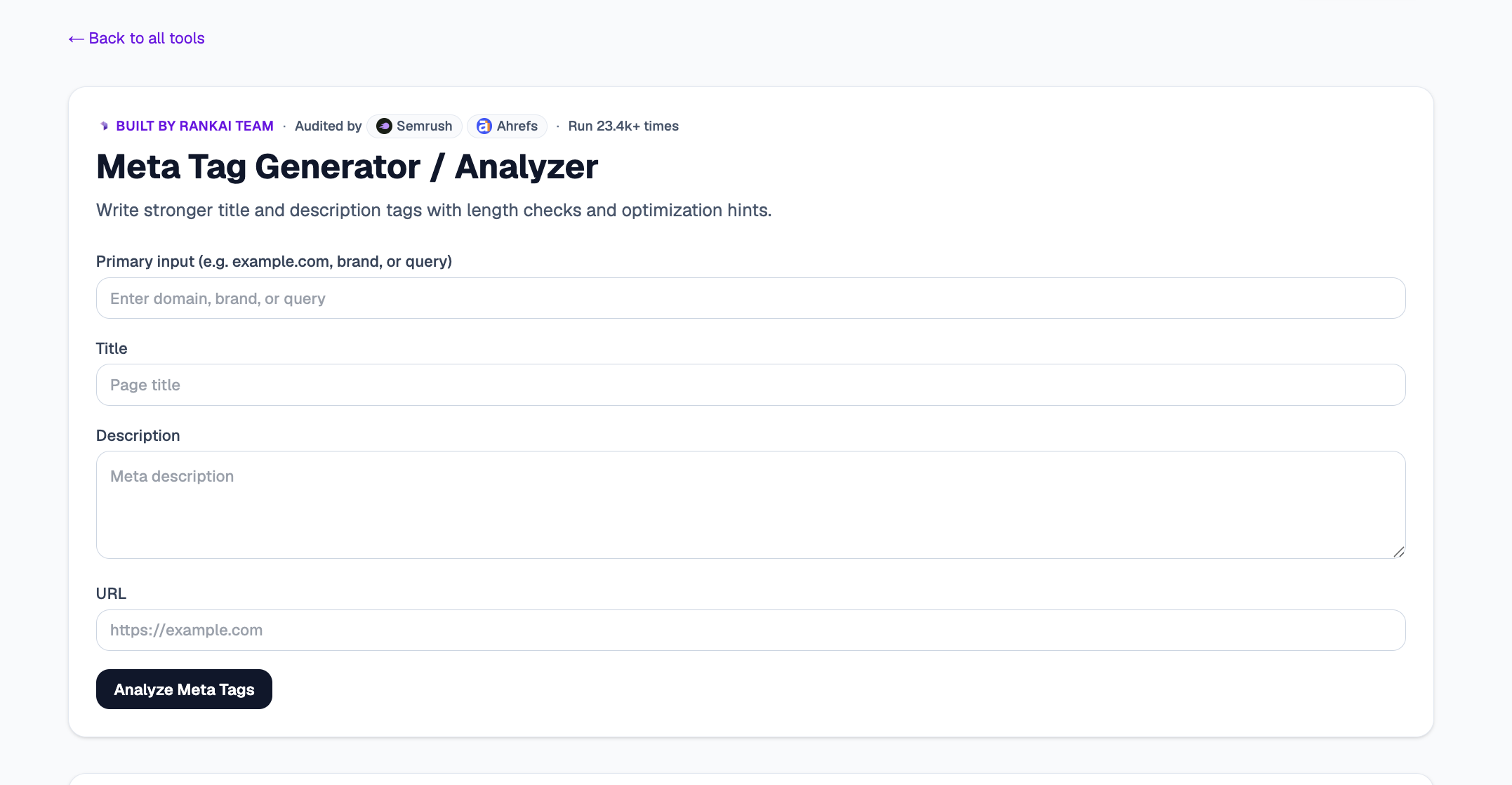
Step 3. Read your Quick verdict and Top 3 insights
In a couple of seconds you get a plain English read on whether your title and description fit within recommended lengths, plus the Top 3 insights: where you are too long, too short, or missing a clear reason to click.
Step 4. Expand "Raw details" for the full breakdown
Open the Raw details to see character and length counts for each tag and specific optimization hints you can act on right away.
Step 5. Want to go deeper? Get the Full AI Visibility Audit
For a much more detailed look at your whole site, not just this one check, click Get Full AI Visibility Audit (or the free trial link on the tool).
Step 6. Fill in your details to unlock the full audit (still free)
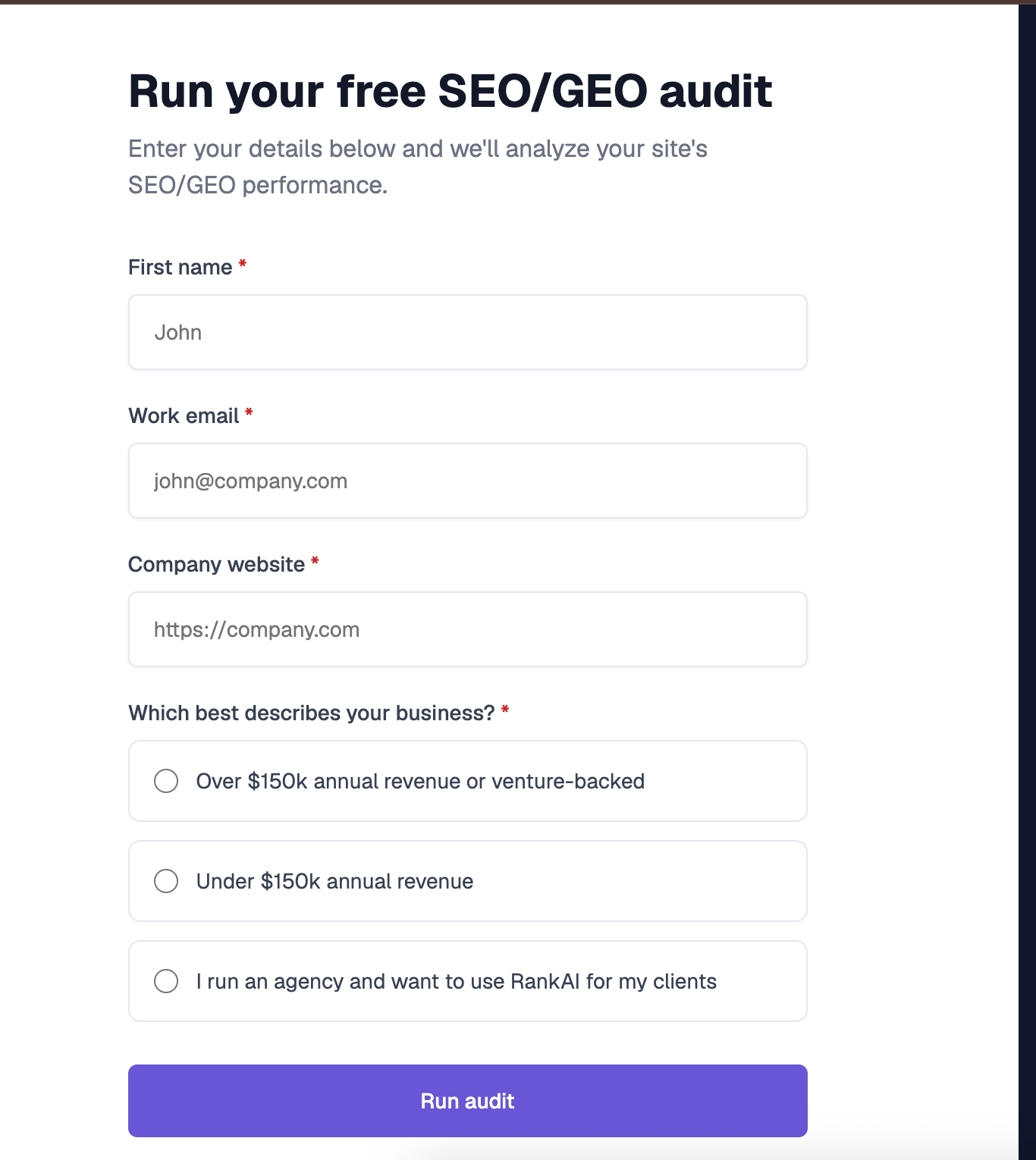
Enter your first name, work email, and company website, pick the option that best describes your business, and click Run audit. You get a far more detailed AI visibility analysis, still completely free, including a full, prioritized SEO and GEO optimization checklist.
What to do with your results
Once you can see your tags measured, the highest impact moves are usually:
- Fit the length. Keep your title and description within the recommended limits so nothing important gets truncated.
- Front-load the value. Put your keyword and your strongest hook near the start where they survive truncation.
- Write for the click. Give a clear, specific reason to choose your result over the others around it.
Re run the analyzer after editing to confirm your tags fit and read well.
Frequently asked questions
What is a Meta Tag Generator / Analyzer?
It is a free tool that checks your title and meta description against recommended lengths and best practices, and gives optimization hints so you can write stronger tags that fit and earn more clicks.
What is the ideal title and meta description length?
As a rule of thumb, titles read best around 50 to 60 characters and descriptions around 150 to 160 characters, since search results truncate longer text. The analyzer flags when you go over so nothing important gets cut off.
Do meta tags still matter for AI search?
Yes. Clear, accurate titles and descriptions help both search engines and AI models understand and summarize your page, and they shape the first impression a user gets before clicking through.
Is the Meta Tag Analyzer really free?
Yes. You can analyze your tags at rankai.ai/tools/meta-tag-generator-analyzer for free, and the more detailed Full AI Visibility Audit is also free once you add your name, email, and website.
Does the meta description affect rankings?
The description is not a direct ranking factor, but it strongly affects click-through rate, and a higher click-through rate can improve how your result performs over time.
What will you do with my email from the full audit?
We use it to send your audit results and the occasional AI visibility tip, nothing more, and you can unsubscribe anytime.
Related resources
Try the free Meta Tag Generator / Analyzer.
The complete topic guide to getting cited across ChatGPT, Perplexity, Gemini, and AI Overviews.
A free, step by step guide to creating structured data. Learn how to pick the right schema type, fill in core...
A free, step by step guide to previewing your search result before you publish. Simulate exactly how your...
See why your rankings are not earning clicks
Run the free Meta Tag Generator and Analyzer, fix truncation and weak copy, and get a prioritized plan for every page. Completely free.