Free Tools
How to Generate Schema Markup (JSON-LD), for Free
A free, step by step guide to creating structured data. Learn how to pick the right schema type, fill in core fields, and copy production-ready JSON-LD markup that helps Google and AI engines understand exactly what your page is about.
The advice I believed but never followed
For months I kept reading the same advice: add structured data and engines will understand your site far better. I believed it. I just never did it, because writing JSON-LD by hand looked like code I would inevitably get wrong.
So my pages went out with no schema at all. Engines were left to guess what each page was, who wrote it, and what it described. When I checked how AI tools summarized those pages, the guesses were often vague or simply incorrect.
Seeing those bad summaries reframed the whole thing for me. Structured data is how you tell machines what your page means instead of making them guess. Skipping it was not a neutral choice, it was leaving my own pages open to misinterpretation by the exact systems deciding whether to show me.
Why schema markup matters
Schema markup, written as JSON-LD, is a small block of structured data that labels the meaning of your page for machines. It is one of the most frequently recommended fixes in AI search work, for good reason.
- It helps engines understand entities, who and what your page is about, with far less ambiguity.
- It can unlock rich results in search and clearer representation in AI answers.
- It is easy to get wrong by hand, and a single syntax error can stop it from working at all.
You do not need to write JSON-LD from scratch. You just need a clean, valid block for the right schema type.
The Schema Markup Generator writes valid JSON-LD for you
Our team at RankAI built a Schema Markup Generator, free to run.
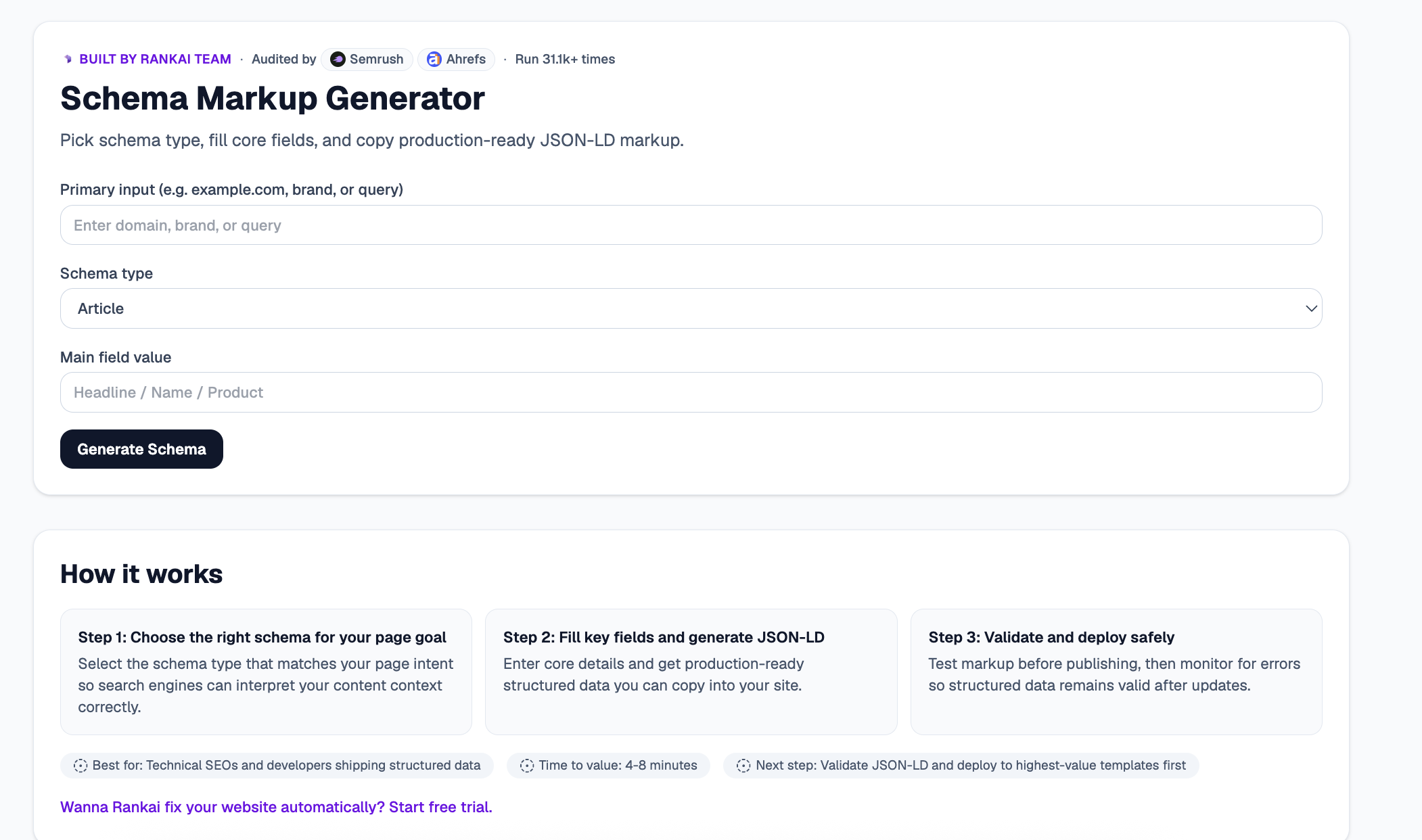
You pick a schema type, fill in the core fields, and copy production-ready JSON-LD markup you can paste straight into your page.
How to generate schema markup for free, step by step
Step 1. Open the free tool
Go to rankai.ai/tools/schema-markup-generator. It is free and you can start in seconds.
Step 2. Choose your schema type and generate
Add your Primary input (domain, brand, or query), choose the Schema type that matches your page (for example, Article or Product), fill in the Main field value, and click Generate Schema.
Step 3. Copy your production-ready JSON-LD
In a couple of seconds you get clean, copy-ready JSON-LD for your chosen schema type, plus the Top 3 insights on how to use it well and which fields strengthen it most.
Step 4. Expand "Raw details" for the full markup
Open the Raw details to see and copy the complete structured data block, ready to drop into your page head or body.
Step 5. Want to go deeper? Get the Full AI Visibility Audit
For a much more detailed look at your whole site, not just this one check, click Get Full AI Visibility Audit (or the free trial link on the tool).
Step 6. Fill in your details to unlock the full audit (still free)
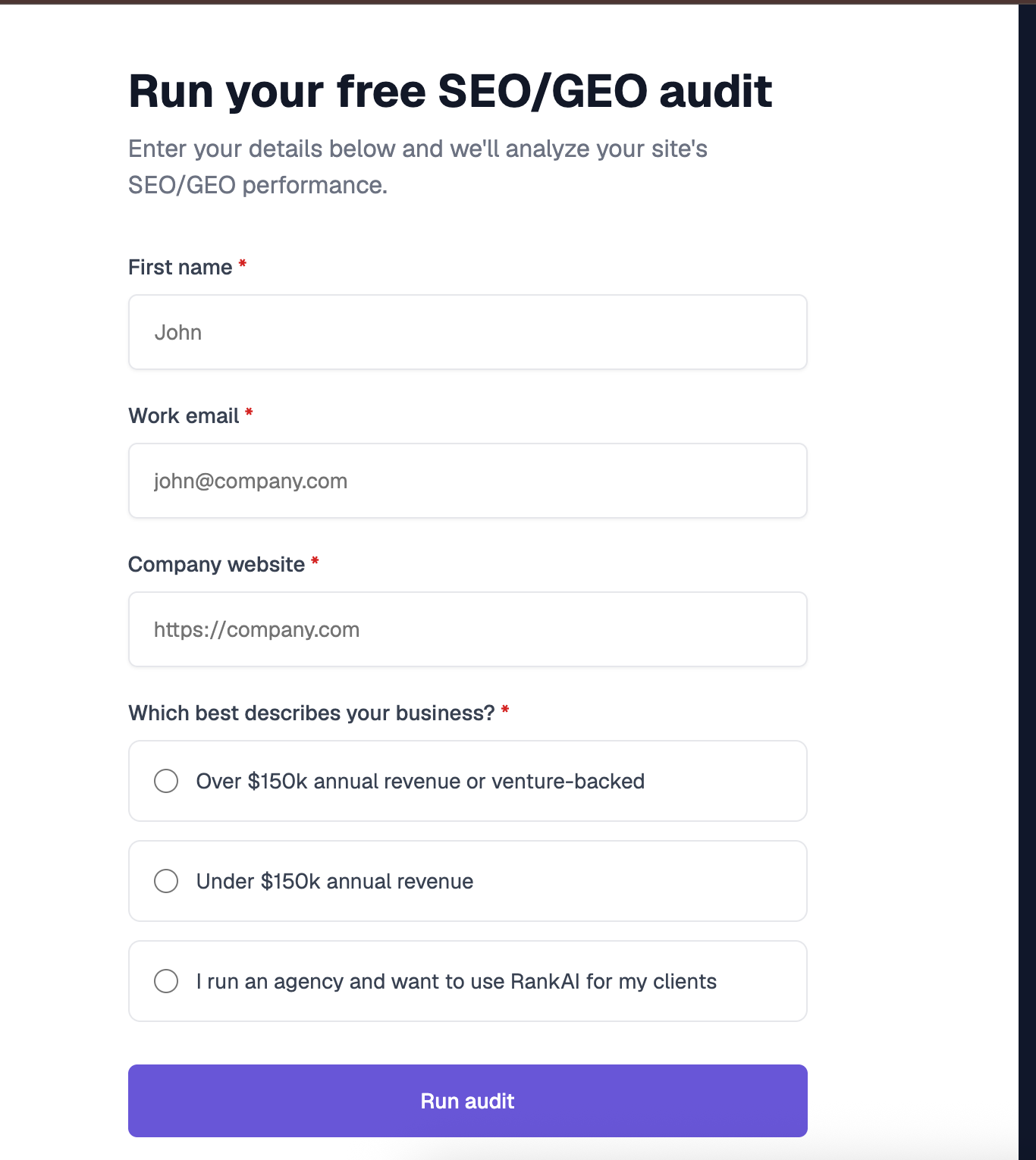
Enter your first name, work email, and company website, pick the option that best describes your business, and click Run audit. You get a far more detailed AI visibility analysis, still completely free, including a full, prioritized SEO and GEO optimization checklist.
What to do with your results
Once you have your markup, the highest impact moves are usually:
- Match the schema to the page. Pick the type that reflects what the page actually is, so engines interpret it correctly.
- Deploy on your highest-value templates first. Roll structured data out where it will earn the most, then expand.
- Validate before publishing. Test the markup, then monitor for errors so it keeps working after updates.
Re generate and revalidate whenever your page content changes.
Frequently asked questions
What is a Schema Markup Generator?
It is a free tool that creates structured data, written as JSON-LD, for your page. You pick a schema type, fill in core fields, and copy production-ready markup that helps engines and AI understand your content.
What is JSON-LD and why does it matter?
JSON-LD is the recommended format for structured data. It labels the meaning of your page for machines, which helps with rich results in search and clearer, more accurate representation in AI answers.
Does schema markup help with AI search and GEO?
Yes. Structured data gives AI engines explicit, machine-readable facts about your page, which strengthens entity understanding and makes your content easier to cite accurately.
Which schema type should I use?
Choose the type that matches what the page is, for example Article for a blog post, Product for a product page, or FAQPage for a question and answer section. The generator lets you pick the type that fits your page goal.
Is the Schema Markup Generator really free?
Yes. You can generate markup at rankai.ai/tools/schema-markup-generator for free, and the more detailed Full AI Visibility Audit is also free once you add your name, email, and website.
What will you do with my email from the full audit?
We use it to send your audit results and the occasional AI visibility tip, nothing more, and you can unsubscribe anytime.
Related resources
Try the free Schema Markup Generator.
The complete topic guide to getting cited across ChatGPT, Perplexity, Gemini, and AI Overviews.
A free, step by step guide to previewing your search result before you publish. Simulate exactly how your...
A free, step by step guide to building and checking your robots.txt. Validate your crawl rules before...
Stop making engines guess what your page means
Run the free Schema Markup Generator, copy production-ready JSON-LD, and get a prioritized plan to roll structured data across your site. Completely free.
