Free Tools
How to Preview Your Google Search Snippet, for Free
A free, step by step guide to previewing your search result before you publish. Simulate exactly how your title, description, and URL appear in Google, catch truncation early, and write a snippet that earns more clicks.
I shipped the most visible part blind
I published a page I was excited about, then checked how it looked in Google a few days later. The title was cut off mid word, and the description trailed off into nothing useful.
It looked careless, even though the page behind it was good. People scrolling the results had no way to know that. They just saw a broken-looking snippet and clicked something cleaner instead. I had shipped the most visible part of the page completely blind.
The math behind it was almost embarrassing. The snippet is the one piece of your page everyone sees and almost no one previews. A few minutes of checking it before publishing would have saved me weeks of lost clicks.
Why previewing your snippet matters
Your search snippet is the free ad you never get to design twice. It is the title, description, and URL a searcher weighs before deciding to click, and small problems quietly cost you traffic.
- Snippets truncate when titles or descriptions run long, often cutting off your most important words.
- A weak or vague snippet loses the click even when you rank above your competitors.
- You only see the real thing after publishing, unless you preview it first.
Previewing before you publish turns a guess into something you can actually see and fix.
See your snippet before Google does with the SERP Preview Tool
Our team at RankAI built a SERP Preview Tool, free to run.
You enter your title, description, and URL, and it simulates the search snippet before you publish, so you can improve your click-through rate.
How to preview your search snippet for free, step by step
Step 1. Open the free tool
Go to rankai.ai/tools/serp-preview-tool. It is free and you can start in seconds.
Step 2. Enter your snippet details and preview
Add your Primary input (domain, brand, or query), then fill in your Title, Description, and URL. Click Preview SERP Snippet to see how it will appear.
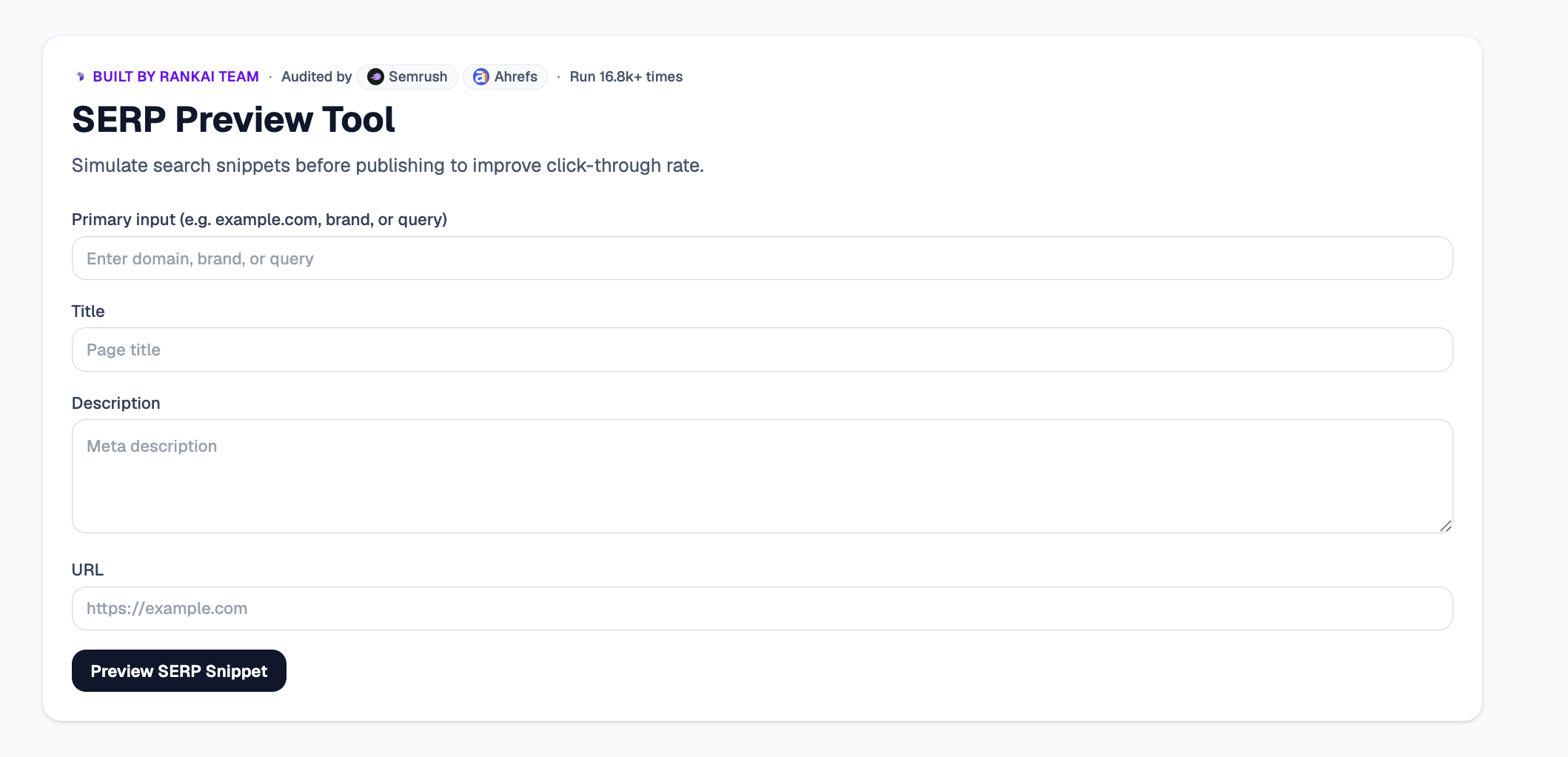
Step 3. Read your Quick verdict and Top 3 insights
In a couple of seconds you see a simulated snippet plus the Top 3 insights: where your title or description gets truncated, and where the copy could earn more clicks.
Step 4. Expand "Raw details" for the full breakdown
Open the Raw details to see length counts and exactly where each element is trimmed, so you know precisely what to shorten.
Step 5. Want to go deeper? Get the Full AI Visibility Audit
For a much more detailed look at your whole site, not just this one check, click Get Full AI Visibility Audit (or the free trial link on the tool).
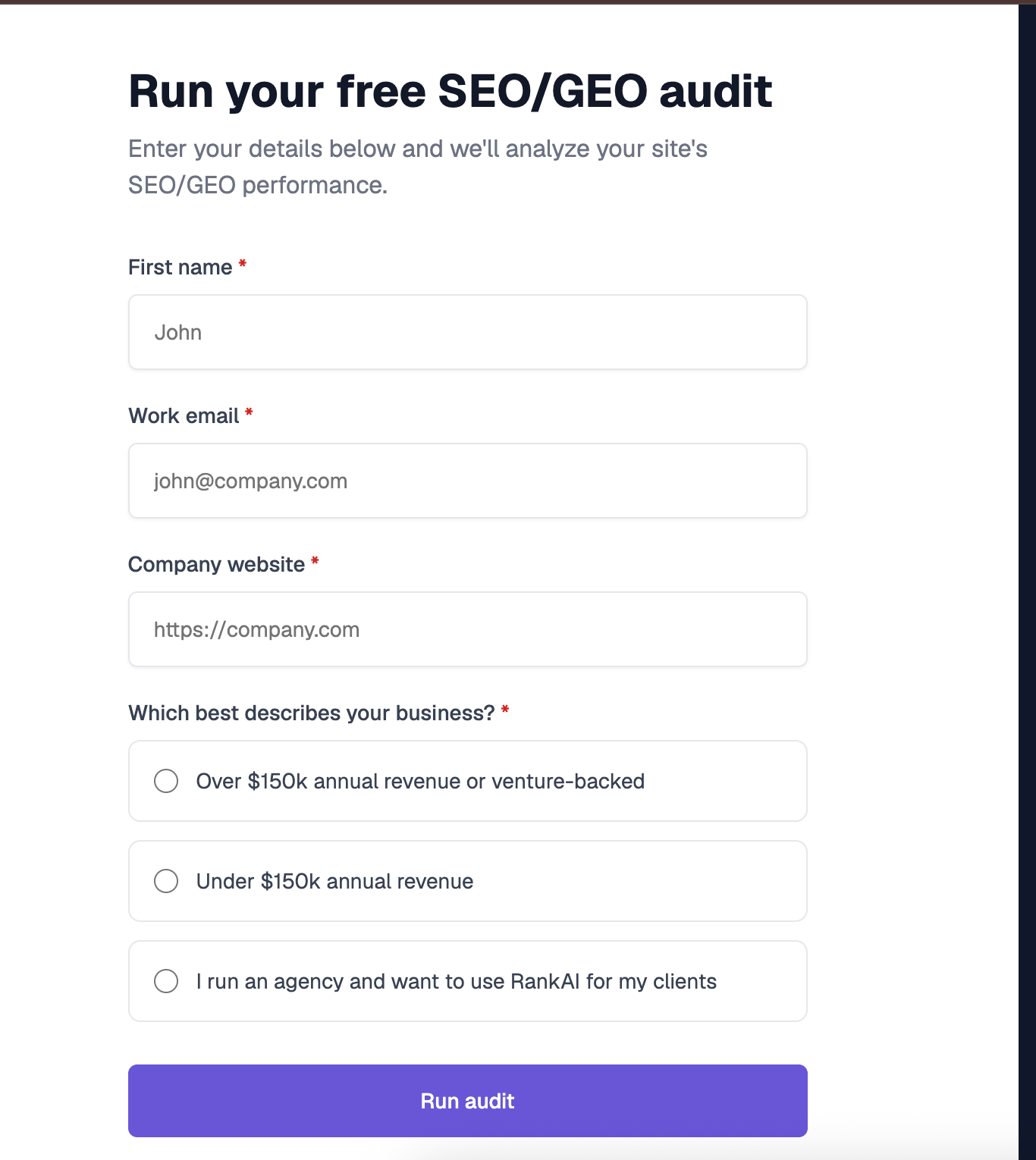
Step 6. Fill in your details to unlock the full audit (still free)
Enter your first name, work email, and company website, pick the option that best describes your business, and click Run audit. You get a far more detailed AI visibility analysis, still completely free, including a full, prioritized SEO and GEO optimization checklist.
What to do with your results
Once you can see your snippet, the highest impact moves are usually:
- Trim to fit. Shorten your title and description so they display in full without truncation.
- Lead with the hook. Put your strongest reason to click at the front where it always shows.
- Match the intent. Make the snippet promise exactly what the page delivers, so the click converts.
Re preview after editing to confirm the snippet displays cleanly.
Frequently asked questions
What is a SERP Preview Tool?
It is a free tool that simulates how your title, description, and URL will appear in a Google search result before you publish, so you can catch truncation and write a snippet that earns more clicks.
What are the title and description length limits?
Titles usually display around 50 to 60 characters and descriptions around 150 to 160 characters before being truncated. The preview shows you exactly where your text gets cut off.
Why should I preview my snippet before publishing?
Because the snippet is the first thing searchers see, and you normally only find out it is truncated or weak after it is already live. Previewing lets you fix it before it costs you clicks.
Is the SERP Preview Tool really free?
Yes. You can use it at rankai.ai/tools/serp-preview-tool for free, and the more detailed Full AI Visibility Audit is also free once you add your name, email, and website.
Does the search snippet affect rankings?
The snippet is not a direct ranking factor, but it strongly influences click-through rate, and stronger click-through can improve how your result performs over time.
What will you do with my email from the full audit?
We use it to send your audit results and the occasional AI visibility tip, nothing more, and you can unsubscribe anytime.
Related resources
Try the free SERP Preview Tool.
The complete topic guide to getting cited across ChatGPT, Perplexity, Gemini, and AI Overviews.
A free, step by step guide to building and checking your robots.txt. Validate your crawl rules before...
A free, step by step guide to building a valid XML sitemap. Paste your URLs, export clean sitemap-ready XML...
Never publish a broken search snippet again
Run the free SERP Preview Tool, catch truncation before it goes live, and get a prioritized plan to lift click-through on every page. Completely free.