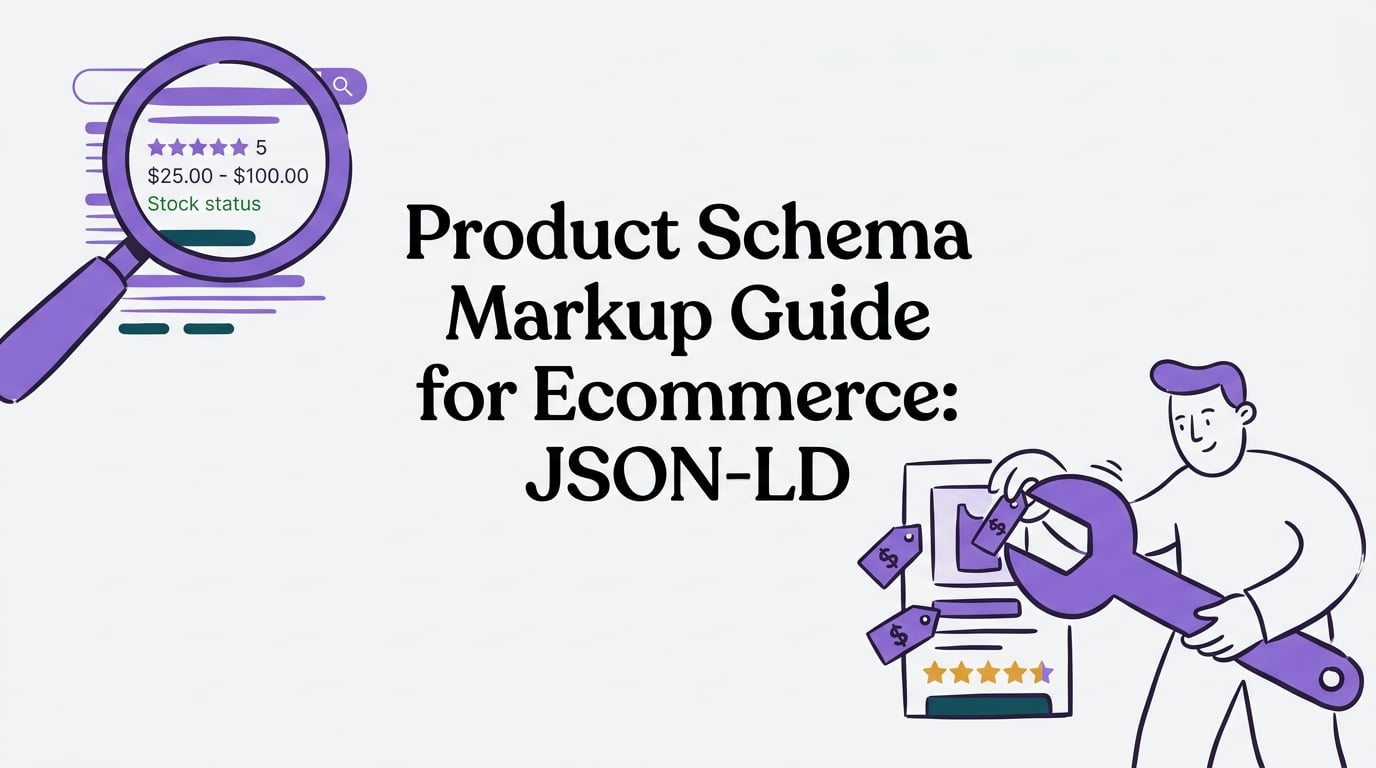
Standing out in a crowded search results page is tougher than ever. As an ecommerce store, you need every advantage you can get to attract qualified buyers. This is where a powerful, yet often overlooked, SEO technique comes in: product schema markup.
This comprehensive product schema markup guide for ecommerce will walk you through everything you need to know. We will cover what it is, why it’s a non negotiable for online stores, and exactly how to implement it to unlock eye catching search results that drive more clicks.
What is Product Schema Markup?
Product schema markup is a specific type of code (structured data) that you add to your website’s HTML. Think of it as a secret language you use to speak directly to search engines like Google. Instead of making Google guess what your page is about, you’re explicitly telling it, “Hey, this is a product page, and here are all the important details like its name, price, stock status, and customer rating.”
This code, usually in a format called JSON LD, translates your human readable content into a machine readable format. By adding these virtual tags, you make your product pages eligible for “rich results” or “rich snippets”. These are the enhanced search listings you see with star ratings, pricing, and availability displayed right on the Google results page. For a deeper look at the types of enhancements available and how to capture them, see our guide to Google SERP features.
Why Product Schema is a Game Changer for Ecommerce
Implementing product schema isn’t just a technical exercise; it offers real, tangible benefits that can boost your bottom line.
- Boosted Click Through Rates (CTR): Rich results are visually appealing and informative, naturally drawing the user’s eye. This added context builds trust and encourages more clicks. In fact, pages with schema markup see an average 25% higher click-through rate compared to standard search results.
- Increased Visibility: By providing key information upfront, your listings occupy more space on the search results page. This helps you stand out from the competition. One analysis found that rich results can Food Network saw a 35% increase in visits for recipes with markup.
- Attract More Qualified Traffic: When shoppers see the price, rating, and stock status directly in the search results, they are better informed before they even click. This means the visitors who do come to your site are more likely to be serious about making a purchase, leading to higher conversion rates.
- Enhanced Brand Credibility: A search result with a 5 star rating and an “In Stock” label instantly builds trust. It signals that your store is professional, up to date, and valued by other customers.
In short, leveraging product schema is an affordable SEO win. It helps you get noticed, earn clicks over your competitors, and ultimately drive more purchase ready shoppers to your product pages.
Product Snippets vs. Merchant Listings: What’s the Difference?
Google uses product schema to generate two main types of rich results. Understanding the distinction is key because they have slightly different requirements.
-
Product Snippets: This is the most common type of rich result you see in standard web search. It enhances a regular search listing with information like star ratings, review counts, price, and availability. Product snippets can appear for any page discussing a product, including review blogs or affiliate sites, not just pages that sell the item directly. The requirements are more relaxed: you just need the product’s
nameand at least one other property likereview,aggregateRating, oroffers. -
Merchant Listings: These are richer, more commerce focused results that can appear in places like the Google Shopping tab, product carousels, and Google Images. To be eligible for these, your page must be one where a customer can actually buy the product. The requirements are stricter. You must provide the product
name,image, and a fullofferssection with aprice(greater than zero),priceCurrency, andavailability. Google also strongly recommends providing unique product identifiers like a GTIN.
For any ecommerce store, the goal should be to meet the stricter requirements for Merchant Listings. By providing all the necessary data, you make your products eligible for every possible rich result format, maximizing your visibility across Google’s entire ecosystem.
Your Complete Product Schema Markup Guide for Ecommerce Implementation
Ready to get started? Implementing product schema involves adding a snippet of code to your product pages. Here’s a step by step look at the process.
Step 1: Choose Your Format (JSON LD is the Way to Go)
While Google supports a few formats for structured data, it officially recommends using JSON LD (JavaScript Object Notation for Linked Data) whenever possible. Why? It’s the easiest to implement and manage. You simply paste a self contained block of code into your page’s HTML (usually in the <head> or <body>), without having to modify your existing HTML tags. This makes it less prone to errors and much easier to maintain at scale.
Step 2: Add and Validate the Code
Once you have your JSON LD script ready, you embed it on your product pages. After deploying the code, the most critical step is to test it. Use Google’s Rich Results Test tool to validate your markup. This free tool will tell you if your page is eligible for rich results and, more importantly, flag any errors that would prevent them from showing up.
Step 3: Monitor and Maintain
Your work isn’t quite done after the code goes live. You should monitor the Products report in Google Search Console. This report will surface any site wide errors or warnings related to your schema markup over time, helping you catch and fix issues early. Remember to keep your schema in sync with your product data; if a price changes, your schema should too. As you maintain structured data, don’t neglect fundamentals like titles, descriptions, and speed—use our on-page SEO checklist to keep everything tight.
If this process feels a bit technical, you’re not alone. Many businesses turn to SEO services to handle the complexities of structured data. A platform like Rankai can take care of the entire implementation and maintenance process, ensuring your schema is always correct and optimized for maximum benefit.
A Deep Dive into Essential Product Schema Properties
To qualify for rich results, you need to include specific properties in your schema. Here are the most important ones to get right.
The name and image Properties
name: This is required and is simply the title of your product. It should match the product name displayed on the page.image: For merchant listings, Product structured data requires the image property (at least one product photo URL). This helps Google understand your product and can be used in image rich snippets and carousels.
The offers and price Properties
The offers property is where you provide all the commercial details. For merchant listings, this is mandatory.
price: The current selling price of the product. This must be a number only (e.g.,29.99), without any currency symbols. For merchant listings, the price must be greater than zero.priceCurrency: The three letter ISO 4217 currency code (e.g., “USD”, “EUR”). You must include this whenever you provide a price.- Handling Price Ranges: If your product has variants with different prices, you should use an
AggregateOffertype instead of a simpleOffer. This allows you to specify alowPriceandhighPriceto display a price range.
The availability Property (ItemAvailability)
This property tells Google and your customers about the stock status of your product. It’s incredibly useful for setting expectations. Use one of the standard schema.org ItemAvailability values:
https://schema.org/InStockhttps://schema.org/OutOfStockhttps://schema.org/PreOrderhttps://schema.org/BackOrder
Google will often display this status (e.g., “In stock”) directly in the search results.
The aggregateRating and review Properties
This is how you get those coveted star ratings to appear.
aggregateRating: This is an object that summarizes all customer reviews. It includes theratingValue(the average score) and thereviewCount(the total number of reviews). You should only include this property if you have actual customer reviews visible on the page.review: You can also mark up individual reviews using theReviewtype, including details like the author’s name and the review text. However, for getting stars in SERPs,aggregateRatingis the key. If you also publish product reviews or buying guides, implement author schema to reinforce credibility and transparency.
Product Identifiers (GTIN, MPN, SKU)
Unique product identifiers are crucial for helping Google match your product to its global catalog. Including them is strongly recommended for merchant listings.
gtin: The Global Trade Item Number, such as a UPC or EAN.mpn: The Manufacturer Part Number.sku: Your store’s internal Stock Keeping Unit.
Putting It All Together: A JSON LD Script Example
Here is what a basic JSON LD script for a product page might look like. You would place this code within a <script type="application/ld+json"> tag in your page’s HTML.
{
  "@context": "https://schema.org/",
  "@type": "Product",
  "name": "Organic Cotton Tee",
  "image": [
    "https://example.com/images/shirt1.jpg"
   ],
  "description": "A comfortable and durable t-shirt made from 100% organic cotton. Perfect for everyday wear.",
  "sku": "OCT-G-M-001",
  "mpn": "98765",
  "brand": {
    "@type": "Brand",
    "name": "Eco Threads"
  },
  "aggregateRating": {
    "@type": "AggregateRating",
    "ratingValue": "4.7",
    "reviewCount": "112"
  },
  "offers": {
    "@type": "Offer",
    "url": "https://example.com/products/organic-cotton-tee",
    "priceCurrency": "USD",
    "price": "24.99",
    "priceValidUntil": "2026-12-31",
    "availability": "https://schema.org/InStock",
    "seller": {
      "@type": "Organization",
      "name": "Eco Threads"
    }
  }
}
Don’t Forget Breadcrumb Schema (BreadcrumbList)
While you’re adding product schema, it’s also a great idea to implement breadcrumb schema. Breadcrumbs are the navigational links that show a user’s path on your site (e.g., Home > Men’s > Shirts > T-Shirts).
Marking these up with BreadcrumbList schema tells Google about your site’s structure. In turn, Google may replace the plain URL in your search snippet with a clean, clickable breadcrumb trail. This looks better, provides more context to users, and can improve your click through rate. Pair breadcrumbs with a thoughtful internal linking strategy—here’s a practical guide on how many internal links per page you should use.
Scaling Your Schema: The Template Strategy
Manually adding schema to hundreds or thousands of product pages is impossible. The only way to manage it effectively is with a scalable template strategy—think in terms of programmatic SEO to generate consistent, structured outputs at scale.
Most ecommerce platforms like Shopify or WooCommerce allow you to edit your product page template files. By inserting your JSON LD schema code directly into this template and using platform specific variables (like {{ product.title }} in Shopify’s Liquid), you can automate the process.
This way, every product page automatically generates the correct schema populated with its unique details. When you update a product’s price or stock level in your admin, the schema updates automatically. This “set it and forget it” approach ensures consistency and accuracy across your entire catalog.
A Shopify Liquid Snippet Implementation Example
For Shopify stores, you can edit your theme’s Liquid code to inject dynamic JSON LD. You would use Shopify’s Liquid objects to pull in product data. For example:
- Product Name:
{{ product.title | json }} - Price:
{{ product.price | money_without_currency | remove: ',' }} - Availability:
{% if product.available %}https://schema.org/InStock{% else %}https://schema.org/OutOfStock{% endif %}
By building a full schema script with these dynamic variables, you ensure every product page has accurate, up to date structured data without any manual effort.
Common Shopify Constraints and Workarounds
Shopify is a fantastic platform, but it has a few quirks. Its “flat” category structure (collections can’t be nested) can make creating breadcrumbs tricky. The workaround is to manually define a logical hierarchy in your breadcrumb schema to communicate your site structure to Google. You also need to be mindful of third party apps that might inject their own, potentially conflicting, schema code. Always audit your pages to ensure you have one clean, comprehensive schema block.
Keeping Your Data Fresh: The Importance of Price and Availability
Stale data is the enemy of good schema. If your schema says a product is $50 and in stock, but the page shows it’s on sale for $40 and sold out, you create a poor user experience.
Google periodically crawls your pages and compares the information in your schema to the visible content on the page. Mismatches can cause you to lose your rich snippets. In Google Merchant Center, price or availability mismatches are a common reason for product disapprovals, which can halt your Shopping ads.
The best solution is a dynamic, template based implementation as described above. By linking your schema directly to your store’s database, you ensure that price and availability data is always fresh and accurate. For context on how Google may surface product information beyond traditional blue links, read our guide to Google AI Overview.
Validation and Debugging Your Product Schema
Mistakes happen. That’s why validating and debugging your schema is a critical part of any product schema markup guide for ecommerce.
How to Validate with Google’s Rich Results Test
Before and after you deploy your code, you must use Google’s Rich Results Test. Simply enter your product page URL, and the tool will analyze your schema. It will show you:
- Errors (Red): These are critical issues that will prevent your page from being eligible for rich results. You must fix these. Common errors include a missing required property or invalid JSON syntax.
- Warnings (Yellow): These are recommendations for properties that are not required but could improve your schema. Your page can still be eligible for rich results with warnings, but it’s best to address them if possible.
Common Issues and How to Debug Them
If your rich results aren’t showing up despite passing the validation test, check Google Search Console. The Products report will identify any site wide issues. Other common problems include:
- Having duplicate product schema blocks on a single page, often caused by a theme and an app both adding code.
- Marking up content that isn’t visible to users on the page.
- Forgetting that Google doesn’t guarantee rich results, even for perfectly valid markup. Sometimes it just takes time and consistent quality signals.
Debugging schema can be frustrating. If you’re stuck, a technical SEO audit can quickly identify the problem. The SEO experts at Rankai regularly perform technical audits and fix complex schema issues as part of their done for you service.
Product Schema Markup FAQ
1. What is the most important property for product schema?
For an ecommerce store, the offers object, which contains price, priceCurrency, and availability, is arguably the most critical. Without it, you won’t be eligible for the most valuable merchant listing rich results.
2. Can I use product schema on a category page?
No, Google’s guidelines state that product schema should be used on a page that is about a single, specific product. Using it on a category or listing page that features multiple products is incorrect and can lead to issues.
3. Why aren’t my star ratings showing up?
The most common reasons are: not having the aggregateRating property implemented correctly, At least one of ratingCount or reviewCount is required, or marking up reviews that are not visible to users on the page. Ensure your markup is valid and reflects genuine, visible customer reviews.
4. How long does it take for Google to show rich snippets?
It varies. After Google recrawls your updated page, it can take anywhere from a few days to a few weeks for rich snippets to appear. Sometimes they may not appear at all, as Google’s algorithms make the final decision.
5. What is the difference between Offer and AggregateOffer?
Use Offer for a product with a single, specific price. Use AggregateOffer when a product has multiple variants with a range of prices, allowing you to specify a lowPrice and a highPrice.
6. Do I need a developer to implement this product schema markup guide for ecommerce?
Not necessarily. If you’re comfortable editing your ecommerce platform’s theme files, you can follow a guide to do it yourself. However, if you’re not technical, using a plugin, an app, or a dedicated SEO service like Rankai is a safer and more efficient option.