

One leftover line erased a whole site
A friend of mine pushed a site update and watched his traffic fall off a cliff over the next two weeks. Rankings vanished. Pages dropped out of the index. He assumed it was a penalty.
It was one line. A leftover Disallow: / from the staging environment had shipped to production inside his robots.txt, quietly telling every crawler to stay out of the entire site. Nobody noticed because the page looked completely normal to visitors.
Watching him trace two lost weeks back to a single character drove the point home. Robots.txt is a tiny file with enormous power, and a single wrong line can make your whole site invisible. It is exactly the kind of thing you should validate before it ever goes live, not after your traffic disappears.
Why your robots.txt matters
Robots.txt is the first file most crawlers read, and it controls what they are allowed to access, including the AI crawlers that feed answer engines. It is small, but the stakes are high.
- A single over-broad disallow can hide critical pages, or your entire site, from search and AI.
- Mistakes are easy to miss, because the file is invisible to normal visitors.
- Getting it right means deliberate crawl control, guiding crawlers to what matters and away from what does not.
The safest way to ship a robots.txt is to validate its syntax and intent before it reaches production.
Catch a fatal disallow first with the Robots.txt Generator / Validator
Our team at RankAI built a Robots.txt Generator / Validator, free to run.
You paste or draft your directives and it checks the rule structure so your file behaves as expected across major crawlers, flagging risky disallow patterns before deployment.
How to validate your robots.txt for free, step by step
Step 1. Open the free tool
Go to rankai.ai/tools/robots-txt-generator-validator. It is free and you can start in seconds.
Step 2. Add your rules and validate
Add your Primary input (domain, brand, or query), then paste your directives into Input lines (one per row), for example User-agent: * and Disallow: /admin. Click Validate Robots.txt.
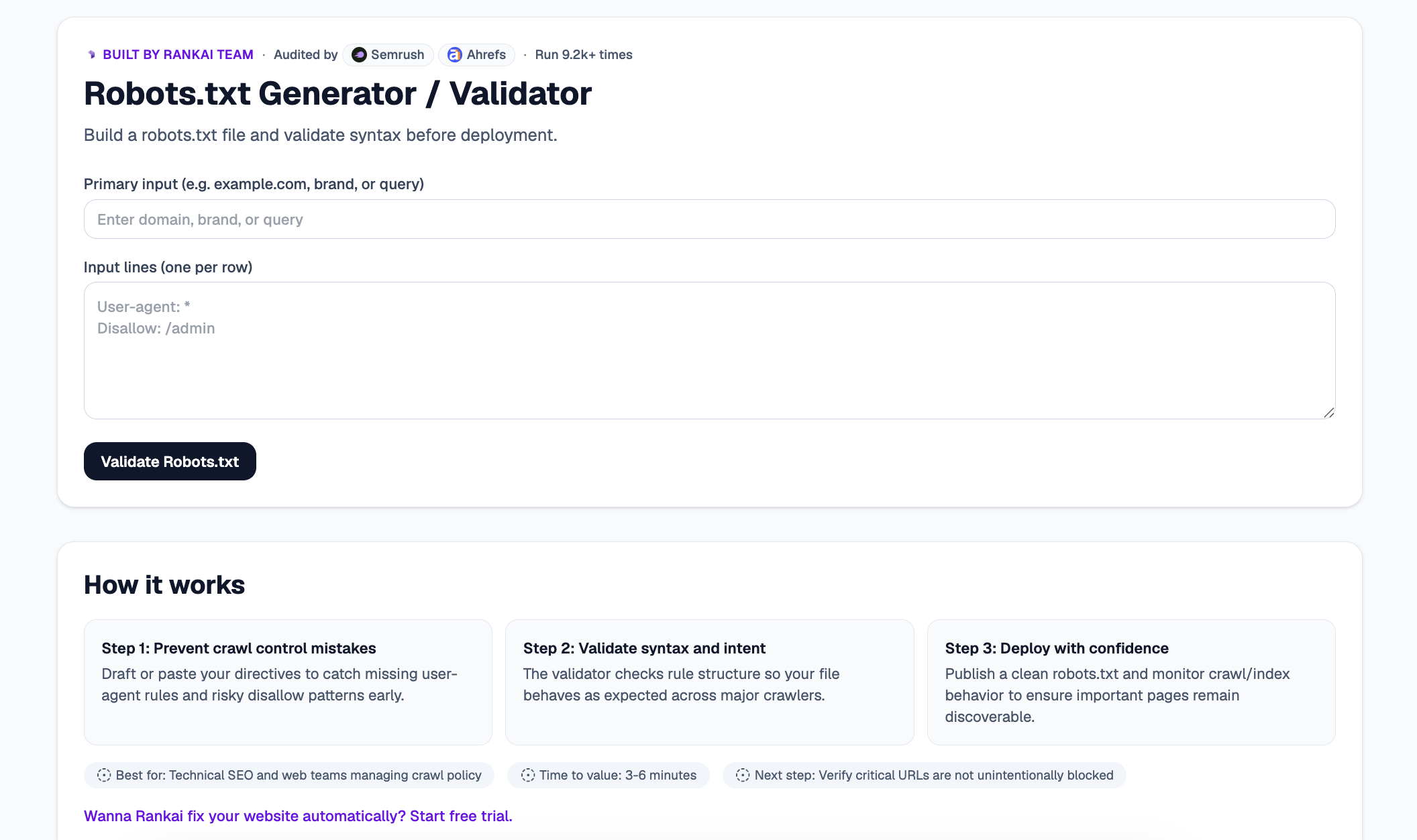
Step 3. Read your Quick verdict and Top 3 insights
In a couple of seconds you get a plain English read on whether your file behaves as intended, plus the Top 3 insights: missing user-agent rules, risky disallow patterns, and anything that could block pages you want crawled.
Step 4. Expand "Raw details" for the full breakdown
Open the Raw details to see a line by line read of your directives and how major crawlers will interpret each one.
Step 5. Want to go deeper? Get the Full AI Visibility Audit
For a much more detailed look at your whole site, not just this one check, click Get Full AI Visibility Audit (or the free trial link on the tool).
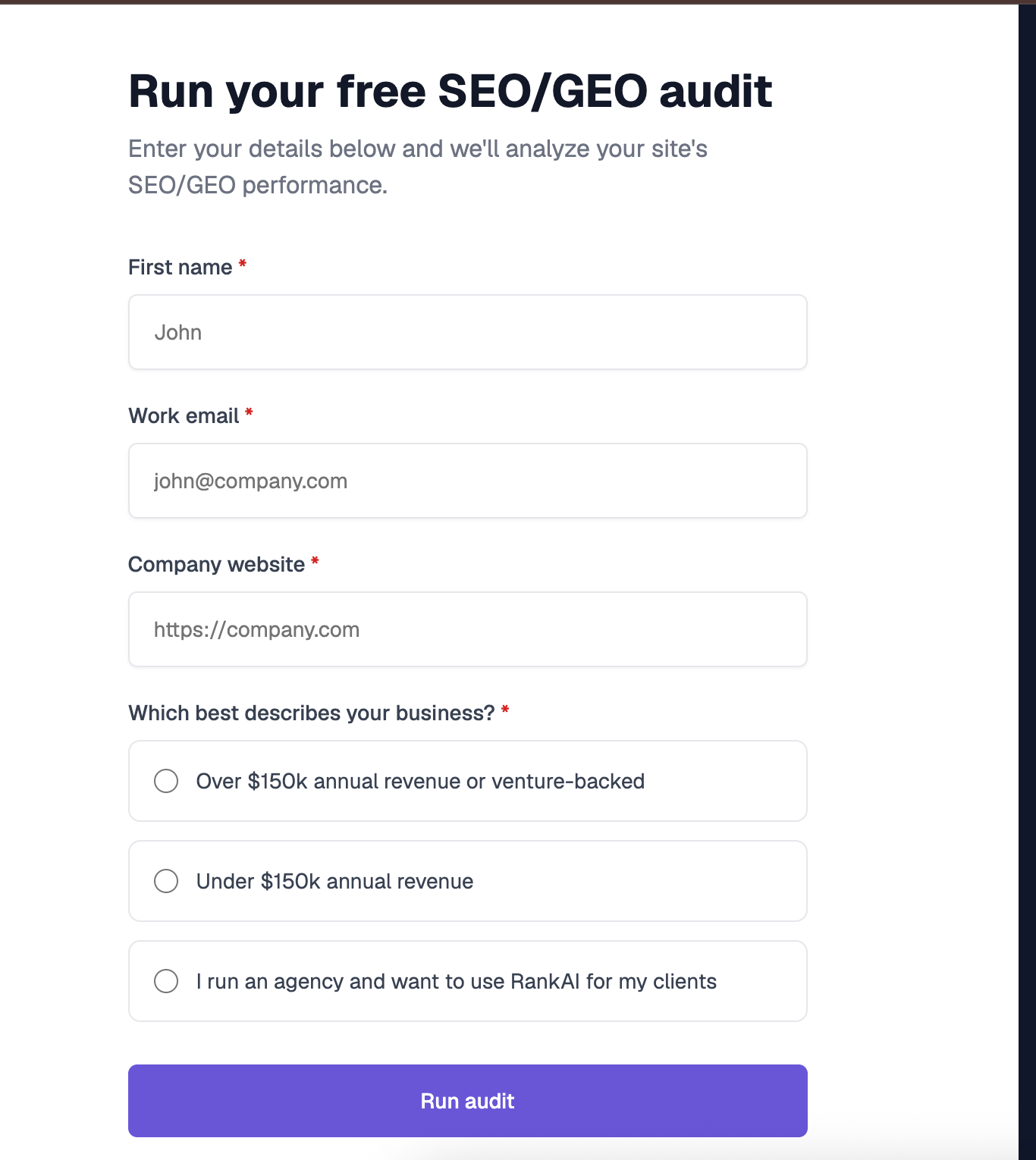
Step 6. Fill in your details to unlock the full audit (still free)
Enter your first name, work email, and company website, pick the option that best describes your business, and click Run audit. You get a far more detailed AI visibility analysis, still completely free, including a full, prioritized SEO and GEO optimization checklist.
What to do with your results
Once your rules are validated, the highest impact moves are usually:
- Catch crawl control mistakes. Fix missing user-agent rules and over-broad disallow lines before they ship.
- Verify your critical URLs. Confirm your most important pages are not unintentionally blocked.
- Deploy and monitor. Publish a clean file, then watch crawl and index behavior to make sure key pages stay discoverable.
Re validate whenever you change directives, especially after moving from staging to production.
