

Six seconds before anything appeared
I had a page with a stubbornly high bounce rate on mobile. For weeks I blamed the content and kept rewriting it, sure the message was the problem.
Then I actually loaded it on a real phone and counted. Six seconds before anything useful appeared. People were not bouncing because of the words. They were leaving before the page even rendered, long before they could read a single one of them.
Counting those seconds reframed the whole problem. If your page is slow, nothing else you optimize gets a chance to work. I had been polishing content that most visitors never waited around to see.
Why page speed matters
Speed sits underneath everything else you do. A fast page gives your content, your design, and your SEO a chance to perform. A slow one quietly undermines all of them.
- Slow pages lose visitors before the content ever loads, especially on mobile.
- Core web vitals are a ranking signal, so speed affects how you perform in search.
- Speed also shapes crawl efficiency, influencing how thoroughly engines and AI crawlers can read your site.
You cannot fix a bottleneck you have not measured. The fastest start is a quick snapshot of where the time goes.
The Page Speed Quick Check finds what slows your page down
Our team at RankAI built a Page Speed Quick Check, free to run.
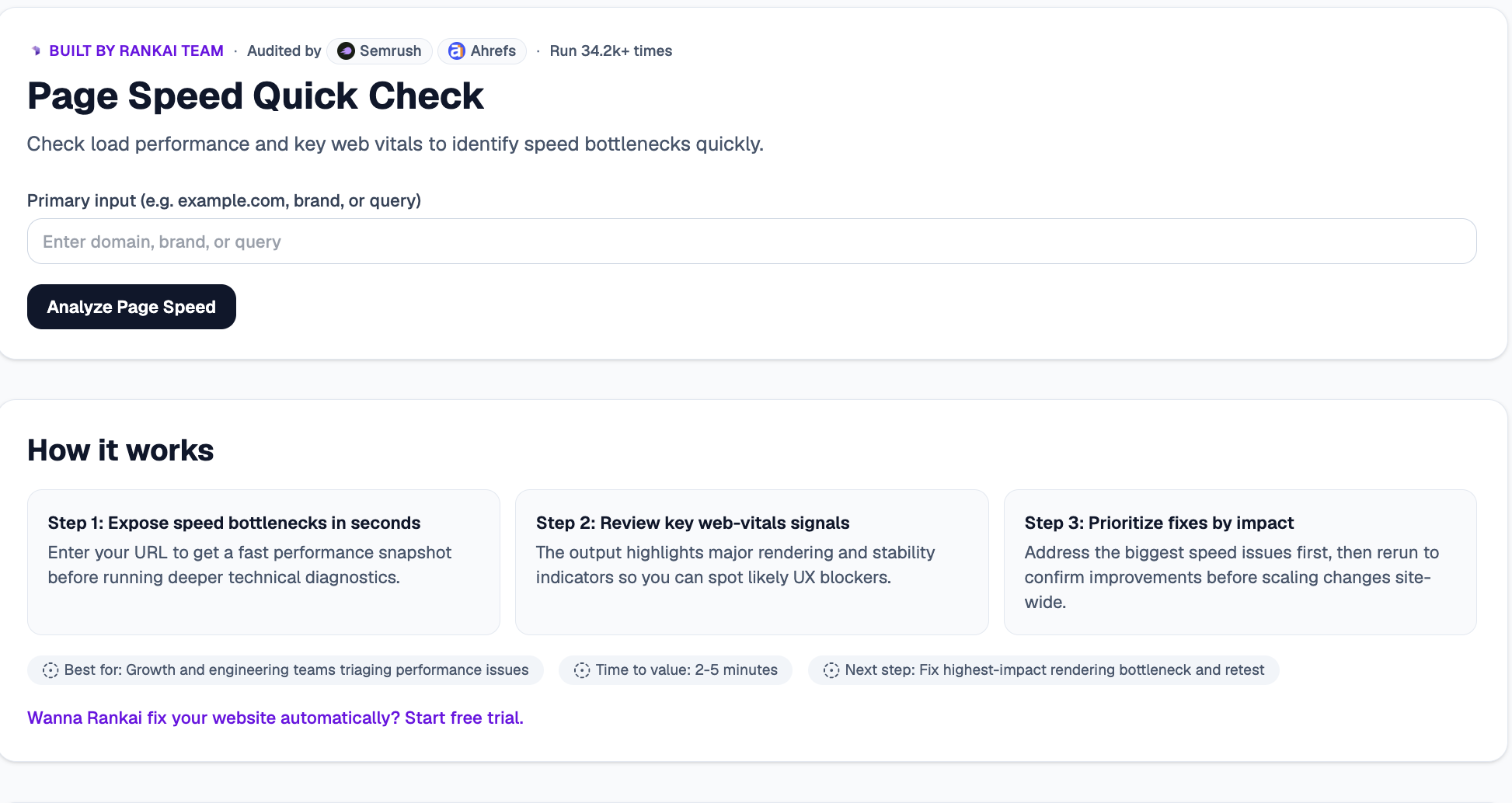
You enter a URL and get a fast performance snapshot that highlights major rendering and web-vitals issues, so you can spot the blockers that hurt user experience.
How to check your page speed for free, step by step
Step 1. Open the free tool
Go to rankai.ai/tools/page-speed-quick-check. It is free and you can start in seconds.
Step 2. Enter your URL and analyze
In the Primary input box, type your domain, brand, or page URL (for example, example.com). Then click Analyze Page Speed to get a fast snapshot before running any deeper technical diagnostics.
Step 3. Read your Quick verdict and Top 3 insights
In a few seconds you get a plain English read on your load performance, plus the Top 3 insights: the rendering and web-vitals signals most likely to be slowing the page down.
Step 4. Expand "Raw details" for the full breakdown
Open the Raw details to see the key web-vitals indicators and where the biggest speed bottlenecks sit on the page.
Step 5. Want to go deeper? Get the Full AI Visibility Audit
For a much more detailed look at your whole site, not just this one check, click Get Full AI Visibility Audit (or the free trial link on the tool).
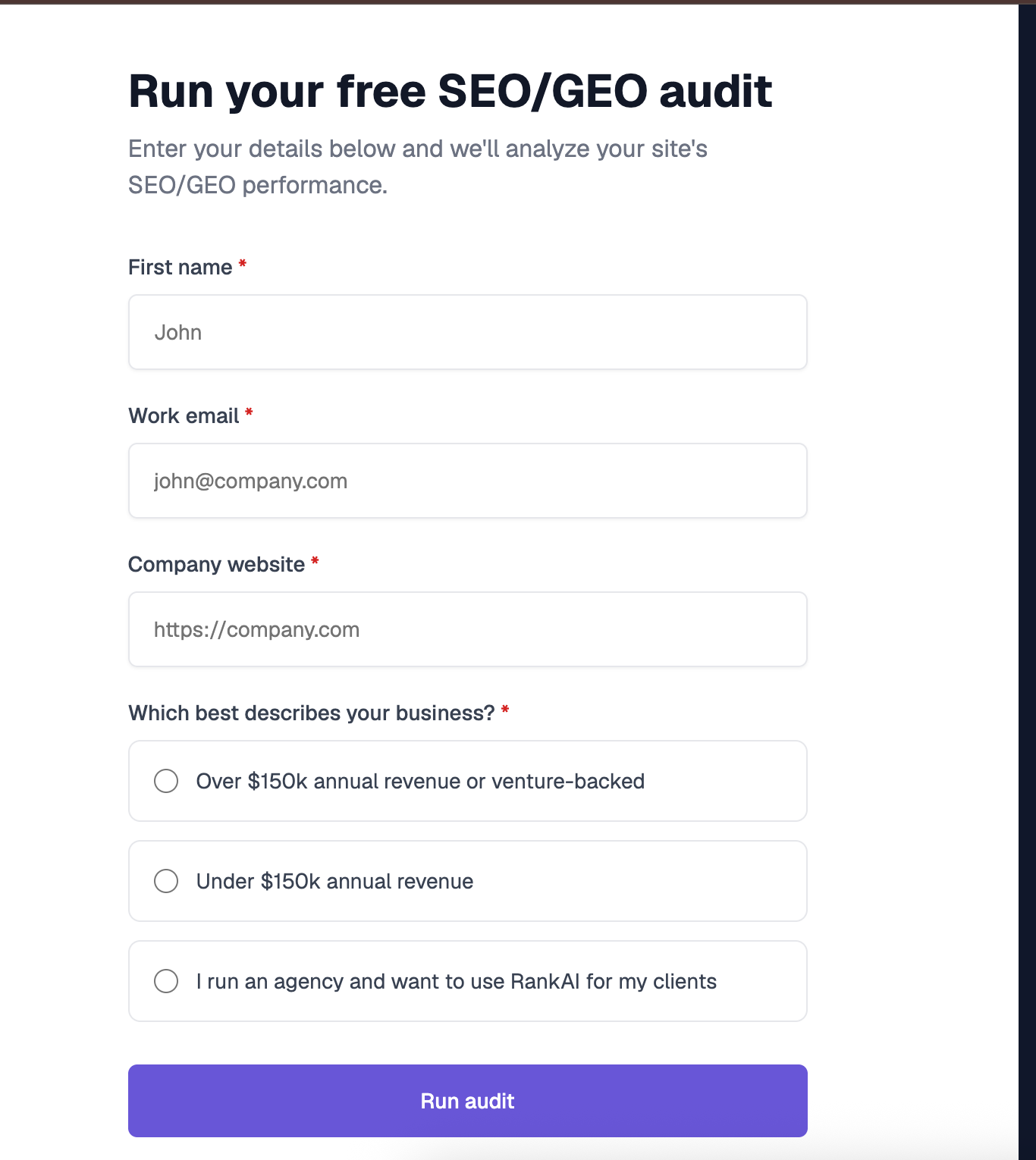
Step 6. Fill in your details to unlock the full audit (still free)
Enter your first name, work email, and company website, pick the option that best describes your business, and click Run audit. You get a far more detailed AI visibility analysis, still completely free, including a full, prioritized SEO and GEO optimization checklist.
What to do with your results
Once you can see where the time goes, the highest impact moves are usually:
- Fix the biggest bottleneck first. Address the single issue slowing the page most before anything else.
- Retest to confirm. Re run the check after each change so you know the fix actually helped.
- Then go deeper. Once the quick wins are in, run a full technical audit for the long tail of improvements.
Re check after each fix, and again before any major launch.
