

The page humans loved and machines couldn’t parse
I had a long page that looked perfectly fine on screen. The headings were big and bold in all the right places, so I assumed the structure was solid.
Then I viewed it the way a machine does, as an outline. It was a mess. There were two H1s competing for the top, a jump straight from H2 to H4, and section titles that did not describe their sections. To a screen reader or a crawler, the page had no clear shape at all, and AI summaries of it came out muddled.
The lesson was uncomfortable but clear. Headings are not just visual styling, they are the outline machines and assistive tech use to understand your page. Mine looked organized to a human and chaotic to everything else.
Why heading structure matters
Your headings, from H1 down to H6, form the outline of your page. Readers skim it, crawlers parse it, AI models use it to follow your argument, and assistive technology relies on it to navigate. When the outline breaks, all of them struggle.
- Multiple or missing H1s blur what the page is primarily about.
- Skipped levels, like H2 jumping to H4, break the logical hierarchy machines expect.
- Vague headings weaken topical clarity and accessibility at the same time.
You cannot fix an outline you have never actually looked at. The fastest way is to inspect the heading order directly.
The Heading Structure Checker (H1-H6) reveals the outline machines read
Our team at RankAI built a Heading Structure Checker (H1-H6), free to run.
You enter a page URL and it crawls the live page, reading its real H1 to H6 progression and identifying missing, skipped, or repeated levels that weaken structure.
How to check your heading structure for free, step by step
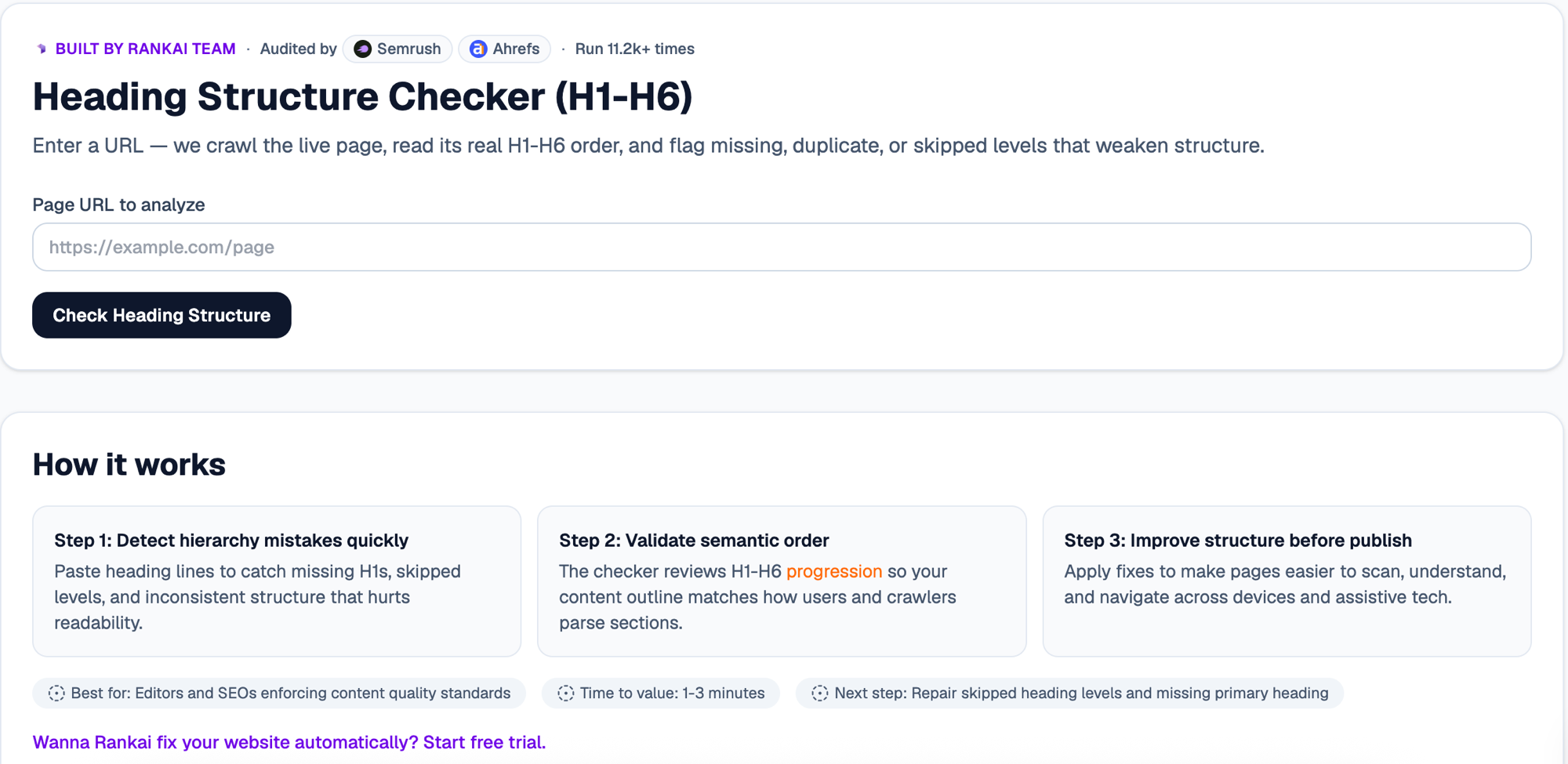
Step 1. Open the free tool
Go to rankai.ai/tools/heading-structure-checker. It is free and you can start in seconds.
Step 2. Enter your page URL and check
Paste the URL of the page you want to analyze (for example https://example.com/page) into Page URL to analyze, then click Check Heading Structure. The tool crawls the live page, reads its real H1 to H6 order, and flags missing, duplicate, or skipped levels.
Step 3. Read your Quick verdict and Top 3 insights
In a couple of seconds you get a plain English read on whether your hierarchy is sound, plus the Top 3 insights: duplicate H1s, skipped levels, and headings that should be clearer.
Step 4. Expand "Raw details" for the full outline
Open the Raw details to see your complete heading outline level by level, with each issue marked exactly where it occurs.
Step 5. Want to go deeper? Get the Full AI Visibility Audit
For a much more detailed look at your whole site, not just this one check, click Get Full AI Visibility Audit (or the free trial link on the tool).
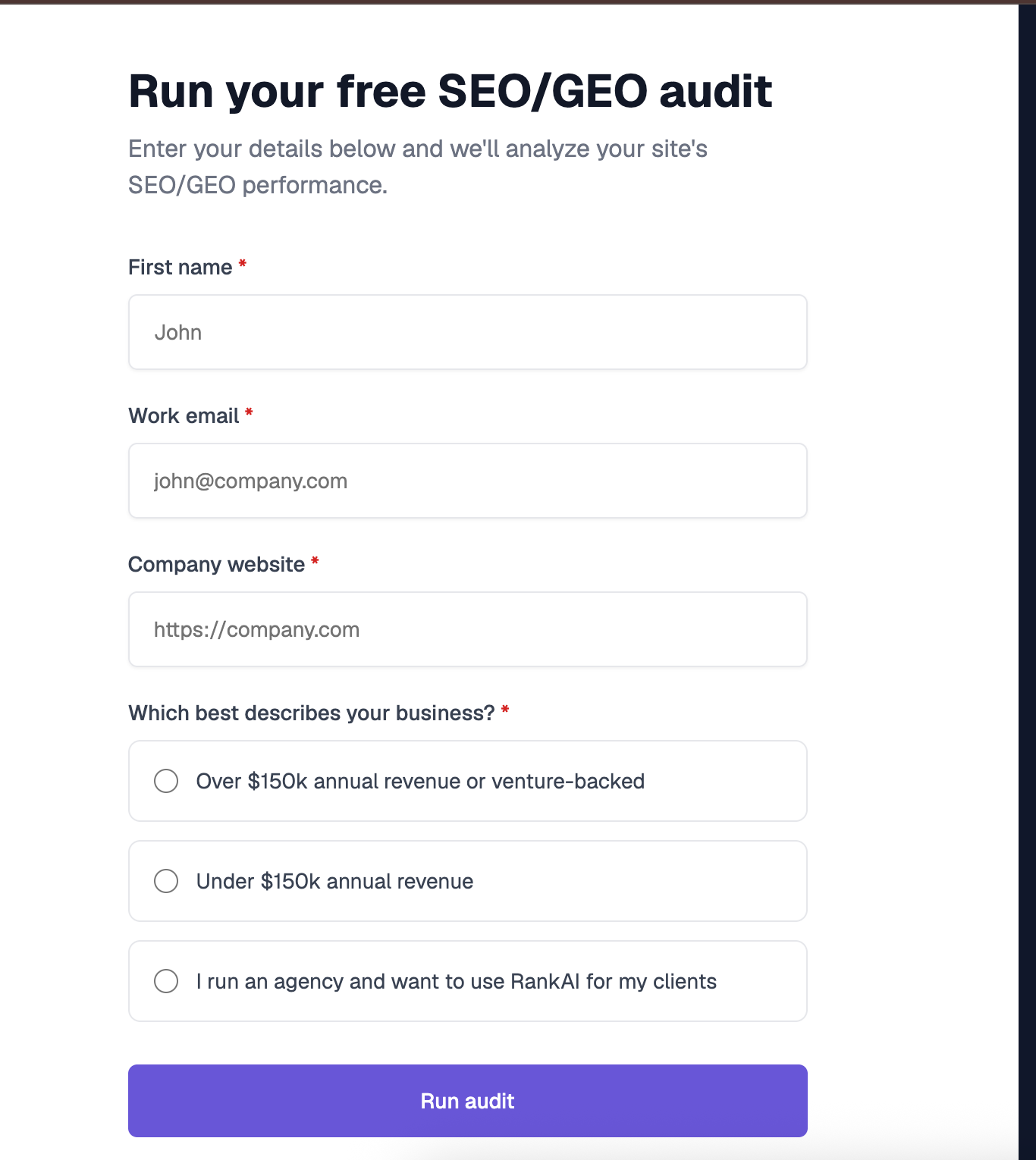
Step 6. Fill in your details to unlock the full audit (still free)
Enter your first name, work email, and company website, pick the option that best describes your business, and click Run audit. You get a far more detailed AI visibility analysis, still completely free, including a full, prioritized SEO and GEO optimization checklist.
What to do with your results
Once you can see your outline, the highest impact moves are usually:
- Use one clear H1. Give each page a single H1 that states what the page is about.
- Do not skip levels. Step down through headings in order so the hierarchy stays logical.
- Write descriptive headings. Make each heading describe its section, helping readers, crawlers, and assistive tech alike.
Re check the outline after editing to confirm the structure is clean.
