

Why more content never lifted my best pages
I had published a lot of content and assumed that volume alone would lift my key pages. It did not. The pages I most wanted to rank just sat there, quietly ignored.
When I finally mapped my internal links, the reason was obvious. My most important pages were barely linked to, half my anchors were some version of click here, and a few pages hogged all the links while others were orphaned entirely. Authority had nowhere useful to flow.
Mapping the links finally explained the silence. Internal links are how authority and meaning move through your site, and mine were leaking it everywhere. I had been creating more pages when I should have been connecting the ones I already had.
Why internal links matter
Internal links do two jobs at once: they pass authority between your pages, and they tell engines and AI how your content relates. When the linking is weak or repetitive, both jobs suffer.
- Generic, repeated anchor text like click here tells engines nothing about the destination.
- Authority gets over-concentrated on a few pages while important ones stay under-connected.
- Orphaned pages with few internal links are easy for crawlers and AI to overlook.
You cannot improve a link structure you have never mapped. The first step is to see your anchors and connections clearly.
The Internal Link Analyzer shows where your authority actually flows
Our team at RankAI built an Internal Link Analyzer, free to run.
You enter your anchor texts and it highlights where your anchors repeat or run too generic, so you can see where internal links are too concentrated and where authority is not flowing.
How to analyze your internal links for free, step by step
Step 1. Open the free tool
Go to rankai.ai/tools/internal-link-analyzer. It is free and you can start in seconds.
Step 2. Enter your anchors and analyze
Add your Primary input (domain, brand, or query), then list your Anchor texts separated by commas, for example pricing page, product page, docs page. Click Analyze Internal Links.
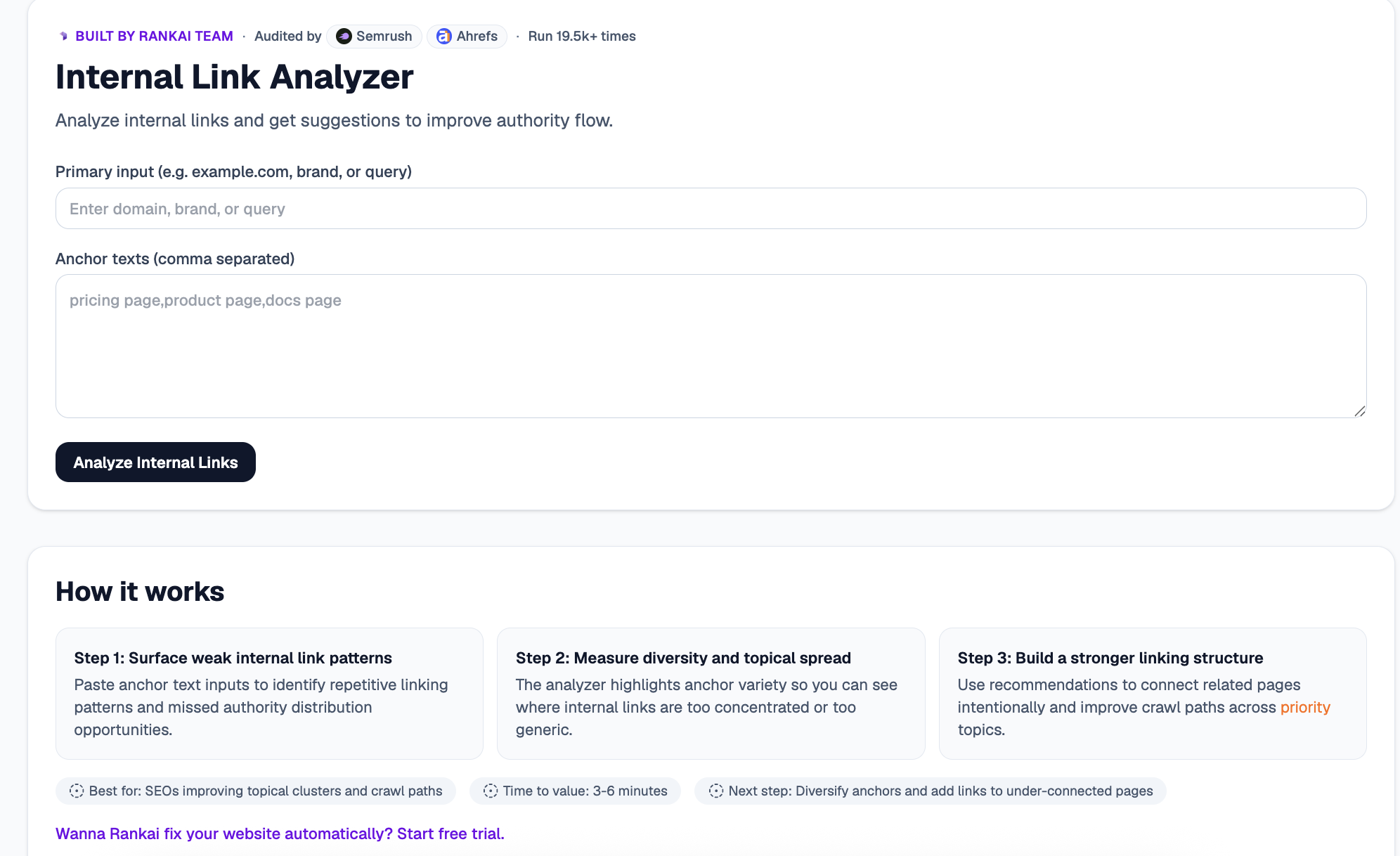
Step 3. Read your Quick verdict and Top 3 insights
In a few seconds you get a plain English read on your linking patterns, plus the Top 3 insights: repetitive anchors, over-concentrated links, and topical connections you are missing.
Step 4. Expand "Raw details" for the full breakdown
Open the Raw details to see anchor variety, where links cluster too heavily, and recommendations to connect related pages.
Step 5. Want to go deeper? Get the Full AI Visibility Audit
For a much more detailed look at your whole site, not just this one check, click Get Full AI Visibility Audit (or the free trial link on the tool).
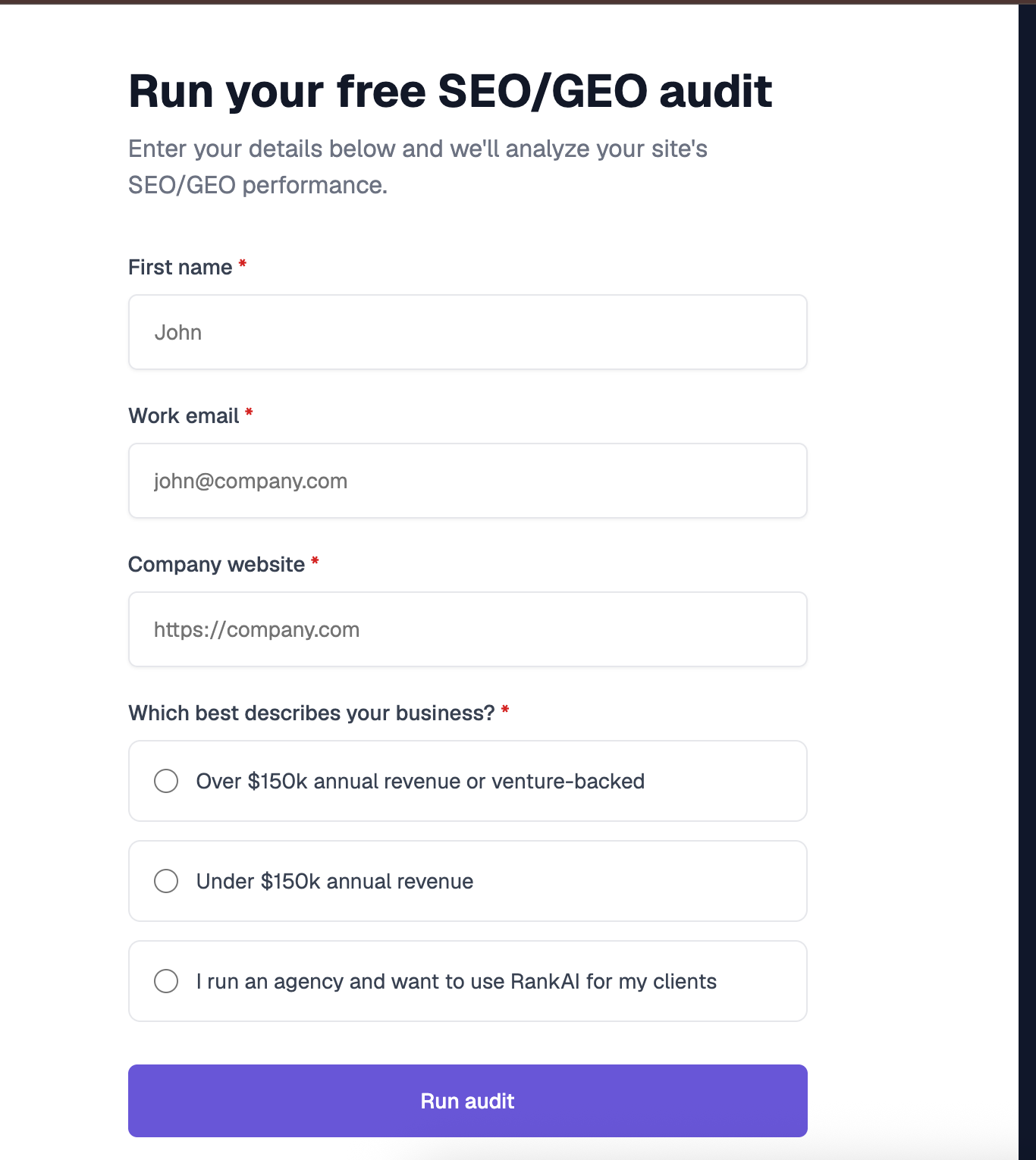
Step 6. Fill in your details to unlock the full audit (still free)
Enter your first name, work email, and company website, pick the option that best describes your business, and click Run audit. You get a far more detailed AI visibility analysis, still completely free, including a full, prioritized SEO and GEO optimization checklist.
What to do with your results
Once you can see your linking clearly, the highest impact moves are usually:
- Diversify your anchor text. Replace generic and repeated anchors with descriptive text that names the destination.
- Connect related pages. Link across topical clusters so authority flows where it should.
- Rescue under-connected pages. Add internal links to important pages that are currently orphaned.
Re analyze after updating your links to confirm authority is flowing where you want it.
