

When ranking #1 stopped being enough
A friend of mine runs a company that ranks number one on Google for its main keyword. First result, above everyone else. For years that was the whole game, and it worked beautifully.
Then a few months ago he called me, genuinely worried. His traffic had dropped a lot and he could not figure out why. His Google ranking had not moved an inch. He was still number one. But fewer and fewer people were clicking through, because fewer and fewer people were searching on Google in the first place. They were asking ChatGPT, Perplexity, and Google’s AI Overviews instead. And when those AI engines answered, they recommended other companies, not his.
His problem was easy to state and impossible for him to see: ranking on Google is no longer the same thing as being seen. A growing share of people now ask an AI to make decisions for them, and if the model does not know you exist, you are absent from that conversation. The part that rattled him most was that he had no way to even measure the gap, let alone close it.
Why this matters right now
Search behavior is splitting in two. People still Google things, but more and more they ask an AI answer engine and trust the handful of sources it cites. That shift created a brand new discipline called GEO, short for Generative Engine Optimization. GEO is the practice of making sure AI models can read, understand, trust, and cite your website.
- Get cited by AI engines and you earn traffic, authority, and trust at the exact moment of decision.
- Get skipped and you are invisible, no matter how good your traditional SEO looks.
Traditional SEO tools were not built to answer the new question: when an AI reads my site, what does it actually see, and would it recommend me? For most people the honest answer was that they had no idea, because this kind of analysis either did not exist or cost a fortune.
The GEO Score Calculator shows you what an AI sees
Our team at RankAI built a GEO Score Calculator, free to run.
It gives you a quick AI readiness score based on the signals that actually matter to generative engines: your site’s structure, clarity, and citation worthiness. You type in a URL and you get a verdict.
How to check your GEO score for free, step by step
Step 1. Open the free tool
Go to rankai.ai/tools/geo-score-calculator. It is free and you can start in seconds.
Step 2. Enter your website and calculate
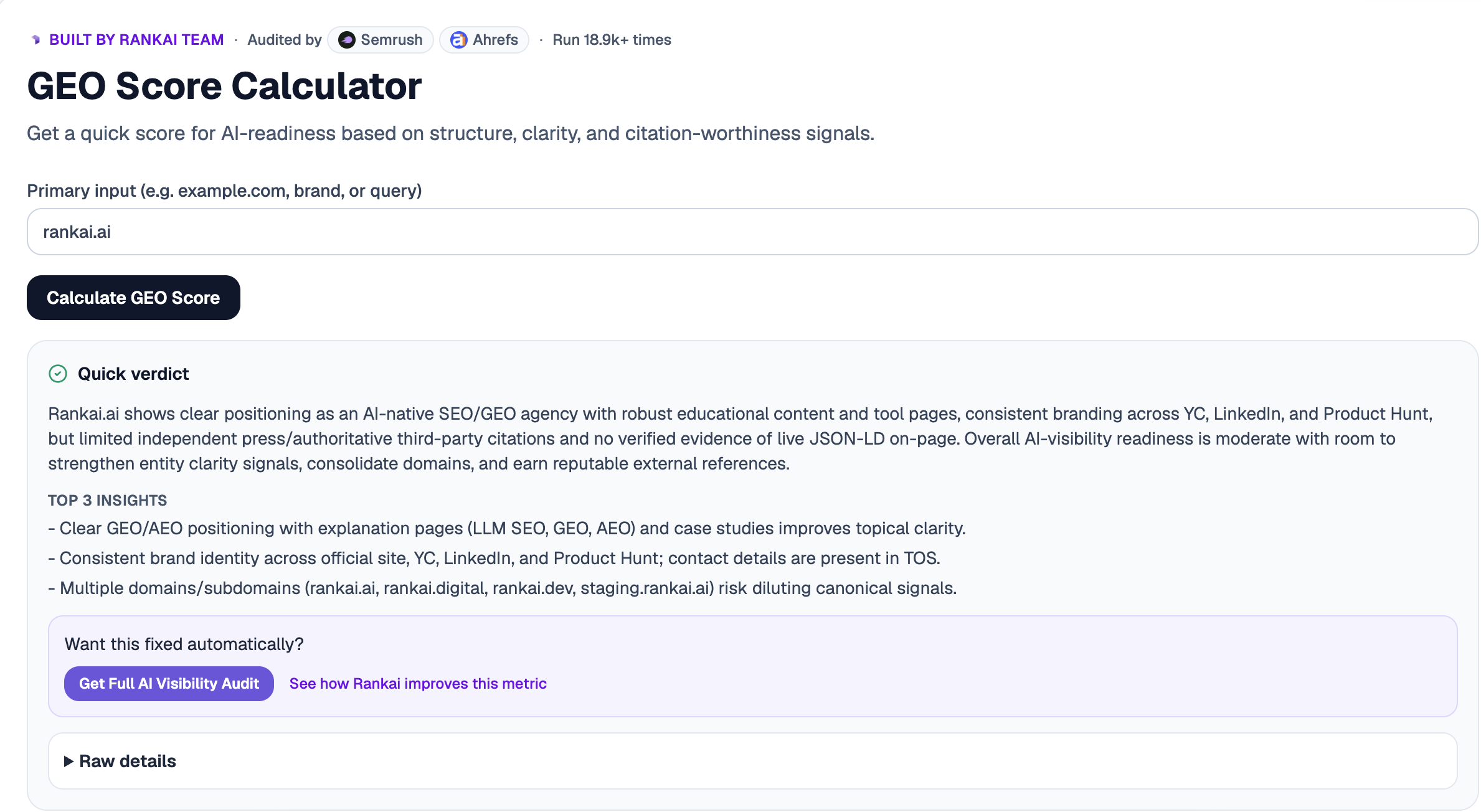
In the Primary input box, type your domain, brand, or a query (for example, example.com). Then click Calculate GEO Score. In a few seconds you will get a full report: a plain English Quick verdict on your AI visibility, plus the Top 3 insights, the most important things helping or hurting you.
Step 3. Read your Quick Verdict
The Quick verdict summarizes how AI ready your site is overall. The Top 3 insights call out the highest leverage issues, such as multiple domains diluting your authority, missing structured data (JSON-LD), or not enough independent third party citations. This is your at a glance diagnosis.
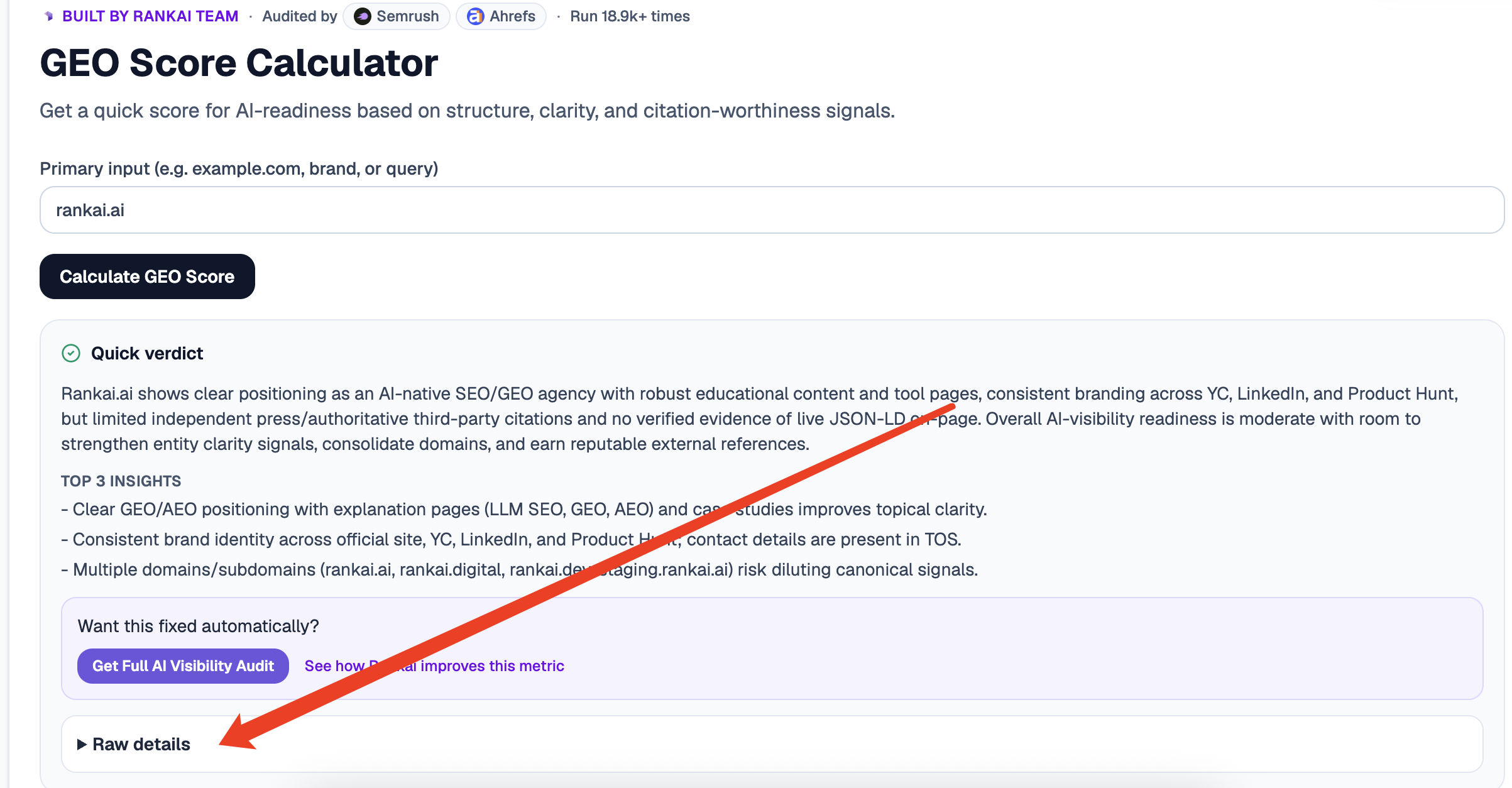
Step 4. Expand "Raw details" for the full diagnosis
Under the report, click Raw details. This opens a structured, point by point overview of exactly how AI engines perceive your site.
Step 5. Want to go deeper? Get the Full AI Visibility Audit
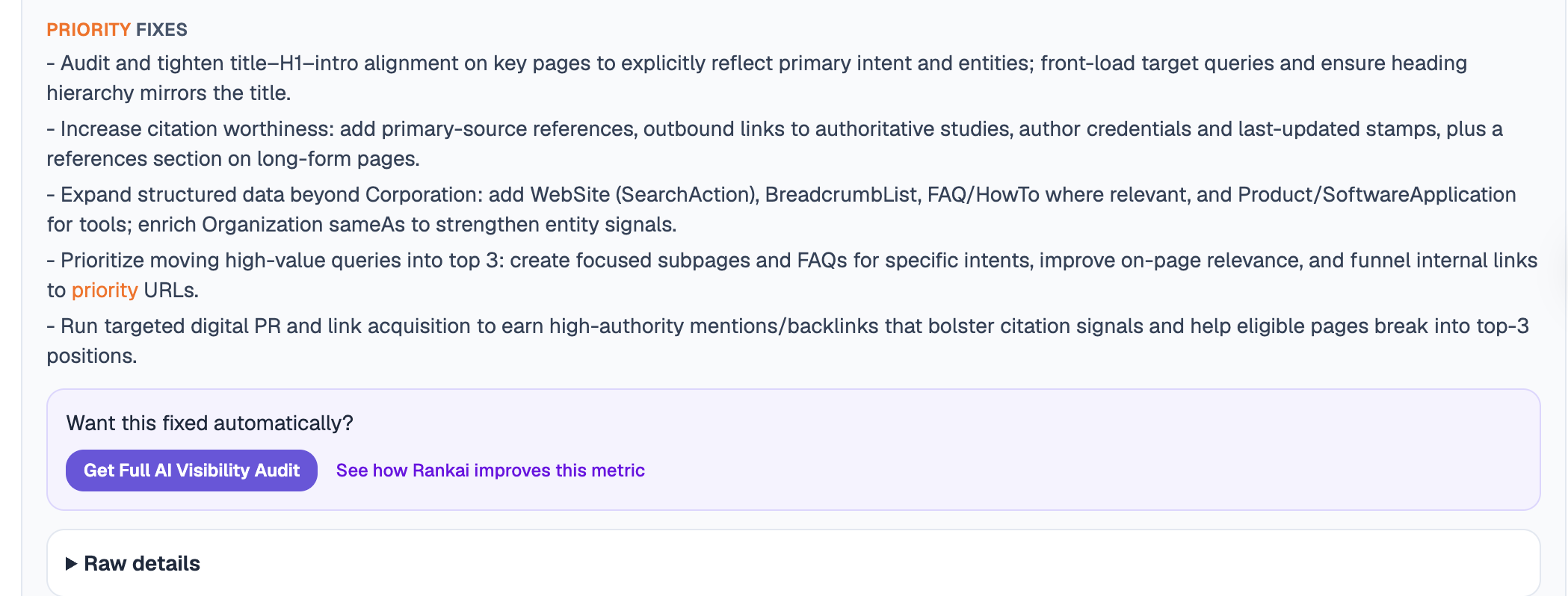
At the bottom of the report you get a Priority fixes list, the exact changes that move your score most, such as tightening H1 to intro alignment, adding primary-source citations, and expanding structured data beyond Organization. To turn that into a full, prioritized plan, click Get Full AI Visibility Audit under "Want this fixed automatically?"
Step 6. Fill in your details to unlock the full audit (still free)
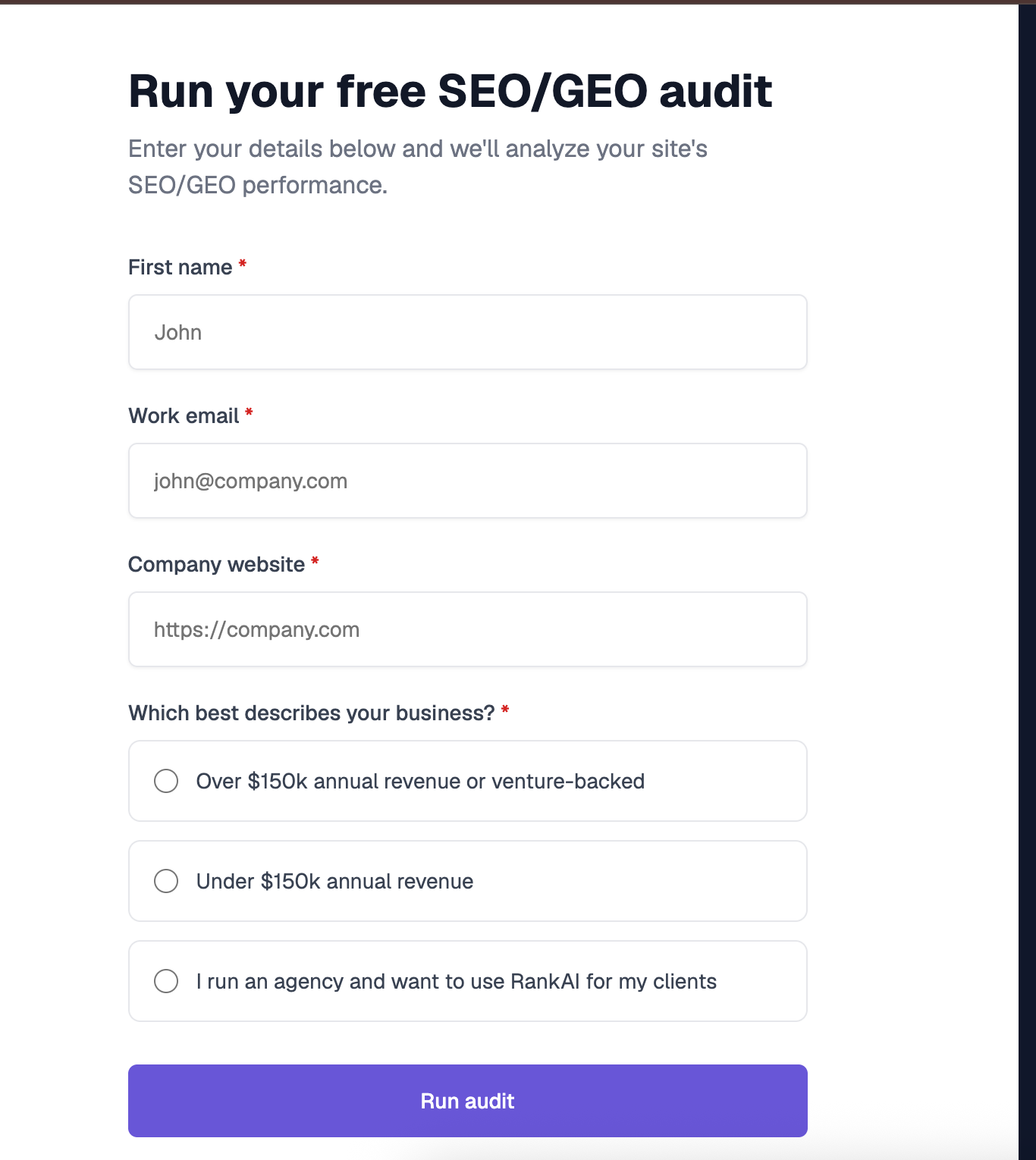
Enter your first name, work email, and company website, pick the option that best describes your business, and click Run audit. You get a far more detailed AI visibility analysis, still completely free, including a full, prioritized SEO and GEO optimization checklist.
What to do with your results
Once you have your insights and full checklist, the highest impact moves are usually:
- Fix your structured data. Add clean JSON-LD so engines can parse who you are and what you do.
- Consolidate your domains. Stop splitting authority across multiple sites and subdomains that dilute your canonical signal.
- Earn authoritative citations. Get mentioned and linked by reputable third party sources AI engines already trust.
Work down the list, re run the score, and watch it climb.
