At its heart, the difference between a relative and an absolute URL is pretty straightforward. Absolute URLs are the full, complete address of a resource on the web, like https://yoursite.com/images/photo.jpg. In contrast, relative URLs are partial paths, like /images/photo.jpg, which only make sense in the context of the page you're already on.
For anyone serious about SEO and building a stable website, the expert consensus leans heavily toward using absolute URLs. They send a crystal-clear, unambiguous signal to search engines, which helps prevent a host of problems like duplicate content and wasted crawl budget.
Defining Absolute vs Relative URLs
Getting a handle on URL structure is one of those foundational skills for web development and technical SEO. The easiest way to think about it is with a real-world analogy. An absolute URL is like a complete mailing address—it has the country, city, street name, and house number. With that information, you can find the destination from anywhere in the world.
A relative URL, on the other hand, is more like giving someone directions by saying, "it's three doors down on the left." That instruction is only useful if you're already standing in the right hallway. On a website, these partial paths simply tell the browser how to find a file in relation to the current page.
The Different Types of URLs
You'll generally run into three main types of URLs, and each serves a different purpose. While an absolute URL is a complete, self-contained address, relative URLs split into two distinct categories: document-relative and root-relative.
- Absolute URL: This is the full web address. It always includes the protocol (
https), the domain (yoursite.com), and the entire path to the file (/folder/page.html). - Root-Relative URL: This is a partial path that always starts with a forward slash (
/). That initial slash tells the browser to start its search from the website's root domain, making it independent of the current directory. - Document-Relative URL: This partial path does not begin with a forward slash. The browser has to figure out the location based on the directory of the current page it's on.
Key Takeaway: Absolute URLs are so important because they establish a single, canonical address for every single resource on your site. This clarity is a huge deal for search engine crawlers, which can get tripped up trying to index multiple paths that lead to the exact same content, ultimately diluting your SEO authority.
Understanding these differences is crucial when you're making decisions about your internal linking strategy, planning a site migration, or just trying to maintain good SEO health.
To make things even clearer, this table breaks down the core features of each URL type at a glance.
Core Differences Between URL Types
| URL Type | Structure | Example | Primary Use Case |
|---|---|---|---|
| Absolute URL | Includes protocol, domain, and full path. | https://yoursite.com/about/team.html |
SEO-friendly internal/external linking. |
| Root-Relative URL | Starts with /, relative to the root domain. |
/about/team.html |
Staging environments for easier migration. |
| Document-Relative URL | Does not start with /, relative to the current file. |
team.html |
Linking to files in the same directory. |
Each type has its place, but as we'll see, choosing the right one depends entirely on your goals—whether you're prioritizing portability during development or rock-solid SEO performance on a live site.
Comparing URL Behavior in Different Environments

The real-world differences between relative and absolute URLs don't show up in a textbook; they become glaringly obvious when you move a website between different technical setups. A link that works perfectly on a developer's machine can completely shatter on a live server.
Getting this right is fundamental for anyone building a stable, portable, and crawlable website. The most common friction point happens when moving from a local development environment to a live production server, where the choice of URL type directly impacts everything from workflow to site integrity.
Local Development and Staging Servers
When you're coding on a local machine or a private staging server, relative URLs are your best friend. The domain name is almost always different from the live site—think localhost:3000 or staging.yoursite.com. If you were to hardcode absolute URLs with the production domain here, every single link would be broken. It'd be a mess.
Relative URLs bring much-needed portability to the table. A link like /about/contact.html just works, whether the base domain is localhost or staging.yoursite.com. This flexibility is what lets developers build and test an entire site in a self-contained environment without needing to find and replace URLs before every deployment.
Of course, this convenience comes with a catch. If a developer forgets to handle these relative URLs properly during the push to production, it can unleash a host of serious SEO problems on the live site.
Live Production Servers
Once your website is live on the internet, the game changes. Portability takes a backseat to stability and clarity. On a production server, absolute URLs are the gold standard, and for good reason. They provide a single, unambiguous address for every single resource on your site.
Think of an absolute URL like https://yoursite.com/about/contact.html. It ensures that no matter how a page is found or where its content is shared, the link always points back to the one true destination. This is crucial for preventing the duplicate content headaches that pop up when search crawlers find multiple paths to the same page through relative links (e.g., via HTTP, HTTPS, www, and non-www versions).
An absolute URL acts as a permanent, unbreakable contract with the browser and search engines. It eliminates ambiguity, ensuring that your content's location is always precisely defined, which is fundamental for effective indexing and canonicalization.
A site built with relative URLs on a live server is fragile. A simple change in a folder name or a server misconfiguration can trigger a domino effect of broken links, torpedoing both the user experience and your SEO rankings.
Content Delivery Networks and Subdomains
The case for absolute URLs gets even stronger when you bring more complex setups into the mix, like a Content Delivery Network (CDN) or various subdomains.
When you use a CDN, assets like images, CSS, and JavaScript files are often served from an entirely different domain, like cdn.yoursite.com. If your HTML uses a relative path like /images/logo.png, the browser will look for that file on your main domain, completely ignoring the CDN.
To get the performance benefits of a CDN, you have to use absolute URLs that point directly to it: https://cdn.yoursite.com/images/logo.png. This is what ensures your assets are loaded from the fastest server nearby, boosting your page speed.
The same logic applies to sites using subdomains, such as blog.yoursite.com. Relative URLs here can create a lot of confusion.
- A root-relative URL like
/contacton a blog post will point toblog.yoursite.com/contact, not the main site's contact page. - An absolute URL (
https://www.yoursite.com/contact) is the only way to provide the needed clarity, sending the user to the correct domain no matter where they clicked the link.
By understanding how these different environments interpret URL paths, you can build a far more resilient website. Absolute URLs provide the solid foundation a production site needs to work reliably across different servers and domains, helping you sidestep common but costly deployment mistakes.
The SEO Impact of Your URL Strategy
The choice between relative and absolute URLs isn't just a technical footnote for developers—it has a direct and significant impact on your website's performance in search results. The way you structure your links tells search engines like Google how to find, understand, and ultimately rank your content. Get it wrong, and you could be undercutting your own SEO efforts. Get it right, and you're building on a solid foundation for organic growth.
Think of an absolute URL as a complete, unambiguous street address for every page and asset. That clarity is exactly what search engines need to map out your site's architecture and correctly assign value to your content. When you use absolute URLs, you remove all the guesswork, making sure crawlers always land on the right page.
Preventing Duplicate Content and Canonicalization Confusion
One of the sneakiest and most damaging problems in technical SEO is duplicate content. This happens when search engines discover the same content at multiple URLs. When a crawler finds these duplicates, it gets confused about which version is the "official" one—the canonical source.
This confusion forces Google to split your link equity (the ranking power passed from backlinks) across all the different versions it finds. Instead of having one strong page, you suddenly have several weaker ones fighting against each other. Relative URLs are a frequent culprit here.
Imagine a simple link to your about page, written as /about. A crawler could easily find this page through several different paths:
http://www.yoursite.com/abouthttps://www.yoursite.com/abouthttp://yoursite.com/abouthttps://yoursite.com/about
If you don't have perfect server-side redirects in place, a search engine might see four identical pages at four different addresses. This seriously waters down your ranking potential. An absolute URL, like https://www.yoursite.com/about, gives a single, authoritative signal, consolidating all that ranking power into one canonical page.
By enforcing a single, absolute path for every piece of content, you are directly telling Google, "This is the one true version of this page." This simple act of clarity is fundamental to building a strong SEO presence and avoiding self-inflicted ranking penalties.
Optimizing Crawl Budget and Indexing Efficiency
Search engines don’t have unlimited time to spend on your website. They assign a crawl budget, which is the number of pages they'll crawl on your site in a specific period. If you waste that budget on duplicate URLs or broken links, your most important pages might get crawled less often—or even missed completely.
This is a big reason why using absolute URLs has become a standard SEO best practice. It helps prevent the very duplicate content issues that chew up a crawler's limited resources. In fact, some analyses have shown that switching to absolute URLs can improve crawl efficiency by as much as 25-30%. This is because Google isn't wasting its finite budget trying to figure out multiple versions of the same page.
Relative URLs can create a confusing maze for crawlers. A bot might follow a relative link into a staging environment or a misconfigured directory, getting lost and wasting its precious crawl budget. In stark contrast, absolute URLs act like direct highways. Every link points to a precise destination, which streamlines the crawling process and ensures your key pages get indexed quickly and consistently. For a deeper look at this process, check out our guide on how to perform a technical SEO audit.
Ensuring Link Integrity for External and Syndicated Content
The impact of your URL strategy reaches far beyond your own domain. When another website links to you, or when you syndicate a blog post on a platform like Medium, the integrity of your internal links is critical.
If a scraper site copies your content wholesale, any relative links will either break on their site or, even worse, point to other pages within their own copied website. But if your internal links are absolute, every single one will point back to your original domain. This not only makes content theft less effective but also ensures that any syndication continues to drive traffic and authority right back where it belongs.
For any content that might be shared, scraped, or syndicated, absolute URLs are non-negotiable. They are a form of self-preservation, guaranteeing that no matter where your content ends up, the links within it continue to do their job: strengthening your domain's authority and guiding users back home.
When to Use Each URL Type Strategically
While the SEO community largely agrees that absolute URLs are the way to go, the debate isn't completely black and white. There are a few specific, controlled situations where a relative URL isn't just acceptable—it's actually the smarter choice. The secret is context. You have to know when development ease is more important than the risks to a live, indexed website.
This isn't about a simple pros and cons list; it's about weighing your specific environment against your long-term goals. The following flowchart really brings this home, showing why absolute URLs are almost always the default for SEO success.
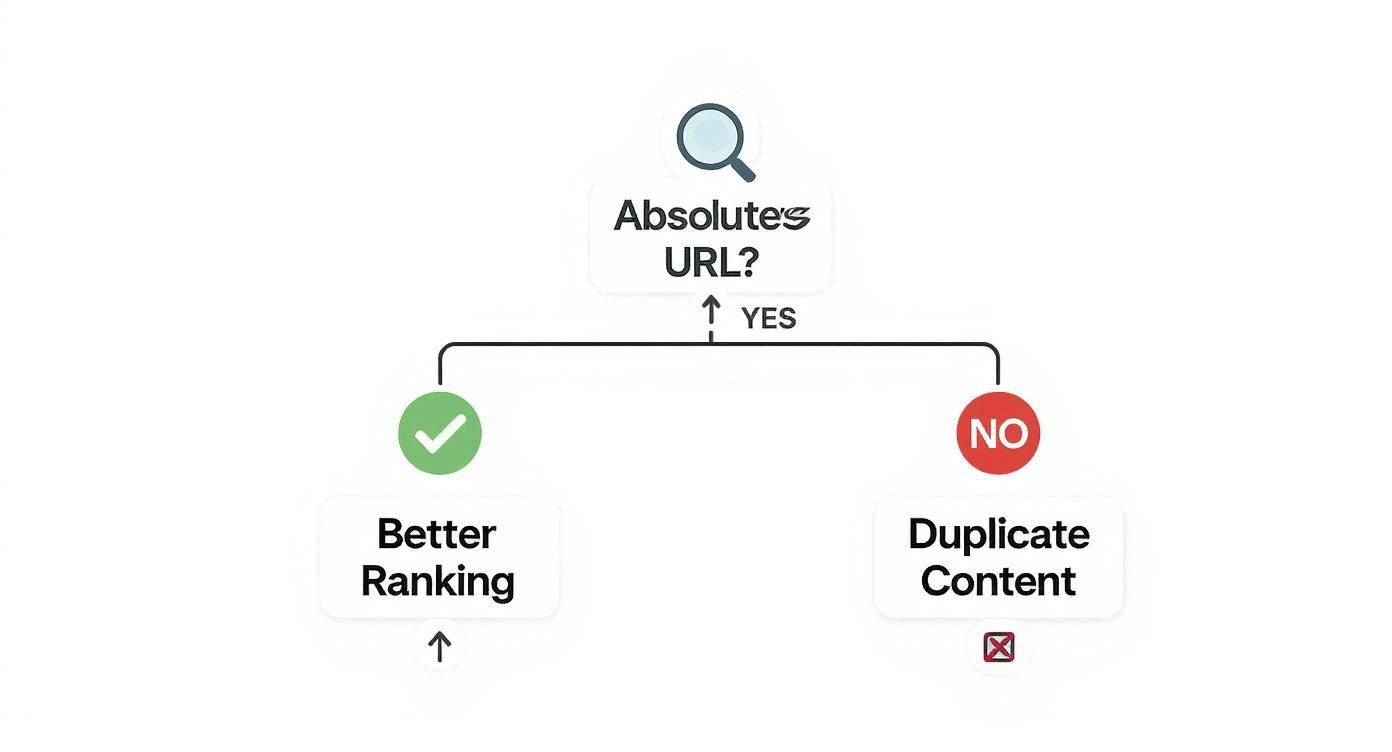
As the visual shows, the main SEO advantage of absolute URLs is creating a crystal-clear path for search engines, which helps avoid the duplicate content issues that can sink your rankings.
Using Relative URLs in Staging Environments
The most common—and frankly, most sensible—place for relative URLs is on a closed, non-indexable staging environment. Think about it: your staging server probably has a temporary domain like staging.yourdomain.com. If you hardcoded absolute URLs with your final domain, every single internal link would break, making testing a nightmare.
This is where root-relative URLs (/about/contact) become incredibly useful. They let developers build and test the entire site as a self-contained package, confident that all the links will work perfectly within that staging sandbox. It makes the whole workflow so much more portable and straightforward.
The big catch, of course, is that every one of these relative paths must be converted to an absolute URL when you push the site to the live production server. If you skip this step, you unleash all the SEO problems we've talked about, from duplicate content to wasted crawl budget.
This approach demands a rock-solid deployment process. You need a reliable script or a bulletproof search-and-replace procedure to swap in the final domain across all links before the site sees the light of day. Without that crucial final step, what started as a development shortcut can easily become a chronic SEO headache.
Document-Relative URLs for Self-Contained Components
There's another small, niche case for document-relative URLs: encapsulated widgets or components. Picture a self-contained module—maybe a product showcase or an interactive calculator—that you might want to drop onto different pages or even different websites entirely.
In a situation like that, the component's own assets (like its images, CSS, or JavaScript files) have to stick together, no matter where the component ends up. Using document-relative paths (images/icon.svg) ensures those assets load correctly because they are referenced from within the component's own folder.
- Example Scenario: A portable "Meet the Team" widget.
- The widget's HTML might link to
styles/widget.css. - It could also pull in headshots using paths like
img/jane-doe.jpg. - As long as you keep the
stylesandimgfolders right there with the HTML file, the widget will work anywhere you put it.
- The widget's HTML might link to
This technique keeps the component modular and reusable. However, it's critical that any links inside that widget pointing out to other pages on your main site remain absolute to protect your SEO. Building a solid sitewide structure requires a thoughtful approach, and our guide on choosing an internal linking tool can help you manage this complexity as your site grows.
Ultimately, using relative URLs should always be a deliberate and temporary decision. They are a tool for solving specific development challenges, not a long-term strategy for your live site's internal linking. For any page you expect search engines to find, crawl, and rank, an absolute URL is the only option that provides the necessary clarity and authority.
Implementing Absolute URLs and Migrating Your Site
Deciding to enforce absolute URLs is a smart move for building a more stable, SEO-friendly website. If you're starting a new project, you can build with absolute paths from day one. But for an existing site, it means a careful migration to convert all your relative links without breaking everything in the process.
This isn't just about a simple find-and-replace, either. You need a solid strategy to find, update, and double-check every single internal link. The whole point is to remove any ambiguity for crawlers and servers, giving your site a stronger technical foundation for the long haul.
Dynamically Generating Absolute URLs
For any site that's dynamically driven, the best way to handle this is to generate absolute URLs programmatically instead of hardcoding them. This keeps things consistent and makes any future domain changes a breeze. Thankfully, most modern platforms and languages have simple functions built right in.
Here’s how you might do it in a few common environments:
- WordPress: The platform makes this incredibly easy. You can lean on built-in functions like
get_permalink()for posts orhome_url()to build out links to any page, guaranteeing they're always absolute. - PHP: A common approach is to define a base URL constant in your main configuration file. Then, you just prepend that constant to all your internal links, giving you one central place to manage your domain.
- JavaScript: When you're in a framework like React or Vue, environment variables are your friend. You can store the base URL there and easily swap it out for your development, staging, and production builds.
By generating URLs this way, you end up with a system that’s not only reliable for SEO but also flexible enough to handle a domain name change without a massive headache.
A Step-by-Step Migration Plan
If your site is already humming along with relative URLs, making the switch to absolute requires a game plan. A sloppy migration will leave you with a mess of broken links, 404 errors, and a potential nosedive in your search rankings. But a well-thought-out plan can be surprisingly smooth. For more complex projects, our guide to website migration services dives deeper into how to pull this off without any downtime.
Here's a proven four-step process to get it done right:
Crawl and Catalog All URLs: First things first, you need a complete map. Use a tool like Screaming Frog or another SEO spider to crawl your entire site and export a list of every internal URL. This gives you a definitive checklist of every relative link that needs updating.
Back Up Your Database and Files: This one is non-negotiable. Before you touch a single thing in your database, create a complete backup. If anything goes sideways during the search-and-replace, this backup is your lifeline.
Perform a Database Search-and-Replace: With your backup secured, use a database tool or a specialized script to find all instances of relative paths (like
href="/about") and replace them with the full, absolute version (likehref="https://yourdomain.com/about"). Be very specific with your queries to avoid accidentally changing bits of code you didn't mean to.Post-Migration Testing and Validation: Once the replacement is done, it's time to verify. Run a brand new crawl of the entire site with the same SEO tool. Compare the new report against your original one to hunt down any fresh 404 errors, broken links, or redirect chains that might have popped up.
A successful migration isn’t just about changing links; it's about verifying that those changes haven't broken anything. Meticulous post-migration testing is what separates a smooth transition from a technical disaster.
Troubleshooting Common Migration Issues
Even the best-laid plans can hit a snag. Being ready for a few common issues can save you a lot of time and frustration.
One of the most common problems you'll see is mixed content warnings. This usually happens when you’ve moved to HTTPS, but some absolute links are still pointing to old HTTP assets like images or scripts. The fix is to run another targeted search-and-replace, this time ensuring every internal link uses the https:// protocol.
Another potential tripwire is broken image paths or CSS files that fail to load. This can happen if your search-and-replace query was a little too broad or missed certain link formats. Your pre-migration crawl report is your best friend here—use it to track down those broken asset links and fix their paths for good.
Common Questions About URL Structure
Even when you understand the technical side of things, it’s normal to have questions when you're in the trenches deciding on a URL strategy. Getting these common points of confusion sorted out is the key to applying these concepts correctly and avoiding those SEO headaches that can pop up months later. Let's walk through some of the most frequent questions I hear.
Think of this as a way to firm up your knowledge so you can handle real-world challenges with a solid plan.
Are Relative URLs Ever a Better Choice for SEO?
Almost never. I know the convenience of relative URLs during development is tempting, but that flexibility is completely overshadowed by the major SEO risks they introduce on a live website. The potential for creating duplicate content and sending search engine crawlers down confusing rabbit holes is just too high.
An absolute URL is a clear, unambiguous signal. It tells search engines exactly where a page lives, which is essential for efficient indexing and making sure your link equity goes to the right place. The only time I'd recommend using relative URLs is on a temporary, non-indexable staging server where you're constantly moving things around. Once that site is live, absolute is the way to go.
How Do I Fix a Site That Uses Relative URLs?
Switching an entire site from relative to absolute URLs requires a careful, methodical approach. You can’t just run a blind find-and-replace—that’s a recipe for broken links and a sudden drop in rankings.
Here’s a process that has worked time and time again:
- Run a Full Site Crawl: Grab a tool like Screaming Frog and get a complete map of every single internal URL. This is your master checklist.
- Back Everything Up: Before you touch a single line of code, get a full backup of your website’s files and database. This is your non-negotiable safety net.
- Use a Database Script: A precise search-and-replace script is your best friend here. Use it to convert all relative paths (like
href="/about") to their full absolute versions (e.g.,href="https://yourdomain.com/about"). - Crawl Again and Validate: After the script runs, do another full crawl. Compare this new report to your original one to hunt down and fix any new 404 errors, broken images, or redirect loops.
Following a structured process like this ensures you make a smooth transition to a much more stable, SEO-friendly URL structure.
Important Takeaway: Moving a site from relative to absolute URLs isn't just a technical fix; it's an SEO preservation project. You have to be meticulous with your testing and validation to make sure you don't accidentally torpedo your site's visibility.
What Is a Protocol-Relative URL?
A protocol-relative URL is a unique format that leaves out the http: or https: part, starting with a double slash instead (like //yourdomain.com/page). This tells the browser to just use whatever protocol the current page is using to load the asset.
They were a popular workaround for a while, especially when the web was in the middle of its big transition to HTTPS. It helped developers avoid those dreaded "mixed content" warnings. Today, however, they are an outdated practice.
Every modern website should be forcing HTTPS across the board for both security and SEO. Since there’s no longer a need to switch between protocols, this ambiguity is unnecessary. You should always explicitly state the https:// in your absolute URLs. It’s better for security, it eliminates crawler confusion, and it keeps your canonical signals crystal clear for search engines. Protocol-relative links are a relic of a past era and have no place on a modern site.
Ready to stop worrying about technical SEO and start seeing real growth? Rankai uses AI-powered automation, backed by human expertise, to deliver high-impact content that ranks. We handle everything from keyword strategy and content creation to LLM optimization, so you can focus on your business. Learn more and see how we drive measurable results at https://rankai.ai.
Article created using Outrank