An SEO report is your go-to summary for tracking and analyzing how well your website shows up on search engines. Think of it as a regular health checkup for your site, turning a mountain of complex data into a clear story about your online performance. It's the only way to know what’s working, what isn't, and where to put your energy for real growth.
What's the Real Point of an SEO Report?
An SEO report is much more than a collection of numbers—it's your roadmap. Trying to manage your online strategy without one is like driving a car with no dashboard. You wouldn't know your speed, how much gas is left, or if the engine was about to overheat. Without a report, you're flying blind.
It's the tool marketers use to connect all their search optimization efforts to actual, measurable results.
The stakes are high. With the global SEO services market expected to reach nearly $147 billion by 2025, it's clear businesses are betting big on search. And for good reason—organic search drives about 44.6% of revenue across major industries. Reports are the only way to prove that investment is paying off and to intelligently plan your next move. If you want to dive deeper into this, you can discover more insights about SEO's impact on business growth.
This diagram shows how an SEO report is built on three core pillars.
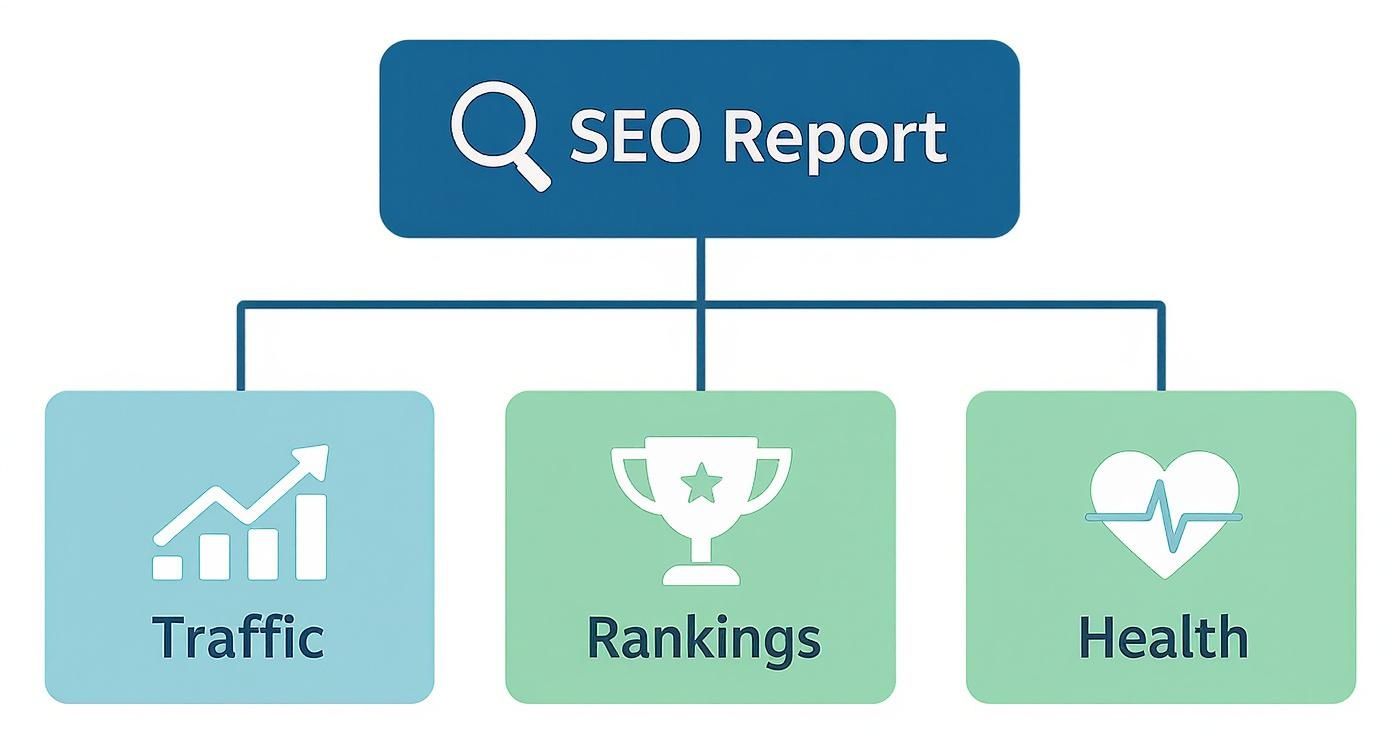
It helps you see how traffic analysis, ranking performance, and overall site health come together to give you the full picture of your SEO success.
Breaking Down the Core Components
To make all this data useful, reports are usually organized into a few key areas. At its heart, a solid report will always cover these fundamentals.
To give you a clearer picture, here’s a quick rundown of what you’ll find in a standard report.
Key Components of a Standard SEO Report
| Component Area | What It Measures | Why It's Important |
|---|---|---|
| Traffic Analytics | How many visitors are coming from organic search, what pages they land on, and how they behave. | Shows the direct result of your SEO efforts in attracting an audience and helps quantify its value. |
| Search Rankings | The specific positions your website pages hold in search results for your target keywords. | Directly correlates to visibility. Higher rankings mean more potential traffic and brand exposure. |
| Website Health | Technical issues like site speed, mobile-friendliness, broken links, and crawl errors. | A technically sound website is easier for search engines to crawl and index, forming the foundation for all other SEO work. |
This table lays out the foundational elements, but the real magic happens when you connect the dots between them. A drop in traffic, for instance, might be explained by a new technical error or a slip in keyword rankings.
Understanding these components is the first step. It allows you to use your report not just as a look back at what happened, but as a strategic tool to shape what happens next. It’s all about turning that raw data into smart decisions that drive real growth and prove your marketing budget is well-spent.
Decoding the Core Performance Metrics
To really get what an SEO report is telling you, you have to learn its language. This language is all about the core performance metrics—the vital signs that show how your website is holding up in the search engine arena. These aren't just abstract numbers; each one tells a crucial part of your website's story.
Think of your website as a physical store. The core metrics in your report work together to describe how well it's doing. Are people finding your store? Are they walking in? Let's break down the most important numbers you'll see.
Organic Traffic: Your Digital Footfall
Organic traffic is simply the measure of visitors who land on your website by clicking a non-paid, or "organic," search result. It’s the purest indicator of how effective your SEO is. It directly answers the question: "Are people actually finding us through Google?"
When organic traffic goes up, you know your optimization efforts are paying off. More potential customers are discovering your brand because you’re showing up for the right searches. On the flip side, a steady decline is an early warning that something's wrong, telling you it’s time to dig in and figure out why.
Keyword Rankings: Your Position on the Digital High Street
Keyword rankings pinpoint exactly where your website sits on a search engine results page (SERP) for a specific query. If your website is a store, your keyword ranking is its location on the main street. A top spot on the first page is like having a storefront in Times Square—it all but guarantees visibility.
The battle for that visibility is intense. Over 93% of all online experiences kick off with a search engine, and the data shows that 75% of users never bother scrolling past the first page. Even more telling, the top five organic results vacuum up 68% of all clicks, with the #1 spot alone taking a massive 27.6% of the traffic. This is precisely why your SEO report will obsess over your rankings for target keywords. You can dive deeper into these critical search engine findings to see just how much position matters.
Impressions and Clicks: Seeing vs. Engaging
These two metrics are a classic team, usually pulled straight from tools like Google Search Console. Together, they tell a story of potential versus reality.
- Impressions: This is how many times your website's link was shown to a user in the search results. Think of it as your total potential audience.
- Clicks: This is the number of times someone actually clicked on your link from that search results page.
High impressions are a good start—it means Google is showing your site to people. But impressions without clicks? That's like a shop window everyone walks past but never enters. This brings us to a vital diagnostic metric.

A dashboard like this gives you a clear snapshot of your total clicks, impressions, and average click-through rate, laying out your search performance in black and white.
Click-Through Rate: The Appeal of Your Pitch
Click-Through Rate (CTR) is the simple percentage of impressions that turned into a click (Clicks ÷ Impressions = CTR). It’s a direct measurement of how compelling your search result snippet—your page title and meta description—is to the people you want to reach.
A low CTR despite high impressions is a classic case of having a "billboard in the desert." People see you, but your message isn't strong enough to make them act. It usually means your title tag or meta description isn't hitting the right notes with user intent or just isn't enticing enough to win the click over your competitors.
Looking Under the Hood: Analyzing Your Website's Health and Authority
So far, we've talked about the flashy numbers—traffic, clicks, and rankings. But beneath those surface-level metrics lies the true engine of your SEO success. Think of it like this: anyone can make a car look fast, but a real mechanic knows to check the engine, the chassis, and the transmission. That's what we're doing here.
This part of the SEO report dives deep into the foundational elements that determine whether your growth is sustainable or just a temporary blip. We'll look at the three pillars of your site's underlying strength: technical health, backlink authority, and content performance. Together, they give us the full story of what's really going on.

Is Your Site Built on Solid Ground? A Look at Technical SEO Health
Your website's technical SEO is its foundation. If that foundation is cracked with slow pages, broken links, or mobile usability problems, then all the brilliant content and marketing you build on top is at risk. A good SEO report is like a home inspector for your website, pointing out the critical issues before they cause a collapse.
Most reports will flag common culprits like:
- Slow Page Speed: This is a huge one. Even a one-second delay in load time can slash conversions by 7%. Your report should pinpoint exactly which pages are frustrating users and telling Google to rank you lower.
- Crawl Errors: These are dead ends for search engine bots. If Google can't access a page, it might as well not exist. The report shows you which pages are effectively invisible.
- Mobile-Friendliness Issues: Over half of all web traffic now comes from mobile devices. If your site is a pain to use on a phone, you're shutting the door on a massive audience.
A healthy site is a fast, accessible, and error-free site. Technical SEO isn't the most glamorous part of the job, but it's the bedrock of everything else. Trying to grow without it is like trying to win a race with a flat tire—you're just not going to get very far.
Want to learn how to spot these issues yourself? Our guide on performing a technical SEO audit is the perfect place to start.
Who's Vouching for You? Evaluating Your Backlink Profile
In the SEO world, backlinks are the ultimate currency of trust. Your backlink profile is simply the collection of all the links pointing to your site from other websites. Each high-quality link acts as a vote of confidence, telling search engines that you're a legitimate, authoritative source of information.
An SEO report dissects this profile to answer a few crucial questions:
- Quantity vs. Quality: Are you getting more links over time? And more importantly, are they coming from reputable, relevant sites or from spammy corners of the web?
- Anchor Text: What words are other sites using when they link to you? This gives search engines powerful clues about what your page is about.
- Toxicity: Are there sketchy, low-quality links pointing your way? These "spammy" links can actually hurt your rankings and might need to be dealt with.
A strong, clean backlink profile is a massive competitive advantage. It builds your site's authority and makes it much easier to rank for the keywords that matter.
Which Content Is Actually Doing the Work? Assessing Performance
Finally, a great SEO report has to get real about content. It's not enough to just keep publishing blog posts and hope for the best. You need to know which pieces are your heavy hitters and which ones are just taking up space. This is where we identify your most valuable pages.
By digging into content performance, you can see exactly which articles are pulling in the most organic visitors, which landing pages are converting those visitors into customers, and which topics truly connect with your audience. This isn't guesswork; it's data. It tells you where to double down on your efforts and which underperforming pages need a refresh or a complete rethink.
How to Turn SEO Data Into Actionable Insights
Let's be honest: an SEO report is just a bunch of numbers unless you know what to do with them. The real magic happens when you move past just looking at the data and start using it to make smart decisions. This is where you transform metrics into a real-world game plan for growth.
A great way to get started is by adopting a simple, three-step framework. It’s a method for systematically breaking down any finding in your report and figuring out exactly what to do next.
The Observation > Diagnosis > Action Framework
Think of yourself as a detective. The data in your report is your pile of clues. Your job is to sift through them, figure out what's really going on, and then decide on the next move.
Here’s how to break it down:
- Observation: First, what jumps out at you? Pinpoint a key trend or a strange number in your report. This could be something good, like a sudden spike in traffic, or something not-so-good, like a dip in rankings. This is your starting point.
- Diagnosis: Now, you need to play investigator and figure out why this is happening. This means looking at other metrics for context. Did organic traffic fall because a few high-value keywords lost their position? Or did a technical glitch suddenly crawl out of the woodwork after a site update?
- Action: Finally, based on what you've uncovered, you can outline a specific, measurable task to address the situation. This is how an insight becomes a tangible step forward.
This framework stops you from just reacting to numbers and pushes you to make informed decisions. It helps you focus on what actually matters and ensures every action you take is backed by real data.
The ultimate goal of any report is to fuel intelligent action. Without a clear plan for what to do next, an SEO report is just a collection of historical data. The true value comes from using it as a forward-looking tool to guide your strategy.
From Data to Action: A Troubleshooting Guide
So, how does this work in the real world? This table connects common issues you might spot in an SEO report with their likely causes and the exact steps you can take to fix them. Think of it as a practical cheat sheet.
| Common Problem (Observation) | Potential Cause (Diagnosis) | Recommended Action |
|---|---|---|
| High impressions but low CTR | The page title and meta description aren't compelling enough to earn the click. They might be generic or not match the searcher's intent. | A/B test new, more engaging headlines and descriptions. Make sure they clearly state the value and answer the user's implied question. |
| Organic traffic suddenly drops | A recent website update may have introduced a technical error (like a "noindex" tag), or a major Google algorithm update just rolled out. | Run a fresh site crawl immediately to check for technical issues. At the same time, check SEO news sites to see if a core update was confirmed. |
| A key page lost its top ranking | Competitors have created better content or earned stronger backlinks. Alternatively, your own page's load speed might have tanked. | Analyze the top-ranking competitor pages to see what they're doing differently. Update your content to be more comprehensive and run page speed tests. |
This process doesn't just help with troubleshooting; it also helps you prove the financial impact of your work. When you're trying to justify your SEO budget, the return on investment (ROI) is everything.
Consider this: research shows that leads from SEO have an incredible 14.6% close rate. That blows away the 1.7% close rate from traditional methods like print ads or cold calling. When you turn data into action, you're directly impacting the bottom line. You can learn more about SEO ROI findings to see just how valuable a well-executed strategy is.
Of course, using the right tools can make this entire process a whole lot smoother. For a detailed breakdown, take a look at our guide on the top SEO reporting tools to track your success and simplify your analysis.
Customizing Reports for Different Audiences
Let's be honest: a single, one-size-fits-all SEO report is doomed to fail. Handing a 50-page spreadsheet of keyword data to a CEO is just as useless as giving a one-page summary to your lead SEO specialist. To make your data hit home, you have to tell the right story to the right person.
It’s like explaining how a car engine works. You wouldn't give the same spiel to the company's CEO, the head of sales, and the lead mechanic, right? Each one cares about a different outcome and needs a different level of detail. The same logic applies when you're showing what an SEO report says about your website's performance.

Reporting to the C-Suite
Executives and key stakeholders think in terms of the bottom line. They need to see how your SEO investment is directly impacting business growth. Forget the technical jargon and focus on the big-picture results.
- What to Show Them: Organic traffic growth, value of leads generated, organic customer acquisition cost (CAC), and return on investment (ROI).
- How to Present It: A clean, visual executive summary is your best friend. Use simple charts to show trends over time, and don't be afraid to highlight wins in market share or how you're stacking up against competitors.
- The Question They're Asking: "Is our money spent on SEO actually working and growing the business?"
Your report needs to answer that question with a confident "yes," clearly connecting SEO efforts to revenue and major business goals.
Reporting to Marketing Managers
Marketing managers are the bridge between high-level strategy and daily execution. They need to understand where SEO fits within the entire marketing ecosystem and how it’s contributing to their campaign goals. Their report can have more detail, but it still needs to be performance-focused.
The marketing manager’s report should clearly show how organic search is performing as a channel. They need to see how it’s supporting other efforts, like paid ads or social media, and how it’s bringing qualified leads into the marketing funnel.
For this audience, you’ll want to highlight metrics like:
- Traffic and conversions broken down by specific landing pages or content themes.
- Keyword performance tied directly to the campaigns they are actively running.
- Assisted conversions, which show how SEO plays a role in sales even when it’s not the last touchpoint.
Reporting to SEO Specialists
Okay, now you can really get into the weeds. Your SEO specialists, whether they're in-house or at an agency, need the raw data to spot problems and find new opportunities. This report is less of a summary and more of a technical tool for day-to-day campaign management.
This often means giving them direct access to analytics platforms or using a very detailed reporting format. For agencies, our guide on creating white-label SEO reports provides a great framework for building these comprehensive documents.
They’ll want to see deep dives into:
- Technical Health: Crawl errors, site speed reports, and indexation status from Google Search Console.
- Backlink Profile: A breakdown of new links gained, links lost, and the anchor text being used.
- Rank Fluctuations: Granular tracking for high-value keywords and any movement from top competitors.
By tailoring your SEO report to the audience, you make sure the information isn't just received—it's understood, valued, and acted upon. That’s how you turn data into a real strategic asset.
A Few Common Questions About SEO Reports
Even after you've got the basics down, a few practical questions always seem to pop up. Let's tackle those lingering uncertainties so you can build, read, and act on your SEO reports with total confidence.
What Are the Best Tools for Creating SEO Reports?
There’s really no single “best” tool out there. The right choice always comes down to your specific goals, your budget, and how deep you need to go. In my experience, most pros use a mix of tools to get the full story.
- Google Search Console: This one is non-negotiable, and it’s completely free. It’s your direct line to Google, giving you the most accurate data on how your site appears in search, including impressions, clicks, CTR, and keyword rankings. You can't do SEO without it.
- Google Analytics 4 (GA4): Another free essential. GA4 picks up where Search Console leaves off, telling you what people do after they land on your site. It’s how you measure organic traffic, track conversions, and see which content actually resonates with your audience.
- Third-Party SEO Platforms: This is where tools like Ahrefs, Semrush, and Moz come in. They offer a ton of advanced features for things like digging into your competitors' strategies, tracking backlinks, doing deep keyword research, and running comprehensive site audits.
Many of these paid platforms also have great reporting features that can connect directly with Google's tools. This lets you pull everything into one unified dashboard, which saves a ton of time and makes analysis much simpler.
How Is an SEO Report Different from an SEO Audit?
This question comes up all the time, and it’s a great one. People often use the terms interchangeably, but they serve two very different functions. The key difference is their purpose and how often you do them.
An SEO audit is a one-time, deep-dive analysis. Think of it like a full vehicle inspection before a long road trip. You're checking everything from the engine to the tires to find every single existing problem, big or small. The goal is to walk away with a complete to-do list of issues and opportunities.
An SEO report, on the other hand, is all about ongoing monitoring. It’s more like your car's dashboard—it shows your speed, fuel level, and engine temperature while you're driving. It’s how you track performance over time, see if you're hitting your goals, and spot new problems as they pop up.
Simply put, an audit finds the problems, while a report tracks your progress on fixing them and measures overall performance along the way.
How Often Should I Check My SEO Reports?
The perfect frequency really depends on who's reading the report and what they need to get out of it. There's no one-size-fits-all answer, but here are a few common schedules that tend to work well for different teams.
- Weekly: This is a good rhythm for the SEO specialists who are in the trenches managing the campaign day-to-day. A quick weekly check-in helps them spot immediate problems—like a sudden traffic drop after a website update—and monitor the early results of recent changes.
- Monthly: This is the sweet spot for most businesses and marketing managers. A month gives you enough data to see real trends without getting lost in the noise of daily fluctuations. It’s the perfect cadence for measuring progress against your monthly KPIs.
- Quarterly: This high-level view is built for executives and C-suite stakeholders. A quarterly report smooths out all the short-term bumps and focuses on the big picture: long-term traffic growth, return on investment, and where you stand against the competition.
Nailing the right frequency is what turns a report from a simple document into a powerful strategic tool. It ensures the data is relevant and actionable for everyone involved.
Ready to stop manually pulling data and start seeing real growth? Rankai uses AI to automate content creation, optimization, and reporting. We deliver plain-language updates focused on the metrics that matter, so you can see your rankings and traffic improve without getting lost in spreadsheets. Get your agency-level SEO results for just $499/month.
Article created using Outrank