Optimizing a product page isn't just about stuffing in keywords. Real success comes from a three-part strategy: first, getting inside the user's head to understand their intent; second, building a logical page structure that makes sense to both people and search engines; and finally, perfecting all the individual on-page elements.
The goal isn't just to show up in search results. It's to answer the searcher's question so completely that they have no reason to go anywhere else but your "Add to Cart" button.
Why Most Product Pages Never See Page One
I see it all the time: ecommerce stores with stunning photography and a slick design, yet their product pages are buried on page five of Google. The business owner thinks the problem is a slow-loading image or a missing keyword. While those things don't help, the real killer is almost always a fundamental disconnect between the page and what the searcher actually wants.
Too many pages chase broad, generic keywords like "women's running shoes." On the surface, it seems logical. But think about the person searching for that term—are they ready to buy a specific shoe right now? Probably not. They're still browsing, comparing, and looking for information. They expect to see a category page or a blog post comparing different brands, not a hard sell for one specific model.
It All Starts and Ends with Search Intent
This is where the real work of product page SEO begins, long before you write a single line of copy. You have to map your keywords to the right stage of the buyer's journey. A high-intent, highly specific keyword like "Nike Air Zoom Pegasus 41 blue size 9" screams "I'm ready to buy!" That's the kind of long-tail keyword a product page is built to capture.
When you target a broad, informational query with a page designed to sell a single item, you create a mismatch. Google's algorithms are smart enough to see it. The user wants to learn, but you're pushing them to buy. This leads to a high bounce rate and low time on page, sending a clear signal to Google that your page isn't the right answer. Down the rankings you go.
"If your niche is at all competitive, Google needs to see signals—branded queries, links—that people want what you're selling. Anything you can do to get more people actively searching for your brand and your products can have a carryover effect to how your pages rank for non-branded queries."
Structuring Your Page for Humans and Crawlers
Once you've nailed the keyword-to-intent mapping, it's time to build a solid structural foundation. This is about creating a clear, logical hierarchy that makes it easy for both visitors and search engine crawlers to understand what your page is about and where it fits into your site.
The Essential On-Page Structure
A good structure isn't just about looking pretty; it directly impacts user experience and how well search engines can index your content.
- A Clear H1 Tag: Your H1 should be the product's full, descriptive name. Instead of a generic "Trail Backpack," go with something specific like "Nomad 45L Waterproof Hiking Backpack - Slate Gray." It leaves no doubt about what the page is about.
- Intuitive Breadcrumbs: Breadcrumb navigation (e.g., Home > Outdoor Gear > Backpacks > Nomad 45L) is a must. It helps users orient themselves and shows search engines the page's place within your site architecture.
- Clean, Readable URLs: A simple, keyword-rich URL like
/products/nomad-45l-hiking-backpack-grayis far better than a messy one full of parameters and random characters (/prod_id=8923?cat=4&c=98). It's user-friendly and gives search engines valuable context.
This entire process—from intent to structure to the final elements—can be visualized as a clear workflow.
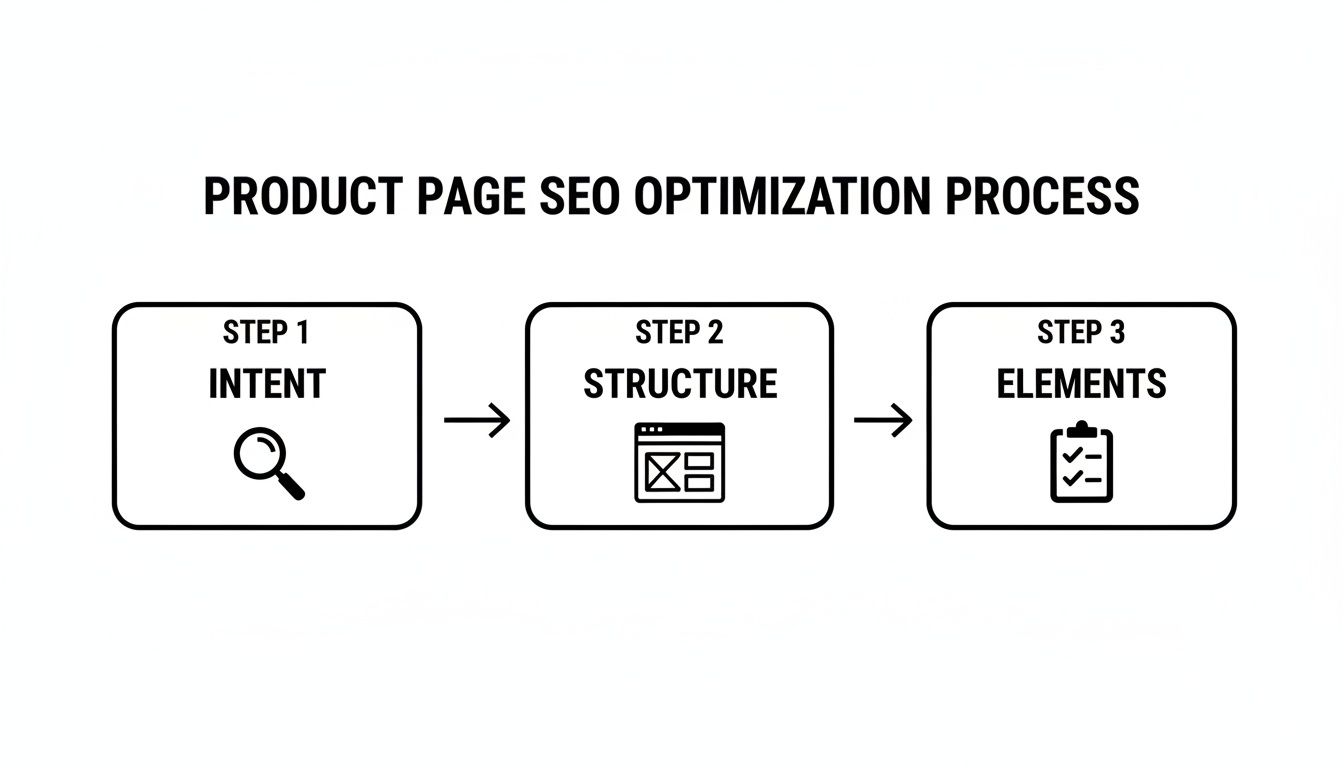
As you can see, the technical details only matter once you have a solid strategic foundation built on user intent.
The stakes here are enormous. Pages ranking in the top three positions on Google capture an incredible 36% of all clicks. With 36% of product searches starting directly on Google and mobile devices accounting for 61.5% of global traffic, you simply can't afford to get this wrong. To dig deeper, you can explore more of these crucial SEO statistics and see their full impact. Nailing these fundamentals isn't just a good idea; it's the only way to compete.
Essential Product Page SEO Elements Checklist
To help you stay on track, here is a quick-reference table of the core on-page elements that every product page needs to address. Think of this as your pre-flight checklist before hitting publish.
| Element | Optimization Focus | Impact on SEO |
|---|---|---|
| Page Title | Include primary keyword, brand, and a compelling benefit. | The most important on-page ranking factor; directly impacts CTR. |
| Meta Description | Write a compelling, click-worthy summary. Treat it like ad copy. | Doesn't directly impact rankings, but massively influences click-through rate. |
| H1 Tag | The main product name, including key identifiers (model, color, size). | Confirms page topic for search engines and provides user context. |
| Product Description | Unique, benefit-driven copy that answers user questions. | Fights duplicate content, engages users, and targets secondary keywords. |
| Image Alt Text | Descriptive text for all images, including the primary keyword. | Helps with image search rankings and improves accessibility. |
| URL Slug | Short, clean, and includes the primary keyword. | Provides keyword context for users and search engines. |
Getting these core elements right is non-negotiable. They form the bedrock of a page that can rank, engage, and ultimately, convert.
4. Write Product Descriptions That Actually Sell
Think of your product description as your best salesperson, working 24/7. Its real job isn't just to rattle off a list of features. It needs to tell a story, solve a real-world problem, and convince a shopper that your product is the solution they've been searching for. Nailing the copy is a cornerstone of any solid product page SEO strategy because great writing satisfies both search engines and actual human beings.
The single biggest mistake I see is when sites treat every description the same or, even worse, just copy and paste the manufacturer's text. This is a fast track to a massive duplicate content problem that can drag your entire site down in the search results. Every single description has to be unique, compelling, and written for a specific customer persona.
Move From Features to Benefits
People don't buy a drill bit; they buy the ability to hang a family photo on the wall. That distinction is everything. A feature is what your product is or has. A benefit is what the customer gets to do with it. Your copy needs to translate every dry technical spec into a tangible, real-world advantage.
So instead of just stating "waterproof nylon material," you explain how it "keeps your gear bone-dry through unexpected downpours, so you can hike with confidence." This kind of benefit-driven language connects on an emotional level and answers the customer's silent question: "What's in it for me?"
Key takeaway: Features tell, but benefits sell. A shopper might not know what "200 GSM merino wool" means, but they'll absolutely understand "stay warm on the coldest trails without the bulky, itchy feel of traditional wool."
To get your team thinking in benefits, have them ask these questions for every single feature:
- So what? Why does this actually matter to the person buying it?
- How does this help them? What pain point does it solve or what desire does it fulfill?
- What does this let them do? What new experience or outcome is now possible?
Craft Magnetic Meta Titles and Descriptions
On a crowded search results page, your meta title and description are your digital storefront window. They're your first—and often only—shot at earning a click. You have to treat them like a mini-advertisement, not just a place to stuff keywords. While a great meta description won't directly bump your rankings, it can massively improve your click-through rate (CTR), and a high CTR is a powerful signal to Google.
A solid meta title formula I've used for years looks like this:
Primary Keyword | Key Differentiator or Benefit | Brand Name
Example: Nomad 45L Hiking Backpack | Fully Waterproof & Lightweight | Apex Outdoor
For the meta description, you've got about 160 characters for your elevator pitch. Make it an active, compelling sentence that includes your main keyword and a clear benefit or a subtle call to action.
Weave in Social Proof and User-Generated Content
Nothing builds trust faster than hearing from real, happy customers. Pulling user-generated content (UGC) like reviews and Q&A sections directly onto your product page is a game-changer for both SEO and conversions.
Reviews provide a constant stream of fresh, relevant text that search engines love. Better yet, they're filled with long-tail keywords and natural language that reflects exactly how real people talk about your products—phrases you might have never thought of yourself. In fact, one study found that 74% of consumers check reviews on multiple sites before buying, which shows just how critical they are.
Placing a Q&A section is another brilliant move. It directly answers specific customer questions, which can help your page show up for those highly-targeted, voice-search-style queries. Keep an eye on your customer service emails and live chats to find common questions, then build out a helpful FAQ section right on the page. You're not just selling; you're actively helping.
By blending benefit-driven storytelling, persuasive meta tags, and the authentic voice of your customers, your product descriptions become so much more than just text on a page. They transform into high-performing assets that pull in organic traffic and drive real sales. This focus on buyer intent is key; for a deeper dive, our guide on using transactional keywords for more sales has more strategies you can put to work.
Getting Your Product Images and Videos Seen by Search Engines

When it comes to ecommerce, people buy what they see. Your product visuals aren't just fluff; they are the entire shopping experience. But there's a catch: those beautiful, high-resolution images are often the number one reason pages load at a snail's pace, sending potential buyers and search rankings into a nosedive.
This is the classic balancing act every online seller faces. You need to present your product with crisp, stunning visuals, but you also need the page to load almost instantly. The difference is staggering: a site that loads in one second sees a conversion rate five times higher than one that takes ten seconds. Getting your media optimization right isn't just a technical task—it's a direct investment in your bottom line.
Nailing File Names and Alt Text
Your optimization work starts before an image even touches your website. It begins with the file name. Search engine crawlers can’t see your product, but they can read. A generic name like IMG_8432.jpg is a missed opportunity. A descriptive, keyword-focused name like nomad-45l-hiking-backpack-gray.jpg gives them immediate, valuable context about what the image contains.
From there, we add another layer of context with alt text. Its main purpose is for accessibility, describing the image to visually impaired users who use screen readers. But it also serves as a powerful signal to search engines, reinforcing the page's topic.
The alt attribute in the HTML provides a clear description, making the image understandable to both people and search bots.
When writing alt text, just be human. How would you describe the picture to a friend over the phone? Instead of just "backpack," go for something more descriptive and helpful, like "Gray Nomad 45L hiking backpack shown with its side water bottle holder."
Smarter Image Compression Without Sacrificing Quality
With your files properly named, the next mission is to shrink their size through compression. This is absolutely critical for page speed, and modern tools have made it incredibly effective.
- Pick the Right Format: For most product photos, JPEG is your go-to. It offers a great blend of quality and small file size. If your image needs a transparent background (like a logo), use PNG.
- Embrace Next-Gen Formats: Formats like WebP and AVIF are game-changers, providing much better compression than their older counterparts. Many modern ecommerce platforms can now automatically serve these formats to browsers that support them.
- Automate with Tools: You don't have to do this manually. Services like TinyPNG or built-in plugins for your platform can compress images the moment you upload them, often cutting file sizes by over 70% with no noticeable drop in quality.
Pro Tip: My rule of thumb is to keep key product images under 100 KB whenever possible. It's the sweet spot between sharp visuals and lightning-fast load times.
Using Video to Boost Engagement and Rankings
Don't sleep on video. A great product video is an absolute powerhouse for engagement. It can dramatically increase how long a visitor stays on your page—a crucial signal to Google known as dwell time.
When Google sees people spending significant time on your page, it interprets that as a sign of value. It tells the algorithm that your page is a great answer to the user's search. A short video showing a product's features in action is far more compelling than a wall of text. It keeps people hooked, builds their confidence in the product, and helps prove to search engines that your page deserves that top ranking.
Mastering the Technical SEO Behind Your Pages

While great copy and visuals are what customers see, it's the technical SEO humming in the background that makes sure they find your page in the first place. Think of it like the foundation of a house—without it, the best interior design won't matter. Getting the technical side right ensures search engines can crawl, understand, and index your product pages efficiently.
Honestly, this is a non-negotiable part of modern ecommerce SEO. It has a direct line to your search rankings, page load times, and how you handle tricky inventory situations like product variants. Skipping these details is like building a beautiful store but keeping the front door locked.
Get Noticed with Schema Markup
One of the most powerful tools you have for standing out in search results is schema markup, often called structured data. It’s a bit of code you add to your page’s HTML that acts like a translator for search engines. Instead of just seeing a block of text, they can instantly identify key details like the product's name, price, ratings, and availability.
This is your ticket to getting rich snippets—those eye-catching search results that feature star ratings, pricing, and stock status right on the SERP. They just plain work. Rich results drive much higher click-through rates than standard blue links. The data backs this up: structured data helps search engines parse content better, which is crucial for getting into AI overviews and other features. For example, reviews now appear in 79% of SERPs, and product carousels show up in 71% of top mobile product queries. If you want to dig deeper, you can find more insights on structured data's impact from CommerceV3.
To get started, focus on these essential schema types:
- Product Schema: The basics—name, brand, SKU, and description.
- Offer Schema: All about the price, currency, and stock status (like InStock or OutOfStock).
- AggregateRating Schema: This is what pulls in your customer reviews to generate those coveted star ratings.
- FAQPage Schema: If you have a Q&A section, marking it up can get your answers featured directly in search results.
Tame Product Variations with Canonical Tags
Selling a t-shirt in ten colors and five sizes? You might be accidentally creating a duplicate content nightmare. From a search engine's perspective, each variation URL (like /t-shirt?color=blue or /t-shirt?size=large) looks like a separate page with almost identical content. This can seriously dilute your ranking power.
The fix is the canonical tag. It’s a simple line of HTML (<link rel="canonical" href="..." />) that tells search engines which version of a page is the "master" copy. By pointing the canonical tag from every variation back to the main product page, you consolidate all your ranking signals—links, engagement, everything—into a single, authoritative URL.
This one tag stops you from competing against yourself and ensures all that hard-earned SEO value lands on the right page.
Expert Tip: Canonical tags aren't just for product variants. They're also lifesavers for cleaning up URLs with tracking parameters (UTMs), session IDs, or messy filtered views from faceted navigation.
Prioritize Page Speed and Mobile Experience
In ecommerce, speed sells. A slow-loading product page is a conversion killer. Every extra second it takes to load sends your bounce rate up and your sales down. Google knows this, which is why page speed, particularly Core Web Vitals, is a major ranking factor.
The biggest offenders are usually images, so start by compressing them. From there, minify your CSS and JavaScript files and set up browser caching so the page loads faster for returning visitors. You can get a clear diagnosis of what to fix using a tool like Google's PageSpeed Insights.
Equally important is the mobile experience. Since most of your traffic is likely coming from smartphones, a mobile-first design isn't optional anymore. Your product pages need to be fully responsive, with big, touch-friendly buttons and easy-to-read text. Google now primarily uses the mobile version of your site for indexing and ranking, so a clunky mobile page will tank your visibility across the board.
Technical SEO can feel intimidating, but it's really just a series of systematic improvements. To get a full picture of your site's health, it’s always a good idea to run regular checkups. For a walkthrough of the entire process, our ultimate guide to performing a technical SEO audit has more actionable steps you can follow.
7. Building Authority Through Links and Trust
A perfectly optimized product page is a great start, but it can't live on an island. To really perform, it needs to be connected—both to the rest of your site and to the wider web. Think of it this way: internal links give it strength within your own ecosystem, while external trust signals prove its credibility to the outside world.
Internal links are the secret sauce for distributing authority. Your high-traffic blog posts, guides, and major category pages have built up "link equity" over time. By strategically linking from those powerhouse pages to a relevant product page, you're essentially telling Google, "Hey, this product is important and directly related to this topic my audience already loves."
Channeling Authority with Internal Links
The trick is to make these links feel natural and genuinely helpful, not just shoehorned in for SEO. Forget generic "click here" links. You want to weave them right into the conversation you're having with your reader.
For instance, imagine you have a popular blog post, "The Ultimate Guide to Choosing a Hiking Backpack." It's a missed opportunity if you don't link directly to your best-selling backpacks from within that article. Instead of a bland link, use descriptive anchor text like "check out our top-rated Nomad 45L waterproof backpack." This gives users clear context and passes that specific, relevant authority over to the product.
If you're curious about the external side of the coin, our overview of the top link building services can show you how to skyrocket your SEO by building authority off-site.
Smart Faceted Navigation That Helps SEO
You know those handy filters for size, color, brand, and price? That’s faceted navigation. It's a lifesaver for users, but it can quickly become an SEO disaster if you're not careful.
Every time a user combines filters, a new URL can be generated. This can lead to thousands of nearly identical, thin-content pages that absolutely devour your crawl budget and dilute your authority.
The fix is to be strategic. Let search engines index your main category pages, but block them from crawling all the filtered variations. You can do this with a robots.txt directive or by applying a noindex tag to the parameter-driven URLs. This way, shoppers get the great filtering experience they want, and search engines focus their attention on the pages you actually want to rank.
I see this all the time: sites letting Google crawl every possible filter combination. It's like sending the crawler into a massive maze of low-value pages, pulling its focus away from the core product pages that actually drive revenue.
Building Trust Signals That Boost Conversions
In ecommerce, trust is everything. A shopper needs to feel confident before they'll hand over their credit card information, and search engines look for these same signals of legitimacy.
Make sure these trust-building elements are front and center on your product pages:
- Customer Reviews: Honest-to-goodness reviews provide powerful social proof. They also add fresh, user-generated content to your pages, which search engines love. It’s no surprise that 74% of consumers say they check reviews on multiple sites before making a purchase.
- Security Badges: Displaying familiar SSL certificates and logos from trusted payment gateways like PayPal or Stripe instantly reassures customers that their personal information is safe.
- Clear Policies: Don't make people hunt for your return, shipping, and privacy policies. Hiding this information feels shady and is a major red flag for potential buyers.
These elements aren't just for show. They build the confidence needed to turn a browser into a buyer, and that positive user behavior is a strong signal to Google that your page is high-quality.
Answering Your Top Product Page SEO Questions

Even with the best playbook, the real world of e-commerce always throws a few curveballs. When you're deep in the trenches, practical challenges like managing inventory or proving the value of your work are just as critical as keyword research.
Let's tackle some of the most common questions that inevitably pop up during any product page optimization project. Think of this as your go-to guide for making smart decisions when the "right" answer isn't so clear-cut.
Should I Use Manufacturer Product Descriptions?
This one comes up all the time, and my answer is always a firm no. I get it—it's incredibly tempting to just copy and paste the description the manufacturer sent you. It saves time. But it's also a massive SEO mistake.
Why? Because hundreds, if not thousands, of your competitors are doing the exact same thing.
This floods Google with duplicate content. When search engines see the same block of text across dozens of websites, they can't easily figure out which page is the original or most authoritative source. The result is that all of them can get devalued, tanking your chances to rank.
Writing unique descriptions is non-negotiable. It's your only chance to speak directly to your audience, highlight the benefits that matter most to them, and give shoppers a reason to buy from you instead of someone else.
How Should I Handle Out-of-Stock Products?
When a product sells out, the knee-jerk reaction is often to unpublish or delete the page. Don't do it! You're throwing away all the hard work that went into that page—all the SEO authority, backlinks, and internal links it's earned. Deleting it creates a 404 error, which is a dead end for users and a bad signal to search engines.
Here’s a much smarter way to handle out-of-stock items:
- Temporarily Out of Stock: If the item is coming back, keep the page live. Make it crystal clear that it's unavailable for now. Better yet, add an email sign-up form so you can notify customers the second it’s restocked. This is a great way to capture future sales you'd otherwise lose.
- Permanently Discontinued: If the product is gone for good, a 301 redirect is your best friend. This permanently forwards users (and search engine equity) to the next best page, whether that’s a newer model or its parent category. This preserves the SEO value you've built.
This approach keeps the customer journey smooth and protects the authority you've worked so hard to build.
How Do I Measure the ROI of Product Page SEO?
Proving the value of your SEO work is absolutely critical. Forget vanity metrics like a number-one ranking for a single keyword; they don't tell the whole story. You need to focus on metrics that tie directly to business goals.
I recommend digging into Google Analytics and Google Search Console to track these specific KPIs:
- Organic Revenue by Landing Page: Filter your reports to see exactly how much revenue is coming from users who land directly on your product pages from an organic search. This is your bottom line.
- Organic Conversion Rate: Are visitors from search engines actually buying? Tracking this percentage for product pages shows if your optimizations are making them more persuasive.
- Non-Branded Keyword Impressions and Clicks: You need to monitor your performance for keywords that don't include your brand name. Growth here is a clear sign that you’re reaching new customers who are discovering your products for the first time.
When you focus on these business-centric metrics, you can draw a straight line between your product page SEO best practices and the company's bottom line.
Ready to stop guessing and start ranking? Rankai combines AI-powered content creation with expert SEO strategy to deliver reliable organic growth. See how we can automate your content, optimize for search, and deliver measurable results.
Learn more at https://rankai.ai