Tracking SEO performance turns raw numbers into growth insights across five core phases. Here’s a real-world peek: a niche e-commerce shop saw 30% more organic revenue in just three months by following this playbook.
Core Phases For Tracking SEO Performance
Define Your Objectives
Align SEO goals with broader business targets—whether that’s revenue milestones or demo requests. When priorities are clear, you know exactly which metrics deserve your attention.
Choose The Right Metrics
Not every KPI moves the needle. Focus on organic sessions, click-through rate, and conversion percentage. These tell you if people find your site and take action.
Integrate Essential Tools
Plug in Google Analytics 4 and Google Search Console, add a rank-tracking solution like Ahrefs Rank Tracker, and pull in server logs. Having everything in one place speeds up troubleshooting.
Build Dashboards And Alerts
In our example, the team used Looker Studio to stitch together custom charts, filters, and email alerts. Dashboards become your command center—no more hunting through raw data.
Interpret Results And Iterate
Weekly check-ins flagged a drop in a key category. A quick content refresh lifted sessions by 18%. And an A/B test on meta titles for five top keywords boosted CTR by 12% before scaling that change across 50 pages.
A simple title tweak on top keywords can drive double-digit CTR gains before you roll it out sitewide.
This sequence keeps everyone aligned and surfaces quick wins you can apply at scale. Even small teams can follow these steps using free tools and shared templates—no need to reinvent the wheel.

The graphic above maps out how clear objectives feed into actionable dashboards for fast, data-driven decisions.
The table below wraps up each phase, the key actions you’ll take, and the go-to tools that make life easier.
SEO Performance Tracking Summary
| Phase | Key Action | Recommended Tool |
|---|---|---|
| Define Objectives | Map SEO targets directly to revenue or demo goals | Google Sheets |
| Choose Metrics | Zero in on organic sessions, CTR, conversions | Google Analytics 4 |
| Integrate Tools | Connect analytics, Search Console, rank trackers, logs | Google Search Console, Ahrefs Rank Tracker |
| Build Dashboards | Design custom reports with filters and alerts | Looker Studio |
| Interpret Results | Spot patterns, prioritize content and tech fixes | Internal BI tools or Tableau |
This snapshot ensures your team moves smoothly from one step to the next, with clear ownership and no blind spots.
Next up, we’ll dive into defining objectives and KPIs with a hands-on SaaS example.
Defining Objectives And KPIs
Getting your SEO tracking off the ground means tying every metric back to a clear business goal.
Imagine a SaaS launch targeting 1,000 trial sign-ups. That goal instantly becomes your north star KPI.
Or picture a small online retailer. They zeroed in on organic sessions and conversion rates—and boosted MQLs by 25% in just eight weeks.
Translating Goals Into KPIs
When you map objectives to concrete metrics, nothing slips through the cracks.
• Tracking organic sessions measures brand awareness.
• Counting demo request clicks gauges genuine interest.
• Watching lead conversion rates reveals content impact.
Benefits of this approach:
- Aligns daily tasks with big-picture results
- Highlights where to focus your efforts
- Holds teams accountable for outcomes
Setting Benchmarks And Timeframes
Start with historical data and competitor research to set realistic baselines. A six-month lookback on traffic trends gives you solid ground.
Then split work into short sprints (2–4 weeks) for on-page tweaks and longer cycles (3–6 months) for content and link-building wins.
Balancing quick sprints with long-term benchmarks keeps momentum and strategic depth.
Assigning Metric Ownership
Every KPI needs a clear owner. Otherwise, metrics vanish in the shuffle.
Link each goal to a role:
• SEO Specialist monitors organic sessions
• Content Lead refines click-through rates
• Growth Manager tracks MQL conversions
Capture this in a shared template with objectives, owners, deadlines, and review cadence:
| Objective | KPI | Owner | Deadline | Cadence |
|---|---|---|---|---|
| Trial Sign-Ups | Monthly trial count | Product Marketer | 2024-06-30 | Weekly |
| Demo Request Clicks | Demo CTR | Content Lead | 2024-06-30 | Biweekly |
| Lead Generation | Conversion rate | Growth Manager | 2024-07-31 | Monthly |
This table keeps everyone aligned and meetings laser-focused.
Fine-Tuning Objectives Over Time
Your goals should evolve alongside your product and market. Revisit KPIs every quarter to stay relevant.
If demo requests plateau, pivot toward free-trial retention rates. Small A/B tests on meta descriptions or headlines can reignite growth.
- Compare KPI performance against industry benchmarks
- Solicit stakeholder feedback on metric relevance
- Shift focus when certain metrics hit a ceiling
Each refinement loops back into your shared template for full transparency.
Case Study SaaS Launch
In a recent SaaS rollout, the team set out to generate 200 demos each month. They tracked click-through rates and demo conversions as their core metrics.
- CTA tweaks lifted demo conversion by 18% after two sprints
- Organic trial sign-ups rose 12% on their dashboard
- The pipeline saw 150 extra demos in Q1
- Two optimization cycles ran every sprint
- Weekly cross-functional check-ins kept everyone synced
This example underlines how clear targets translate to real gains.
Common Mistakes To Avoid
Too many KPIs dilute focus, and unrealistic deadlines frustrate teams. Ambiguous ownership leaves metrics in limbo.
- Crowding the dashboard with irrelevant KPIs
- Setting deadlines that aren’t achievable
- Letting metric ownership slip
- Using vague terms like “increase traffic”
- Waiting more than two weeks for reports
- Missing a clear owner for each KPI
Sidestepping these traps keeps your tracking sharp.
With objectives, KPIs, benchmarks, and ownership locked in, it’s time to integrate your tools.
You might want to explore keyword data solutions before assembling your dashboards. Check out our guide on top rank tracking tools to keep your SEO on point in for deeper insights.
Let’s move into tool integration next.
Integrating Tracking Tools And Data Sources
No single platform tells the full story of your organic growth. Blending different data streams uncovers hidden trends and gives you a complete picture—fast.
- Google Analytics 4 for session attribution and audience segments
- Google Search Console to monitor queries, impressions, and coverage
- Rank trackers like Ahrefs or Semrush for daily SERP shifts
- Server logs to spot crawl behaviors and indexing hiccups
- LLM audits to see how AI-driven search engines pick up your content
Key Setup Steps
First, link GA4 and GSC in your property settings so data flows seamlessly. Then push GA4 into BigQuery—this sidesteps GA4 sampling on high-traffic sites.
Next, configure the Search Console API with enough quota to avoid hard stops. Automate rank tracker exports via CSV or a Google Sheets add-on. Finally, import server logs every week to catch crawl spikes or error surges early.
Visualize GA4 Data
Here’s a typical GA4 view breaking down organic sessions by country, device, and date.
That chart highlights which regions or devices lag behind. Build segments around those areas to flag anomalies in real time.
Comparison Of SEO Tracking Tools
Before you dive deeper, it helps to know each tool’s sweet spot.
| Tool | Primary Use | Refresh Frequency | Strength |
|---|---|---|---|
| Google Analytics 4 | Session and conversion attribution | Real-time to 24h | Deep user segmentation and event tracking |
| Google Search Console | Query and index coverage data | Daily to 3 days | Direct click and impression metrics |
| Ahrefs Rank Tracker | Keyword position monitoring | Daily | In-depth SERP features and competitor insights |
| Server Logs | Crawl and index request analysis | Weekly | Truthful crawl data for diagnosing indexing errors |
Picking the right mix means your dashboards reflect reality, not guesswork.
Importing Server Logs
Raw logs are gold for crawl patterns. Load them into a BI tool to spot trends you’d miss elsewhere.
- Use Logstash or Splunk for parsing large files
- Filter out irrelevant bots so you focus on Googlebot traffic
- Track 4xx and 5xx errors to prevent user-facing issues
Running LLM Visibility Checks
AI summaries are now part of search. Auditing with ChatGPT or Gemini shows if your content surfaces in those snippets.
- Prompt an LLM with your target keyword to see if your page is suggested
- Test different schema markup to boost AI snippet inclusion
- Record every run in a spreadsheet for easy follow-up
LLM visibility checks highlight whether your content ranks beyond traditional SERPs
Avoid Common Pitfalls
APIs and sampling can trip you up.
- GSC API limits often reset daily—batch your pulls early
- GA4 sampling skews data past 500k sessions per day
- Rank trackers may lag—schedule exports during off-peak hours
Automate And Schedule Data Imports
Automation keeps your dashboards current without burnout.
- Run rank data pulls each morning via Google Cloud Functions or AWS Lambda
- Sync GSC API results into BigQuery with Google Apps Script
- Set cron jobs to parse server logs on a fixed schedule
- Opt into GA4 BigQuery export for granular, unsampled data
Automating data flows prevents gaps and ensures your dashboards update without manual work.
An e-commerce team I worked with automated Ahrefs exports. They caught a sudden drop in a top-selling category overnight and fixed it before traffic plunged.
These integrations form the backbone of a unified tracking ecosystem, paving the way for dashboards, alerts, and deeper insights. Check out our guide on top SEO reporting tools to track your success in for more on building reports that scale.
Building Actionable Dashboards And Alerts
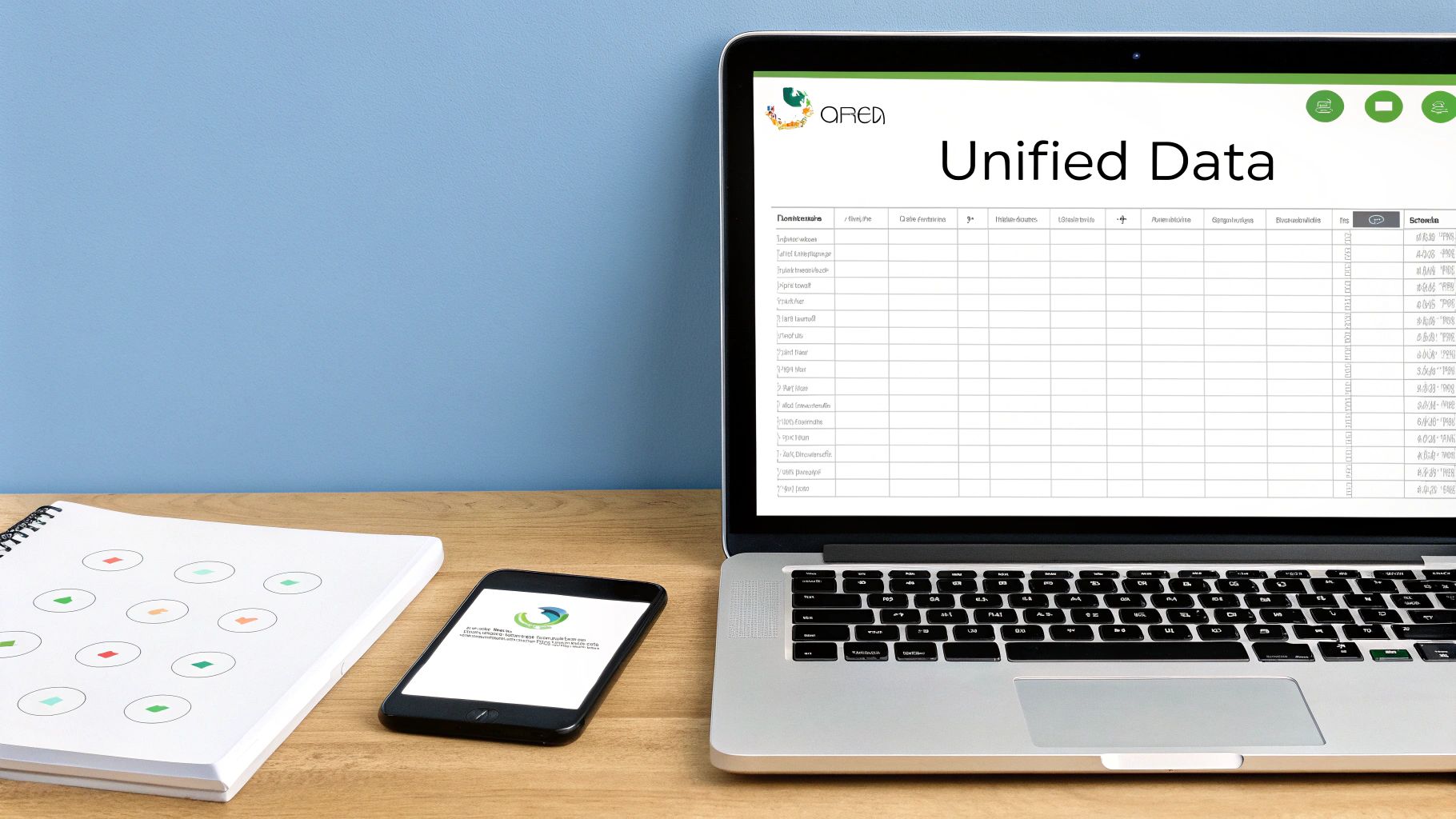
When you stare at raw SEO tables, it’s easy to miss the story they tell. Looker Studio brings those pieces together in one view. You’ll see organic sessions, CTR, and conversion rate lined up side by side.
A thoughtful layout highlights traffic sources in parallel panels. Color markers—like red flags for dips or green ticks for wins—make shifts obvious. That way, your team spots a sudden drop or spike and acts before it snowballs.
Essential Dashboard Components include:
- Trend charts tracking both organic and direct traffic
- Geo heat maps outlining regional engagement
- A list of top landing pages ranked by conversions
- Channel breakdowns comparing referral and social clicks
Edge-of-seat alerts fill the gaps. We once noticed a sharp orange band signaling a 15% fall in sessions overnight. In under three hours, we pinpointed a broken JavaScript snippet and fixed it.
“An early warning on traffic dips saves hours of reactive firefighting,” an SEO lead at Rankai shared.
Customize Dashboards For Different Stakeholders
Weekly health checks hit the surface: up/down arrows beside core KPIs. Monthly deep dives layer in content audits and technical reviews. Executives get a lean quarterly summary focused on ROI and strategy shifts.
You can lean on these templates:
| Template | Focus | Cadence |
|---|---|---|
| Weekly Check | Traffic trends & alerts | Weekly |
| Monthly Dive | Page-level performance | Monthly |
| Exec Brief | ROI and high-level KPI | Quarterly |
Passing along that framework cuts down on inbox clutter. Instead of a 20-chart dump, stakeholders see just what matters. A glance at the red zones tells them exactly where to dig.
For alerts, blend email and Slack messages. A solid starting rule set:
- Day-over-day traffic dips of 10%
- Keywords falling out of the top 5
- Monthly pacing milestones at 75%, 100%, and 125%
- Page errors exceeding 5% of crawled URLs
Once triggers are defined, hook up Looker Studio to a webhook—use Slack’s Incoming Webhooks app or email alerts directly through your data source.
Automate Routine Report Distribution
Routine doesn’t have to mean manual. A Google Sheets add-on or Looker Studio’s built-in scheduler can drop PDFs into inboxes. You can even direct notifications into a dedicated SEO channel.
Here’s a quick alert payload example in case you need to craft your own:
{
"text": "⚠️ Organic sessions fell by 12% yesterday. Check Looker Studio dashboard."
}
This JSON block shows how to pass key metrics over a webhook. Tweak it to include page URLs or keyword lists for faster troubleshooting.
Case Study
A SaaS client set up weekly alerts for their top 10 product pages. Within two months, they caught two template errors before they dented conversions. That little bit of automation trimmed an estimated 20 hours of manual checks.
Best Practices To Keep Dashboards Streamlined
Keep reports lean—no more than five core charts. Stick to a simple palette: green for growth, red for declines. Label metrics clearly so no one second-guesses your data.
As priorities shift, rotate templates. If a new keyword cluster rises to the top, swap in relevant charts right away. And hide any metrics that no longer pull their weight.
Plug And Play Dashboard Templates
Drop one of our three prebuilt dashboards into your workspace. Each comes with filters, color codes, and on-dash notes.
Weekly Template
Perfect for quick checks on sessions, sources, and alerts.Monthly Template
Delivers page-level insights, content audits, and pacing bars.Quarterly Template
Focuses on ROI trends, conversion funnels, and exec-ready visuals.
Import these files into Looker Studio, connect your data to Google Analytics 4 and Google Search Console, then rename sections to fit your brand.
Interpreting Metrics To Drive SEO Actions

When the data lights up on your dashboard, it’s more than numbers—it’s your next to-do list. A recent case with a hero product page showed a sudden dip in click-through rate, so we tweaked the meta description and watched clicks climb by 35%.
Merging user behavior with ranking trends keeps efforts tightly focused. Spotting a bounce rate surge alongside low scroll depth often means the content promise isn’t matching what people find—and that’s a clear signal to dig deeper.
Combining Engagement Signals
Bounce rate, time on page, and scroll depth work together like a pulse check for user satisfaction.
- Watch for sessions where bounce rate exceeds 70% on key pages.
- Flag pages averaging under 2 minutes as candidates for rewrites.
- Identify content with scroll depth below 50% to uncover UX hiccups.
Running heatmap overlays on those underperformers often reveals distractions or misplaced calls to action. Use these findings to shape your content roadmap and prioritize what to polish first.
Prioritizing High ROI Fixes
Instead of overhauling every low-performing page, focus on spots where a small change delivers big returns.
- Filter out URLs ranking in positions 4–10 with a CTR under 5%
- Rank these pages by traffic potential to pinpoint the biggest lifts
- Put quick tests on headlines and snippets before tackling deeper edits
With this approach, a tweak to a title tag or schema markup can trigger a 20–50% boost in click volume. It also helps your team understand why certain pages jump to the top of the to-do list.
Validating Changes With Tests
Every tweak needs proof. Split testing is your best friend here.
- Use tools like Google Optimize or VWO to run experiments
- Divide traffic evenly between the original and your variant
- Let tests run for at least 2 weeks to account for weekly patterns
- Measure shifts in CTR, bounce rate, and time on page
By rigorously testing variations, you tie every tweak back to clear business outcomes and avoid guesswork in SEO adjustments.
Cross Referencing Keyword Data
Ranking position and CTR offer two sides of the visibility coin. Google Search Console reports these directly, and rank trackers fill in the gaps with daily updates.
Industry benchmarks show the top organic slot usually grabs around 30–40% CTR, while jumping from position 8 to 3 can deliver a 4x–6x increase in clicks. Learn more in this Backlinko study.
- Group together keyword clusters sharing similar intent to consolidate authority
- Update underperforming pages with fresh data points, visuals, or tables
- Strengthen internal links for content stuck beyond page two
By layering these signals, you’ll spot where adding depth or multimedia can turn solid rankings into standout performance.
Driving Continuous Improvement
A live dashboard in Looker Studio keeps everyone on the same page and flags sudden metric shifts.
- Hold weekly syncs with SEO, content, and design teams
- Set up alerts for traffic drops or click anomalies
- Celebrate quick wins to maintain momentum
Telling a story with each metric turns analysis into action, ensuring you stay agile as algorithms or user expectations shift.
Closing The Loop With ROI
To prove SEO’s impact, link every test back to real dollars or leads.
- Tag all experiments with custom UTMs for clear conversion tracking in GA4
- Align each test with a revenue metric like MRR or average order value
- Review conversion trends weekly to spot early lifts or drop-offs
When your metrics map directly to business outcomes, every adjustment compounds into tangible growth. That cycle of interpret, test, and refine locks in SEO as a dependable growth engine.
Next up, use these interpretation techniques to guide technical audits and content refreshes across your site.
Troubleshooting Underperforming Pages And Ongoing Optimization

Keeping your SEO efforts nimble means constantly tweaking both technical and content elements. Back when I audited a travel blog, addressing crawl budget waste and usability hiccups delivered 20% more page views. It’s proof that small fixes compound over time.
Technical Audit Checklist
- Check indexation status for orphaned pages and duplicates
- Analyze PageSpeed Insights and Core Web Vitals to pinpoint slow-loading elements
- Validate schema markup and repair any broken or missing structures
Technical tweaks only tell half the story. You still need to see how your content performs in context.
Reviewing Content Performance
Google Search Console often highlights pages soaking up impressions but failing to click through. For instance, our Paris travel guide showed 73% impressions with just a 2.1% CTR—thanks to bland meta titles.
- Map page intent to user queries and key needs
- Assess on-page keyword density alongside semantic relevance
- Audit internal link flow to lift underperforming URLs
Key Takeaway
Refreshing meta titles and aligning content intent can lift CTR by up to 35%
Blending these content insights with your technical audit leads to smarter decisions. That way, you know when to refresh, merge, or let a page rest.
Documenting Test Plans
Every experiment demands a sharp hypothesis, clear goals, and realistic timelines. In my own playbook, I always start by summarizing the issue, the change I’ll make, and the expected lift.
- List URL targets, metrics to track, and success criteria
- Assign an owner and define start/end dates for each test
- Record results with screenshots, data points, and recommended next steps
Run experiments for at least two weeks to smooth out any seasonal swings. Then dive into GA4 data to verify traffic, engagement, or conversion changes.
Deciding Page Actions
After tests wrap, decide whether to refresh, merge, or retire pages based on ROI and performance.
- Refresh: Update headlines, expand bodies, and adjust internal links
- Merge: Combine related low-traffic posts into a single, authoritative resource
- Retire: Redirect outdated content to stronger, high-performing pages
Redirects preserve link equity and lighten the crawl load. It’s a simple but powerful win.
Ongoing optimization cuts wasted effort and captures growth as algorithms shift
Block out a quarterly review on your calendar to revisit audits and content metrics. Set up alerts for traffic dips or CTR drops to trigger new tests.
Learn More Technical Audits
Read also our article Learn More About Performing a Technical SEO Audit for step by step diagnostic tactics.
These strategies keep your pages visible and growing. A steady rhythm of tech checks and content refreshes builds compounding gains.
Measuring Test Outcomes
Every round of tests should feed back into your dashboard. Compare before-and-after performance to quantify impact on traffic and conversions.
- Chart baseline metrics versus variant results to spotlight lifts
- Define significance thresholds before declaring success or rerunning tests
- Archive unsuccessful experiments with lessons learned for future reference
Linking outcomes back to revenue or lead targets makes the ROI crystal clear.
Ongoing Reporting
Monthly reports help share wins and surface issues early. Tailor these updates for your stakeholders, centering on business impact rather than raw data.
- Highlight the top three wins, detailing lift percentages and absolute traffic gains
- Flag underperformers along with planned test or refresh dates
- Preview the next quarter’s optimization roadmap
Weekly standups with SEO and content teams keep momentum high. A quick 10–15 minute update on key metrics prevents surprises and maintains focus.
Continuous Improvement
Treat SEO as a cycle instead of a checkbox. Revisit old tests to measure long-term impact and explore fresh content angles or deeper technical fixes when growth plateaus. This ongoing curiosity and adjustment create a resilient, ever-evolving strategy.
FAQ
Which Tools Give The Most Reliable SEO Metrics
Picking the right toolbox for tracking SEO performance often feels like wading through endless data. Google Analytics 4 excels at session-level insights and clear conversion paths. For pure visibility—impressions, CTR, ranking positions—Google Search Console remains indispensable.
A balanced setup typically includes:
- GA4 Deep Segmentation with custom audiences and funnel visualization
- GSC Visibility Metrics to uncover new keyword opportunities
- Ahrefs or Semrush for daily rank tracking
- Server Logs to map out how crawlers navigate your site
How Often Should I Review My SEO Dashboards
Finding the right review rhythm keeps you nimble without burning out. Quick alerts catch sudden dips, weekly check-ins ensure core KPIs stay healthy, and monthly audits reveal deeper trends.
- Watch daily notifications for any sharp declines
- Perform a weekly health check on traffic, rankings, and CTR
- Dive into monthly audits for content gaps and technical tweaks
Rapid alerts prevent small issues from snowballing into major drops
Triage Workflow
When organic traffic takes a hit, a structured triage path gets you back on track fast. First, confirm your data streams are firing correctly in GA4 and GSC. Next, audit on-page elements—titles, meta descriptions, load times—and finally, benchmark against past performance.
- Validate tracking tags and event triggers
- Review headlines, meta tags, and content relevance
- Assess technical factors like indexing status and schema markup
- Compare current figures with historical baselines
Executive Presentation
Briefing leadership demands clarity and focus. Zero in on a few high-impact metrics—traffic lift, conversion rate, ROI—then pair each stat with a concise next-step recommendation.
- Highlight ROI and tangible business impact
- Stick to three core metrics per slide for maximum focus
- Include a short action plan under each chart
Ready to elevate your SEO tracking? Try Rankai at rankai.ai today for free