So, you need to check your keyword rankings. The quick and easy answer? You can pop open an incognito window and do a manual Google search, dive into the free Google Search Console Performance report, or use a dedicated third-party rank tracking tool for automated, pinpoint-accurate data. Each route gives you a different view of your SEO progress, from a quick snapshot to a detailed, long-term analysis.
Why Accurate Rank Tracking Is Your SEO Secret Weapon

Before we jump into the "how," let's talk about the "why." It's easy to dismiss rank tracking as just another vanity metric—a number you glance at in a report. But if that's all you're doing, you're missing out on a massive strategic advantage. In reality, consistent rank monitoring is a powerful business intelligence tool that gives you a direct feedback loop on your marketing performance.
Think of it as the scoreboard for your entire SEO strategy. Without it, you’re essentially creating content and building links in the dark, just hoping something works. Accurate tracking tells you exactly what's resonating with Google and what isn't, so you can stop guessing, double down on what works, and fix what’s broken.
Connecting Rankings to Business Growth
The line between your keyword positions and your bottom line is crystal clear. A high ranking isn't just for bragging rights; it directly translates into visibility, traffic, leads, and sales. The difference between languishing on page two and owning a spot on page one is often the difference between struggling and thriving.
This becomes undeniable when you look at the click-through rate (CTR) data. For any given search, the page in the #1 spot sucks up nearly 39.8% of all clicks. The #2 position gets about half that, at 18.4%, and it drops off a cliff from there. Bumping your article up just a few positions can unleash a significant new stream of organic traffic. You can explore more SEO statistics that prove how crucial these top positions are.
By consistently checking your keyword rankings, you transform raw data into strategic insights. You can pinpoint underperforming content, identify new opportunities before competitors do, and measure the tangible ROI of your SEO investment.
Proactive Strategy and Competitive Benchmarking
Regularly checking your rankings lets you stay on the offensive. See a sudden drop? You can jump on it immediately. Was it a Google algorithm update? Did a competitor just publish a monster piece of content? Or is it a technical glitch on your own site? Monitoring is your early warning system, giving you time to diagnose and fix problems before they derail your traffic.
It’s also your ticket to effective competitive benchmarking. When you track your rivals' keywords alongside your own, you unlock a new level of insight.
- Identify content gaps: See which keywords they own that you’re not even competing for. That’s your next content opportunity.
- Spot their vulnerabilities: Notice where their rankings are slipping? That's your chance to swoop in and take over.
- Understand market trends: See which topics are gaining steam in your industry by watching how competitor rankings shift.
Ultimately, knowing how to check your keyword rankings isn’t just about the numbers. It’s about gaining the intelligence you need to make smarter marketing decisions and drive real, sustainable growth.
Your Starting Point with Manual SERP Checks

Let's start with the most basic method in any SEO's toolkit: a manual SERP check. It’s as simple as it sounds—you just search for your keyword on Google. This approach is fast, free, and gives you a real-time glimpse of the search engine results page (SERP). Think of it as walking into a store to see exactly where your product is sitting on the shelf.
But there's a catch. To get an accurate snapshot, you need to strip away as much of Google's personalization as possible. Your search history, location, and even your browsing habits all influence what you see. The best way to do this is by using an incognito or private browser window to get a cleaner, less biased view.
How to Do a Quick Manual Check
The process itself is simple, but the details matter if you want a reliable result.
- First, open a new incognito or private window. In Chrome, the shortcut is
Ctrl+Shift+N(orCmd+Shift+Non a Mac). - Next, head straight to Google.
- Type in the exact keyword you're tracking.
- Finally, start scrolling. Scan the first few pages to find your URL, noting its position. But don't just look for your link—pay close attention to what else is on the page. Are there SERP features like Featured Snippets, "People Also Ask" boxes, or a Local Pack?
These features can steal clicks and push organic results further down the page, impacting your visibility even if you have a high ranking. Understanding them is a critical part of modern SEO, and you can learn more by checking out our practical guide to winning Google SERP features.
The Big Downsides to Manual Checks
While manual checks are great for a quick look, they have some serious limitations that make them a poor choice for your primary tracking strategy. They simply don't offer the scale or precision you need.
A manual check is a snapshot, not the whole film. It tells you where you are at one specific moment, from one specific location, but misses the broader trends and nuances that are critical for making strategic SEO decisions.
The most obvious problem is scalability. If you're tracking more than five or ten keywords, this process becomes a massive time sink. Imagine trying to check 100 keywords every single week—it's just not a good use of your time.
Geolocation is another major hurdle. Even in incognito mode, Google still uses your IP address to figure out where you are, which heavily influences what you see, especially for local searches.
For example, a local bakery in Brooklyn checking its ranking for "sourdough near me" will probably see its own shop right at the top in a local map pack. But if a national e-commerce store checks "buy artisan bread," they'll see a completely different SERP filled with online retailers that ship nationwide.
This location-based bias means your manual check only shows your rank from your physical location. A customer in another city, state, or country could be seeing something totally different. For this reason, it's best to use manual checks for quick gut-checks, not for building a reliable, data-driven SEO strategy.
Getting Free Rank Insights from Google Search Console
While a quick manual search can give you a snapshot, the real treasure trove of free, reliable ranking data is waiting for you inside Google Search Console (GSC). Honestly, if you're serious about SEO, this is non-negotiable. It's Google's way of showing you exactly how it sees your site, which is infinitely more valuable than what you see in your own browser.
Think of GSC as the ground truth. It tells you which keywords are actually sending people to your website, how many times your pages are showing up in the search results (impressions), who's clicking through, and, most importantly, your average ranking position for those queries.
This dashboard is your command center for understanding and improving how you show up in Google's search results.
Diving Into the Performance Report
The heart and soul of GSC is the Performance report. This is where you'll be spending your time. When you open it up, you'll see four main metrics you can click on and off: Total Clicks, Total Impressions, Average CTR (Click-Through Rate), and Average Position.
For checking rankings, we're obviously focused on Average Position. But there's a catch you need to understand. This isn't a live, static number like you see in a manual search. It's an average of all the different positions your page held for a keyword across countless users, locations, and devices over a set period.
I see this trip people up all the time. You might see a position of 7.3 and wonder what that means. It's because your page could have shown up at position 5 for a user in New York and position 8 for someone in London. GSC just averages it all out, giving you a blended metric, not a real-time snapshot.
Filtering Your Way to Actionable Insights
Just looking at the top-level data is interesting, but the real power of GSC comes from its filters. This is how you stop just observing and start making smart decisions. You can slice your performance data in some incredibly useful ways.
- By Query: Zero in on a single keyword you’re trying to rank for.
- By Page: See all the keywords a specific blog post or product page is ranking for.
- By Country: Find out how you're performing in the US versus the UK or any other market.
- By Device: Compare your mobile rankings against your desktop rankings.
That last one is absolutely critical. How people search and how Google ranks pages can be wildly different on a phone versus a desktop. With 63.31% of all web traffic now coming from mobile devices and Google owning over 93% of that mobile search market, you can't afford to ignore this. If you want to dig deeper into why this is so important, you can check out more SEO statistics that really drive the point home.
How to Find Your "Striking Distance" Keywords
Here's a practical little strategy I use all the time to find low-hanging fruit. The goal is to find content that’s right on the edge of performing well and just needs a little nudge.
Let’s say you’re running a blog for a SaaS company.
- First, open up your Performance report in GSC.
- Make sure the Average Position metric is turned on.
- Set up a filter for Position that is Greater than 10. This will show you everything ranking on page two and beyond.
- Now, sort the entire list by Impressions, from highest to lowest.
What you're left with is a goldmine of "striking distance" keywords. These are terms Google already thinks your content is pretty relevant for (that's why you have high impressions), but you're stuck on page two where almost nobody clicks.
For instance, you might spot a keyword like "best project management integrations" getting 5,000 impressions but with an average position of 14.2. That's a huge opportunity. That page is on the cusp of driving real traffic. A quick content refresh, a few on-page SEO tweaks, and some new internal links pointing to it can often be enough to push it onto page one and start converting all those impressions into clicks. This is exactly how you turn GSC data into real SEO results.
Automating Your Workflow with Rank Tracking Tools
Manual checks and Google Search Console are fine for a quick peek at your performance, but if you're serious about tracking keyword rankings at scale, you need to call in the specialists: dedicated rank tracking tools. These platforms are built specifically to automate, organize, and enrich your ranking data in ways free methods simply can't match.
Think of it like this. GSC might tell you your average position for "best espresso beans" was 8.4 last week. A real rank tracker can show you that you were actually #7 in New York on mobile but had dropped to #12 in Los Angeles on desktop—and that a new competitor snatched position #6 from you yesterday. That's the kind of granular detail that fuels a winning SEO strategy.
Why Automation Is a Game-Changer
The real magic of these tools is that they do all the heavy lifting for you with incredible precision. Forget spending hours plugging keywords into an incognito window. These platforms can monitor thousands of keywords every single day, across different search engines, countries, and even down to specific zip codes.
This opens up a ton of strategic advantages:
- Pinpoint Location Tracking: You can finally track rankings in the exact cities or regions where your customers actually are. A local plumber in Dallas couldn't care less about their national average; they need to know how they rank in Dallas.
- Mobile vs. Desktop Insights: See your performance on mobile versus desktop side-by-side. Spotting a drop on mobile—where the majority of searches now happen—is a critical, actionable insight.
- Competitor Spying (Ethically!): Plug your top rivals into a project and watch their every move. You can get alerts when they outrank you for a money-making keyword, giving you a chance to react fast.
- SERP Feature Tracking: Good tools don't just track that classic blue link. They see if you're showing up in Featured Snippets, Local Packs, Image Packs, or other SERP features that grab all the attention and clicks.
The workflow for analyzing this data is similar to what you'd do in GSC, but the data itself is exponentially more powerful.
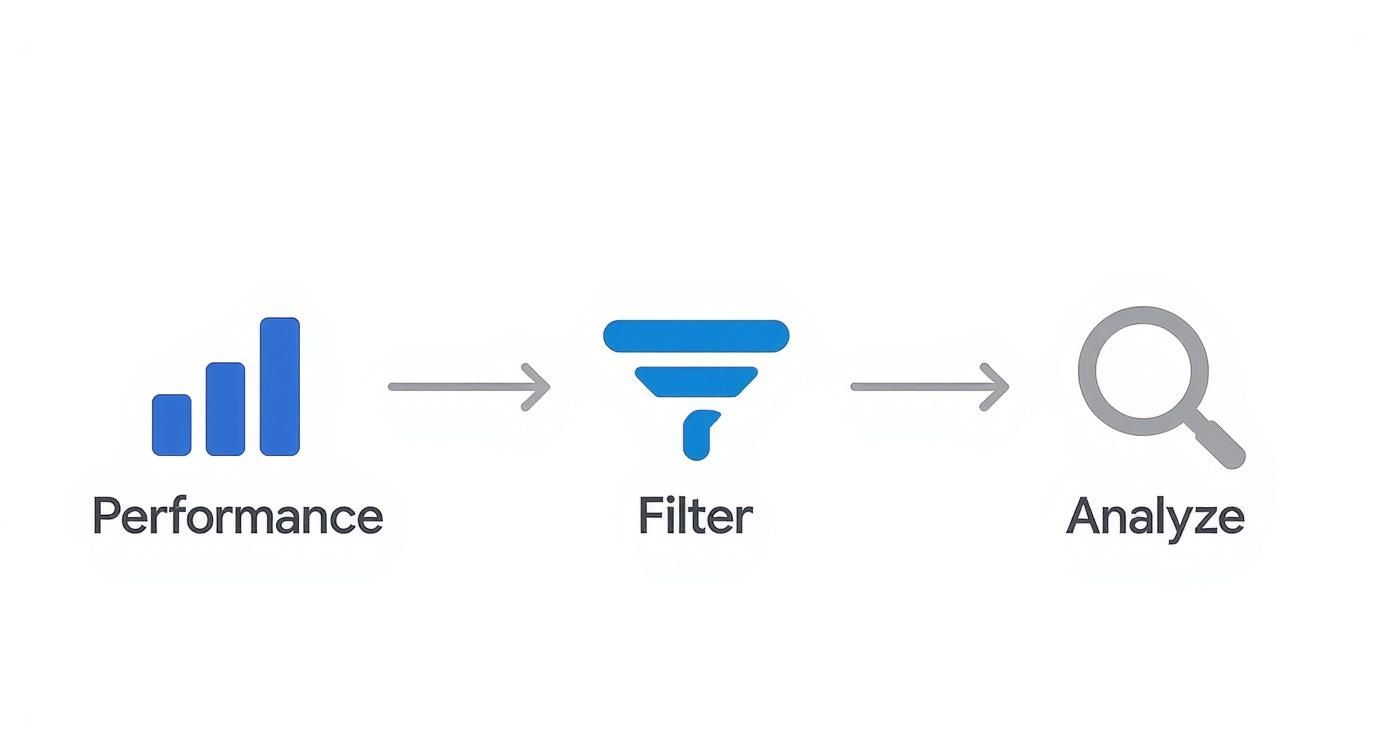
This process—checking performance, filtering down, and analyzing what you see—is fundamental, but automated tools give you much sharper data to work with.
Choosing the Right Type of Tool
Not all rank trackers are built the same. They generally fall into a couple of different camps, and knowing the difference will help you pick one that fits your workflow and budget.
To make it simple, I've broken down the three main ways to check your rankings.
Comparison of Keyword Rank Checking Methods
| Method | Pros | Cons | Best For |
|---|---|---|---|
| Manual SERP Check | Free and quick for spot-checks; gives a real-time, personalized view. | Highly inaccurate due to personalization; not scalable for more than a few keywords. | A quick, informal gut-check on a single, high-priority keyword. |
| Google Search Console | Free and provides real click/impression data directly from Google. | Data is aggregated and averaged; positions are not real-time or precise. | Understanding your site's overall organic health and performance trends. |
| Dedicated Rank Tracker | Highly accurate, automated, and scalable; tracks locations, devices, and competitors. | Subscription cost; can be overkill for very small projects. | Anyone serious about SEO who needs reliable, daily data to make strategic decisions. |
Ultimately, GSC and a dedicated tool work best together. GSC tells you what's happening, and a rank tracker helps you understand why.
For a deep dive into specific platforms, we've reviewed some of the top rank tracking tools to keep your SEO on point which can help narrow down your options.
Setting Up Your First Tracking Project
Let's make this real. Imagine you run an e-commerce site selling artisanal coffee beans. Here’s how you’d set up your first project.
First, you'd add your core keywords. Start with your big "money" terms like "buy single origin coffee" and "best espresso beans." Don't forget to include informational keywords from your blog, too, like "how to make a pour over."
Next, you need to define your target location. Since you ship nationwide in the US, you’d set the country to the United States. But if you knew Chicago and Seattle were hot markets, you could track those cities specifically to see how you're doing there.
Then, you'll want to specify which devices to track. Always track both Desktop and Mobile. Buying habits and search results can be wildly different, and you need to know where you stand on both.
After that, add 2-3 of your main competitors. Just drop their domains in. The tool will start tracking their rankings right alongside yours for the same keywords, giving you an invaluable competitive benchmark.
Finally, schedule automated reports. Set up a weekly email report to land in your inbox every Monday morning. You'll get a clean summary of ranking changes, competitor moves, and overall visibility without ever having to log in.
Just like that, you’ve replaced hours of tedious manual work with a reliable, automated system. Now you have a constant pulse on your SEO performance, freeing you up to focus on what actually moves the needle: creating great content and building a better website.
How to Analyze Rank Data and Take Action
https://www.youtube.com/embed/8xhK-RJFHbw
Checking your keyword rankings is just the starting point. Knowing you’re on page one is one thing; knowing what to do with that information is where real SEO progress happens. Raw ranking data is just a bunch of numbers until you learn to read the story it’s telling you about your content, your competition, and the search landscape itself.
The first step is to get past the simple "position up, good; position down, bad" mentality. A keyword slipping a few spots isn't automatically a disaster, and a small jump isn't always a huge win. Your job is to become a data detective, connecting the dots between ranking shifts, traffic changes, and tangible business results.
Diagnosing Rank Volatility
One of the most common headaches is figuring out why your rankings are bouncing around. Was it something you did? Something a competitor did? Or is a big Google algorithm update shaking up the whole board?
Here’s how to start investigating:
- Google Algorithm Updates: If you see sudden, widespread changes across a ton of your keywords at the same time, an algorithm update is the most likely suspect. A quick check of SEO news sites or what the community is saying on social media will usually confirm if others are seeing the same thing.
- Competitor Actions: Did just one or two important keywords take a nosedive? Your first move should be to pull up the SERP in an incognito window. Look at who jumped ahead of you. Did they just publish a massive, super-comprehensive new article? Maybe they landed some powerful backlinks?
- On-Page or Technical Hiccups: Sometimes, the problem is coming from inside the house. A recent site redesign, a new plugin slowing things down, or even accidentally messing up your internal linking can cause rankings to slip.
The real takeaway here is to treat your ranking data like a diagnostic tool. Don't just react to the change; investigate the "why" behind it. This is what separates a passive data-watcher from a strategic SEO.
It's also critical to remember that what Google shows people isn't always what's written on your page. Google uses over 200 ranking factors and, in recent years, has gotten much more aggressive about rewriting page titles. In fact, research shows about 76% of search result titles are modified by Google. This means you need to monitor how you actually appear in the SERPs, not just what's in your CMS. You can discover more insights about SEO trends to stay on top of these kinds of changes.
A Real-World Troubleshooting Scenario
Let's play this out with a common situation. Your blog post for the keyword "how to create a content calendar" has dropped from a comfortable position #3 to a much less visible position #9. Panic starts to set in. What do you do?
Here’s a practical, step-by-step process to turn that data into a concrete plan of attack.
- Analyze the New SERP Landscape: First things first, open an incognito window and search for your keyword. Who’s in the top spot now? Who stole your #3 position? Pay close attention to the type of content that’s outranking you. Are they listicles? In-depth guides with embedded videos? Do they offer a free template download? The answer is often right there in plain sight.
- Conduct a Content Gap Analysis: Now, open the new #3 ranking page and put it side-by-side with your own. What topics do they cover that you completely missed? Are their examples more current? Is their content structured better with clearer headings and more visuals? This direct comparison almost always uncovers immediate opportunities for improvement.
- Review Your On-Page SEO Fundamentals: Go back and audit your own page with a critical eye. Is the keyword used naturally in your title tag, meta description, and H1 heading? How’s your internal linking structure? A thorough review using a solid on-page SEO checklist can often reveal simple mistakes that are easy to fix but have a surprisingly big impact.
- Create a Data-Backed Action Plan: Based on your analysis, your to-do list might now look something like this:
- Expand the Content: Add a new section on "Content Calendar Tools" that the competitor covered so well.
- Update Examples: Replace those outdated screenshots and stats with fresh ones from this year.
- Add a Video: Embed a short tutorial video to boost engagement and keep people on the page longer.
- Build Internal Links: Find 3-5 other relevant posts on your blog and add links from them pointing to your content calendar article.
This methodical approach takes the guesswork and emotion out of a ranking drop. Instead of panicking, you now have a clear, actionable strategy based on direct evidence from the SERP. This is exactly how you reclaim lost rankings and build a more resilient SEO foundation for the future.
Got Questions About Keyword Rankings? We've Got Answers.
Even with the best process in place, checking your keyword rankings can feel like a moving target. Let's dig into some of the most common questions that pop up, so you can make sense of your data and sidestep the usual headaches.
Why Do My Rankings Look Different in Different Tools?
This one trips up everyone at some point. You check Google Search Console and it says your average position is 12.1. Your rank tracking software says you're at #9, but when you do a quick incognito search, you see yourself at #11. What gives?
It's not that your tools are broken; they're just measuring different things, from different angles.
- Google Search Console is giving you an average position. It’s a blend of data from all sorts of users—different locations, devices, and search histories—all crunched together over a set period.
- A Dedicated Rank Tracker provides a clean, precise snapshot. It checks your rank from a specific location and device at a specific moment in time, stripping out any personalization. It's the most objective view you can get for a controlled search.
- Manual Searches (even incognito) are still influenced by your IP address, browser data, and other subtle signals. They’re good for a quick spot-check, but they're the least reliable for making big decisions.
Think of it this way: GSC is like looking at your average health over the last month, while a rank tracker is like taking your temperature right now. Both are valuable, but they tell you different parts of the story.
How Often Should I Check My Keyword Rankings?
The honest answer? It depends on your goals and how competitive your space is. Checking your rankings multiple times a day is a fast track to paranoia, because small, daily fluctuations are totally normal.
For most businesses, a more structured routine is the way to go.
A good rule of thumb is to sit down for a thorough review of your most important keywords once a week. This is frequent enough to spot any serious drops or jump on new opportunities without getting bogged down in the daily noise of SERP churn.
Of course, if you're in the middle of a high-stakes product launch or a big website migration, you might bump that up to daily checks. On the flip side, for evergreen informational content that's been stable for a while, checking every couple of weeks or even monthly is probably enough to keep an eye on the long-term trend.
Why Did My Ranking for a Keyword Suddenly Drop?
Seeing a keyword you’ve worked hard for take a nosedive is never fun. But before you panic, run through a quick diagnostic checklist. The cause is usually one of a few common culprits.
- Was there a Google Algorithm Update? If you see a bunch of your keywords drop at the same time, this is often the reason. Check out a few SEO news sites or pop into an SEO community forum—if there was a major update, everyone will be talking about it.
- What Did Your Competitors Do? Take a close look at who jumped into your old spot. Did they just publish an amazing new piece of content? Did they overhaul an old article, or maybe land a huge new backlink? Sometimes, they just outplayed you.
- Did Something Break on Your Site? A recent change can have unintended consequences. Technical hiccups like a sudden drop in page speed, an accidental "noindex" tag, or even a few broken internal links can absolutely tank a page's ranking.
Figuring out the "why" behind the drop is the only way to build a smart plan to get your position back.
How Do I Check Rankings for a Local Business?
When you’re a local business, national rankings are vanity metrics. A plumber in Phoenix doesn't care if they rank #3 for "plumber" in Chicago. You need data that reflects what your actual customers see.
This is where a dedicated rank tracker isn't just nice to have—it's essential. Both GSC and manual checks will give you a fuzzy picture at best.
You need to set up your tracking to monitor keywords from the specific city, state, or even ZIP code your customers are in. For a search like "emergency plumber near me," the difference between ranking #2 in one part of town and #22 a few miles away is the difference between a ringing phone and a silent one. Always track local from a local perspective.
Ready to stop guessing and start getting precise, automated ranking data? Rankai uses AI-powered tools and expert strategy to track the keywords that actually drive growth. See how our system can deliver agency-level results and put your SEO on autopilot. Learn more at https://rankai.ai.